Step 9: Set Up New User Registration Tester
Procedure:
-
Access the New User Registration Context component ().
-
Click the Add a New Value tab.
-
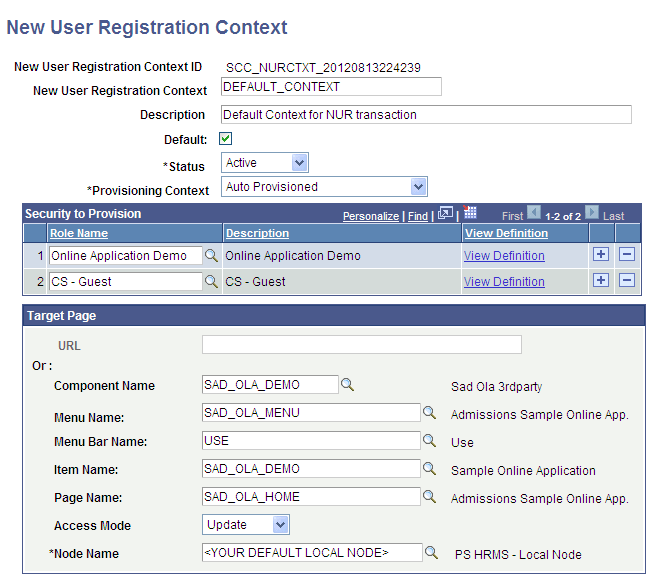
Add the DEFAULT_CONTEXT New User Registration Context as shown in this graphic:
This is an example of the New User Registration Context for SOLA.
-
Select the Default check box.
-
In the Node Name field, you must select a node marked as Default Local Node = Y.
-
Save your changes.