Using Equation Engine to Define Tuition Calculation Equations
The Equation Engine is a powerful tool that enables you to develop a variety of formulas. In Student Financials, equations are used to identify a student's enrollment status, calculate and assign fees, and calculate tuition. This section provides an overview of global variables and discusses:
Understanding Global Variables
The following SF global variables are now available to calculate: adjustments, course fees, course list fees, and class fees. The new global variables use fields from the Tuition Calculation temporary table, which originates from the STDNT_ENRL_ or CLASS_TBL.
The SF global variables are:
-
A_amount
-
A_select (yes/no flag)
-
Acad_career (academic career)
-
Billing_career
-
Business_unit
-
Class_nbr
-
Crse_id (course id)
-
Enrol_actn rsn_last (enrollment action reason last)
-
Emplid
-
Institution
-
Session_code
-
Stdnt_car_nbr (Student Career Number)
-
STRM (Term)
-
Trans_date
-
Trans_time
Page Used to Define Tuition Calculation Equations
| Page Name | Definition Name | Navigation | Usage |
|---|---|---|---|
|
Equation Editor |
EQUATION_EDITOR |
|
View delivered equations. |
Viewing Delivered Equations
Access the Equation Editor page ().
This example illustrates the fields and controls on the Equation Editor page. You can find definitions for the fields and controls later on this page.
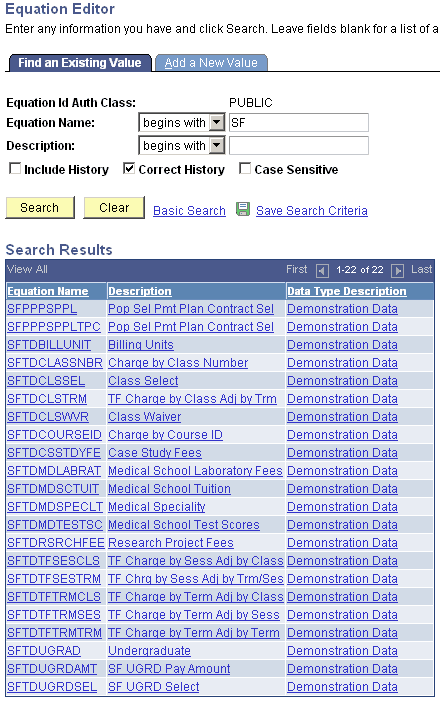
You can view any equation listed on this page.
Viewing Equation Information
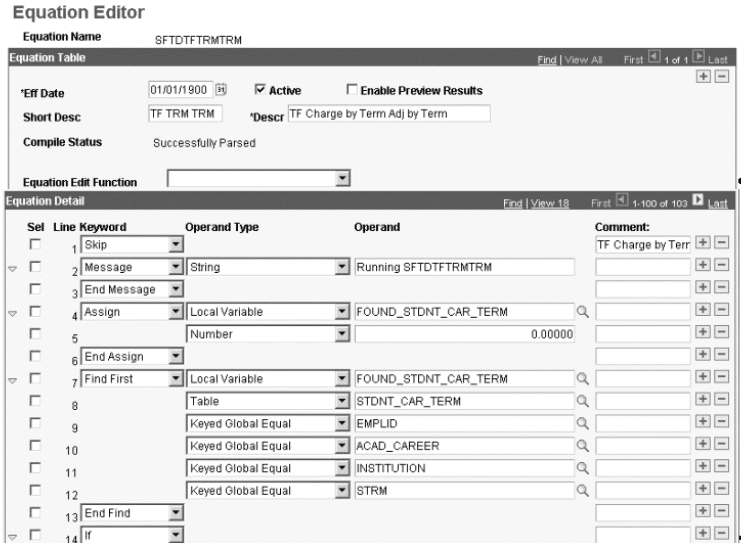
Access the SFTDTFTRMTRM equation on the Equation Editor page ().
This example illustrates the fields and controls on the Equation Editor example page (1 of 4). You can find definitions for the fields and controls later on this page.
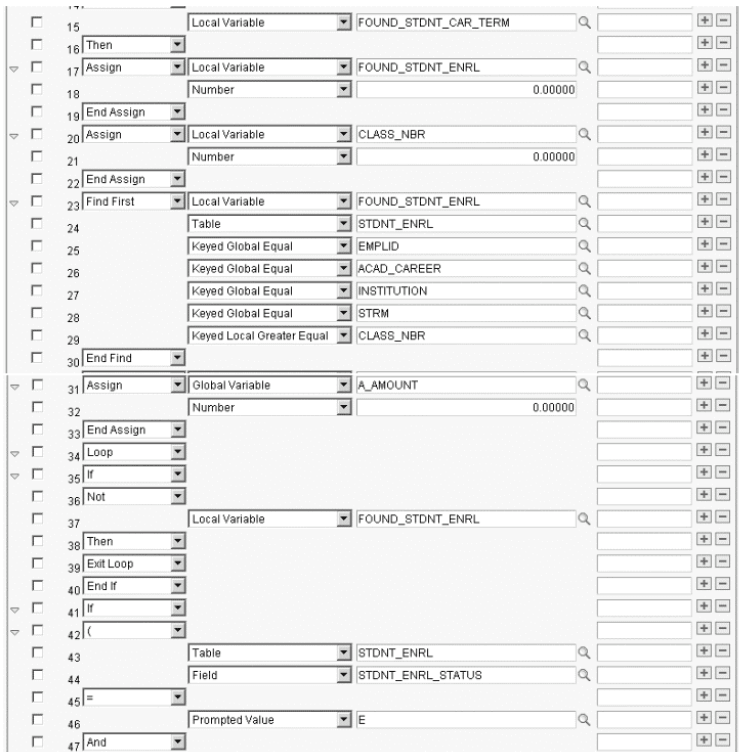
This example illustrates the fields and controls on the Equation Editor example page (2 of 4). You can find definitions for the fields and controls later on this page.
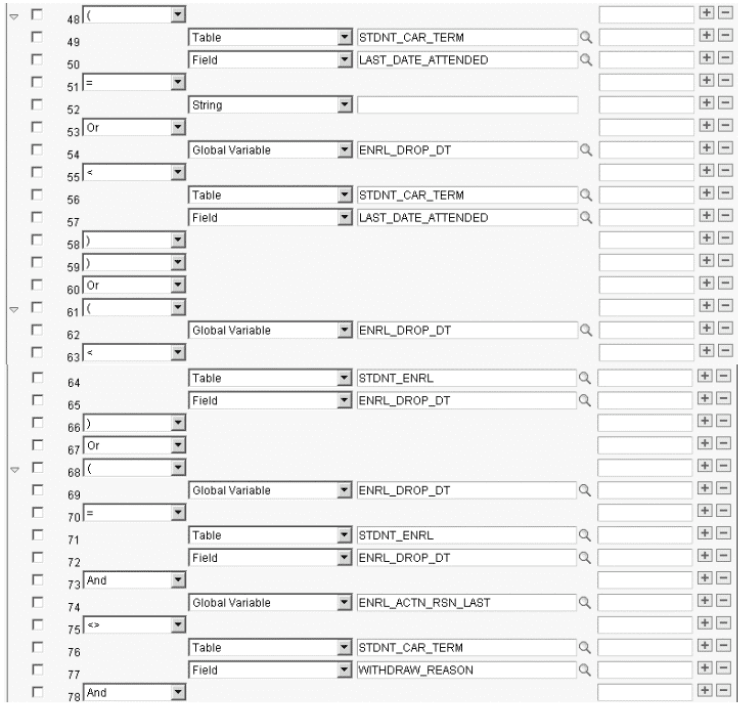
This example illustrates the fields and controls on the Equation Editor example page (31 of 4). You can find definitions for the fields and controls later on this page.
This example illustrates the fields and controls on the Equation Editor example page (4 of 4). You can find definitions for the fields and controls later on this page.
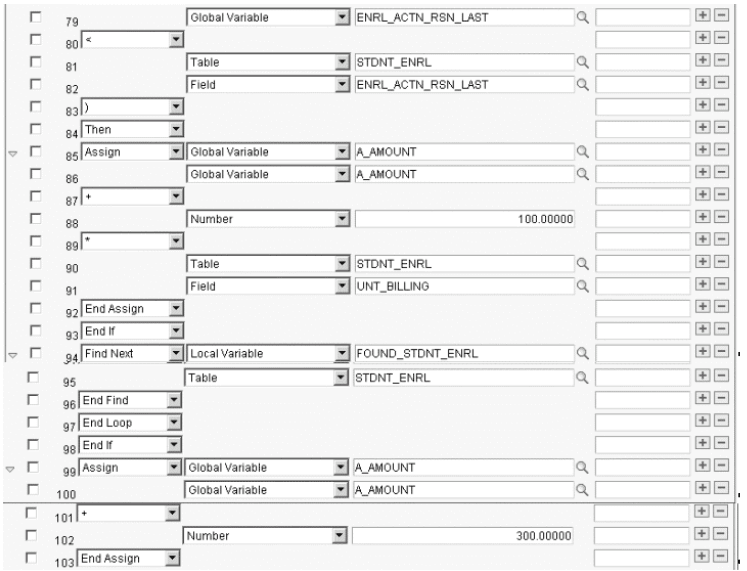
This sample equation calculates the term fee by term, adjust by term. To determine the enrolled classes on a specific date, tuition calculation looks at the temporary table and, for each row, the equation is called and it compares the global variables from the temporary table to the student's enrollment. Refer to Understanding the Adjustment Calendar section for logic for the term fee and adjustment calculation for each student.
Using Equation Engine in Student Financials Tuition Calculation
Access the SFTDUGRDAMT equation on the Equation Editor page.
This example illustrates the fields and controls on the Equation Editor page (SFTDUGRDAMT). You can find definitions for the fields and controls later on this page.
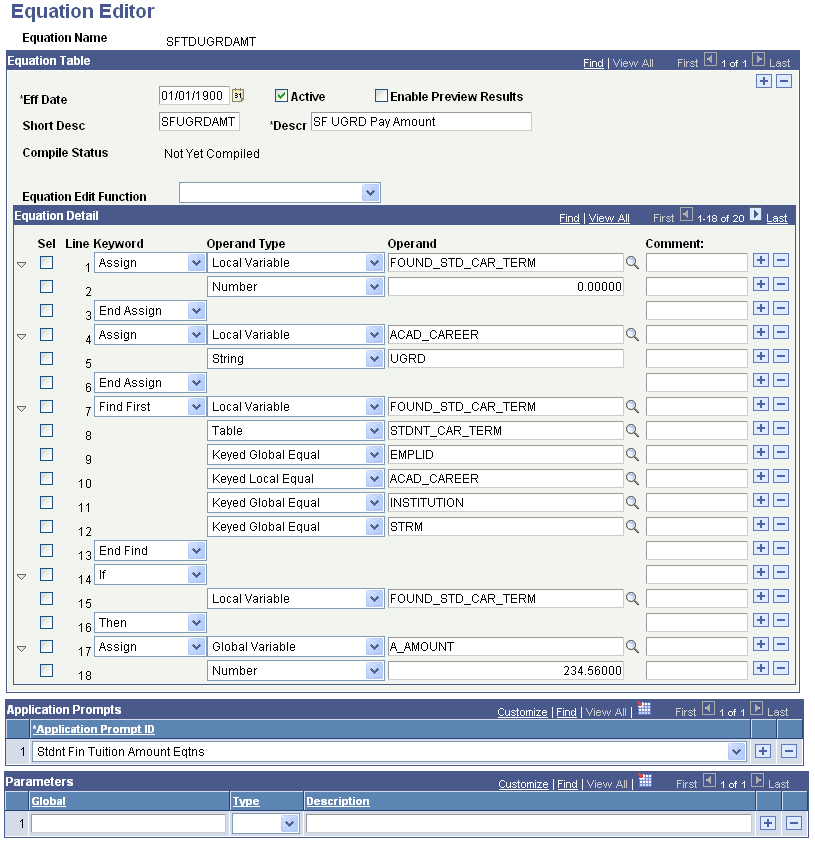
This equation uses the Stdnt Fin Tuit Amount Limited application prompt ID. The equation looks at a student's career number, determines whether the student is an undergraduate, and then assigns a monetary amount.
Using Student Financials Undergraduate Selection Equation
Access the SFTDUGRDSEL equation on the Equation Editor page ().
This example illustrates the fields and controls on the Equation Editor page (SFTDUGRDSEL). You can find definitions for the fields and controls later on this page.
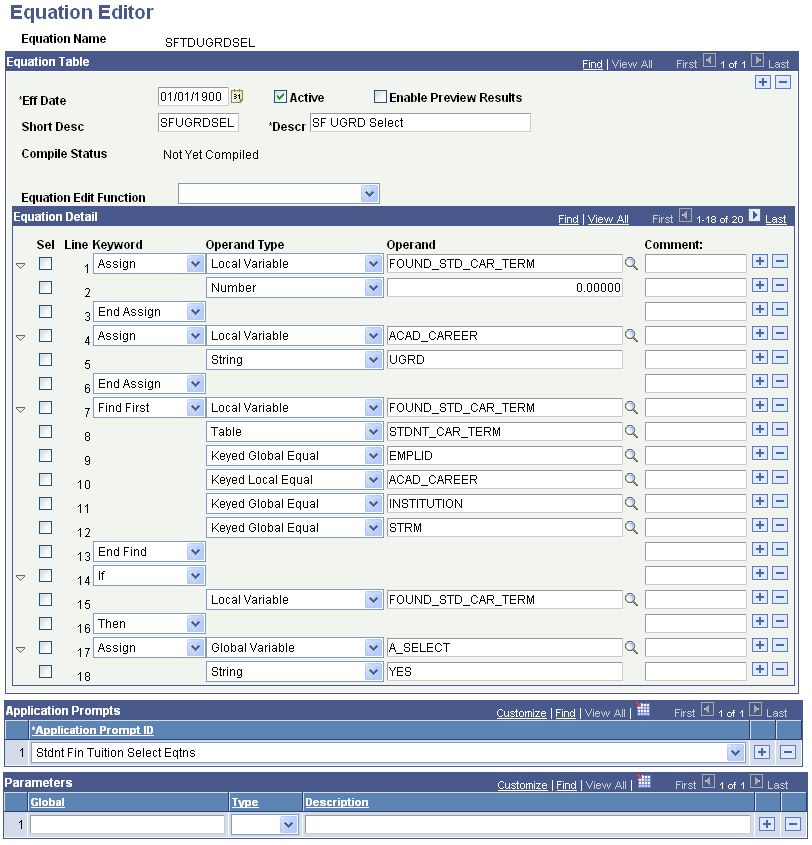
This equation selects students based on their undergraduate status.