Adding the New Work Field to the Work Record
Add the new work field that you created for a customized ChartField to the work record, DERIVED, using PeopleTools Application Designer. This is a common work record that is used by the Financials and Supply Chain Management online pages.
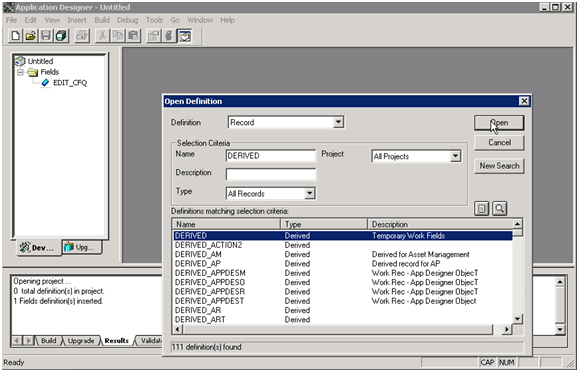
To add the new work field to the DERIVED work record, access the record using PeopleTools Application Designer - Open Definition:
This example illustrates the fields and controls on the Application Designer - Open Definition (Record). You can find definitions for the fields and controls later on this page.
| Field or Control | Description |
|---|---|
|
Definition |
Select Record to retrieve the work record, DERIVED. |
|
Name |
As your selection criteria for the field, enter the record name, DERIVED and click the Open button to retrieve the record. |
Double-click the DERIVED record from the search result grid to open the record. Add the new work field or fields that you created in the first step. The field position within the record definition is not important. Save the record.