Insights Catalog (Navigation Collection)
PeopleSoft delivers direct access to all FSCM Insights dashboards using the Insights Catalog navigation collection.
This navigation collection is intended for anyone who has the EOIC Insights Catalog role to access to all Insights dashboards delivered in the FSCM system.
Use the Insights Catalog tile to access the Insights Catalog navigation collection for FSCM. When adding the tile to a homepage, this tile can be access from PeopleSoft Common Architecture.
This example illustrates the Insights Catalog tile:
Navigation:
Select the tile to access the Insights Catalog navigation collection.
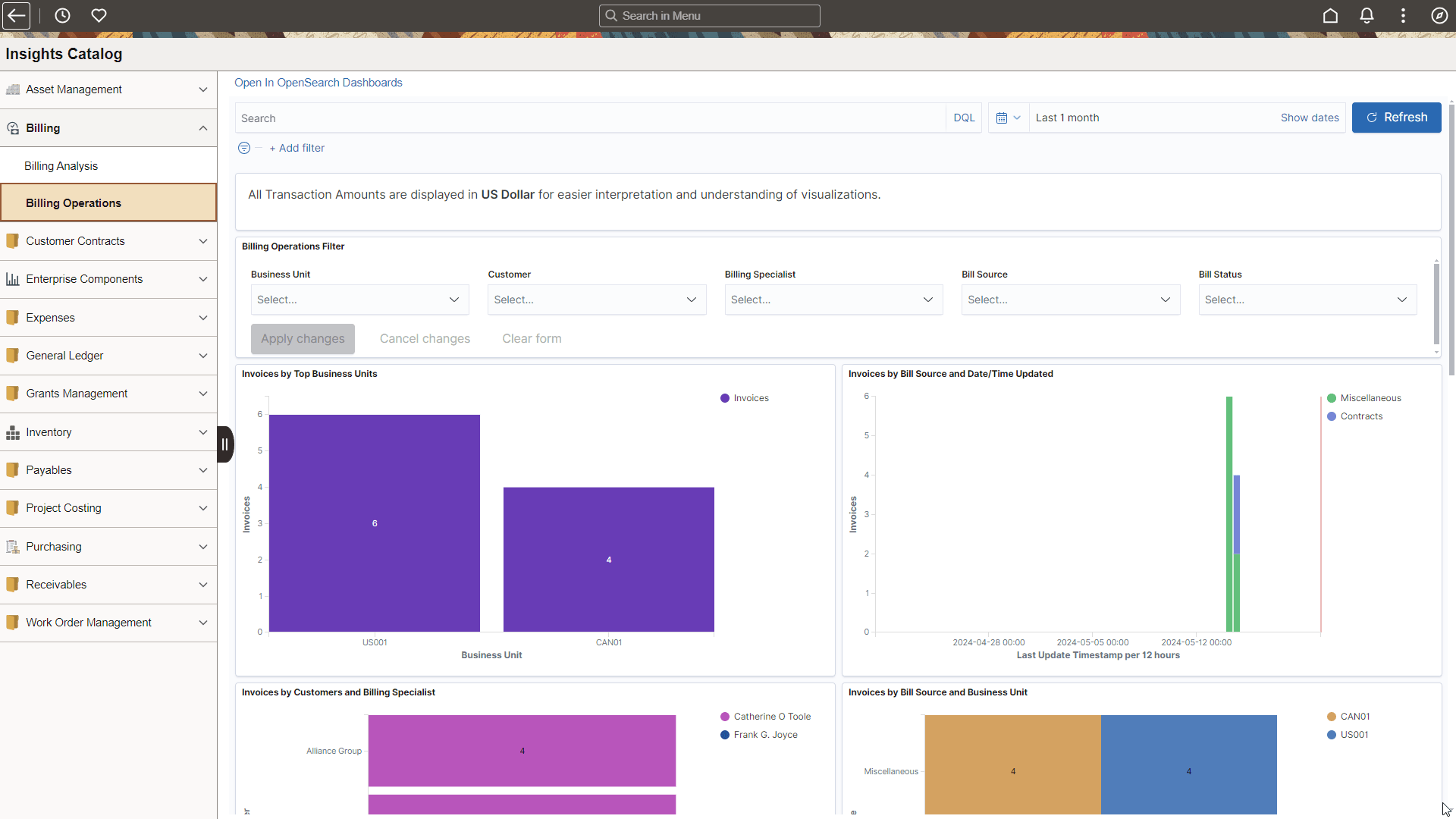
This example illustrates the FSCM Insights Catalog dashboard:
Note:
All insights may not be displayed in the example above.
The left panel lists the Insights dashboards for FSCM products in alphabetical order. The right panel displays the Insights dashboard selected in the left panel.
The Insights Catalog is a navigation collection created using the Manage Navigation Collections component in PeopleTools Portal Utilities. See PeopleTools: Portal Technology, Working with Navigation Pages and Navigation Collections.
Setting Up the Insights Catalog
-
PeopleTools release 8.61 is required to use the Insights Catalog.
-
Add the EOIC Insights Catalog role to users who can access this catalog. Only users who have the specific Insights dashboard role can see the associated dashboards listed on this page. See the following section Search Definitions and Privileges for the roles required for each Insights dashboard.
-
Add this tile to any Homepage using these instructions Adding Homepages and Tiles.