Select Step Predecessors Page
Use the Select Step Predecessors page (BPW_PRI_STEPS_SEC) to select predecessors for each step, if applicable. Predecessors for the steps are used to define sequential execution.
Navigation:
Click the Select Predecessor icon.
This example illustrates the fields and controls on the Select Step Predecessors page . You can find definitions for the fields and controls later on this page.
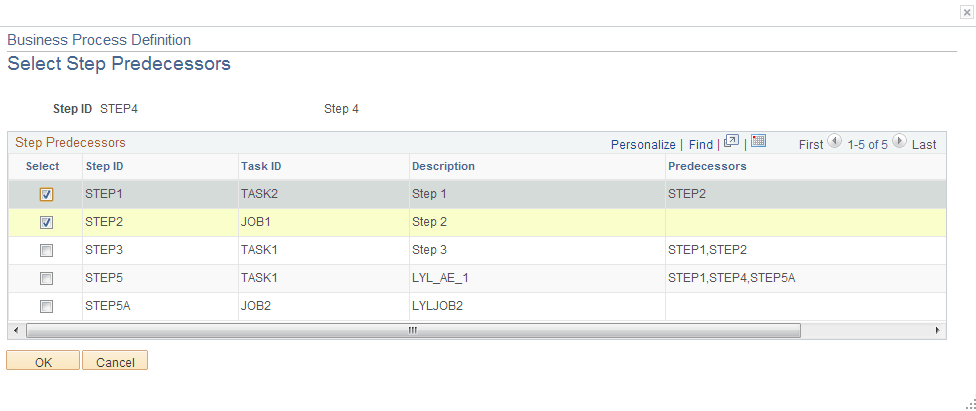
Select the predecessors for each step:
| Field or Control | Description |
|---|---|
|
Select |
Select this check box to select the step as a predecessor. The check box is automatically selected if it was selected previously. |
|
OK |
Select to confirm the selection or selection changes. |
|
Cancel |
Select to cancel the selection changes. |