Load Transactions into AM
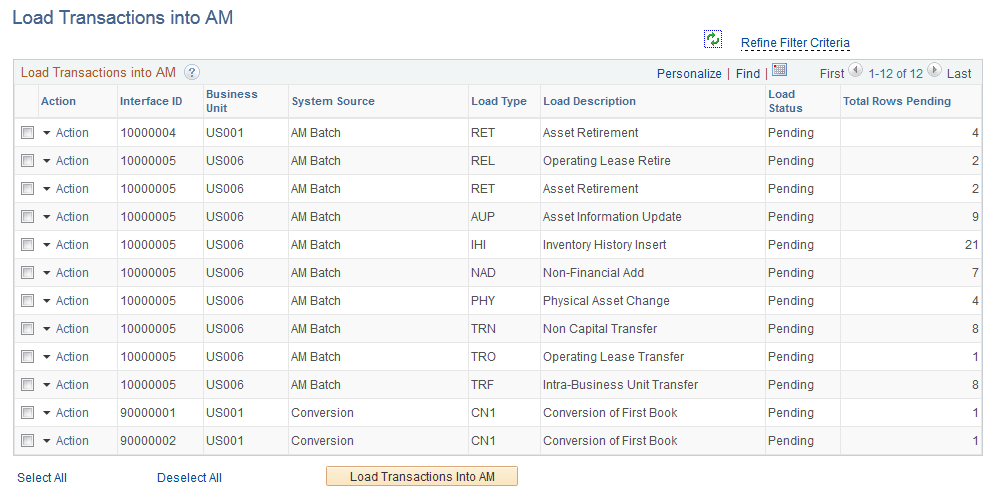
Use the Load Transaction to AM page (AM_WC_INTFC) to review and run load transactions into AM assigned to the user.
Navigation:
Click the Pending Transactions: Load Transaction into AM link.
This example illustrates the fields and controls on the Load Transactions into AM Page.
| Field or Control | Description |
|---|---|
|
Action |
Click the action link associated with an item to open the Review Financial or Review Physical A pages. You must perform each action individually in the Action column by drilling into the action from this list |
|
Load Transactions Into AM |
Select one or more Interface IDs and click the Load Transactions Into AM button to run the application engine and load transactions into AM. |