Working with Related Content in Asset Management
This topic provides an overview of related content and discusses how to access Asset Management related information.
Pages Used to Work with Asset Management Related Content
| Page Name | Definition Name | Usage |
|---|---|---|
|
PTCSSERVICES |
Create and manage service definitions. |
|
|
PTCS_SRVCFG_SRCH |
Manage related content and related action configurations for content references. |
|
|
PTCS_ SERVICECFG |
Assign the related content service ID to the application component. |
|
|
General Information Page (Basic Add) |
ASSET_GENERAL_01 |
Asset Basic Add component. |
|
ASSET_TRANS_01 |
Review Cost component. |
|
|
DEPR_ALL_MAIN |
Asset Depreciation component. |
|
|
AM_REVERSAL_REVIEW |
Review Transaction Reversal component. |
Understanding Related Content
Using PeopleSoft Related Content Services Framework, you can configure services to appear on component pages without customizing PeopleSoft-delivered application pages. This framework provides immediate access to relevant, contextual information for PeopleSoft applications, such as Asset information, without requiring any additional user effort.
Asset Management delivers the following related content:
| Related Content Service ID | Related Content Label | Component |
|---|---|---|
|
AM_ARO_LINKS |
ARO Information |
Review Cost |
|
AM_BOOK_HISTORY |
Review Book |
Review Transaction Reversal |
|
AM_BOOK_HISTORY2 |
Book History |
Asset Depreciation |
|
AM_COST_HISTORY |
Review Cost |
Review Transaction Reversal |
|
AM_COST_HISTORY2 |
Cost History |
Basic Add Asset Depreciation |
For more information about using related content, see PeopleTools: PeopleTools Portal Technology.
See "Working with Related Content Services," PeopleTools: PeopleTools Portal Technology.
Define Related Content Service Page
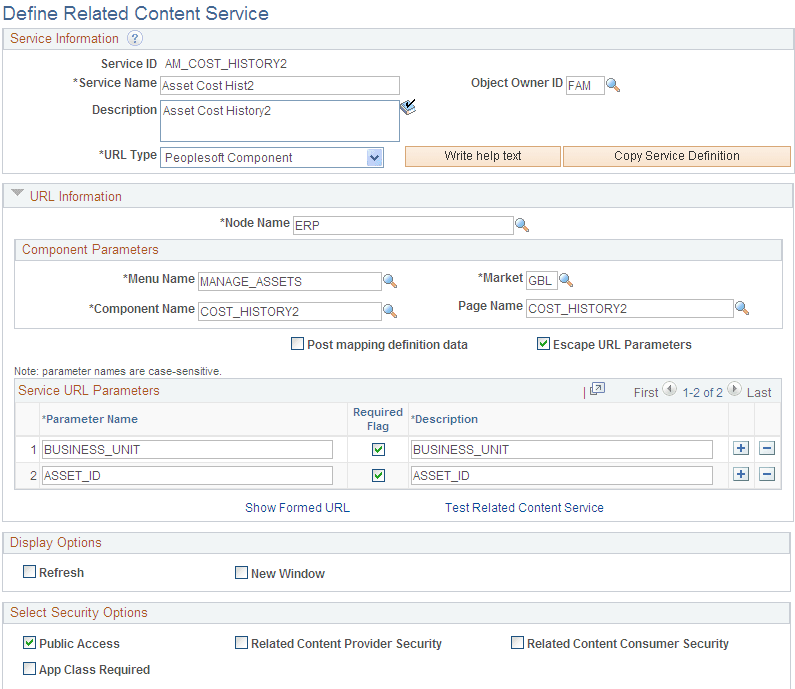
Access the Define Related Content Service page to create and manage service definitions.
Navigation:
This example illustrates the fields and controls on the Define Related Content Service page. You can find definitions for the fields and controls later on this page.
Manage Related Content for Content References Page
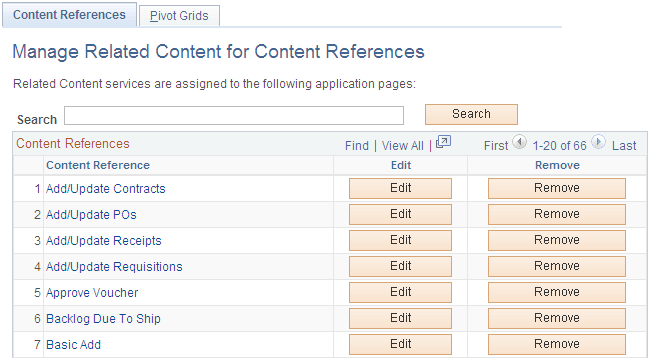
Use the Manage Related Content for Content References page to manage related content and related action configurations for content references.
Navigation:
This example illustrates the fields and controls on the Manage Related Content for Content References page. You can find definitions for the fields and controls later on this page.
This example illustrates the fields and controls on the Assign Related Content page. You can find definitions for the fields and controls later on this page.
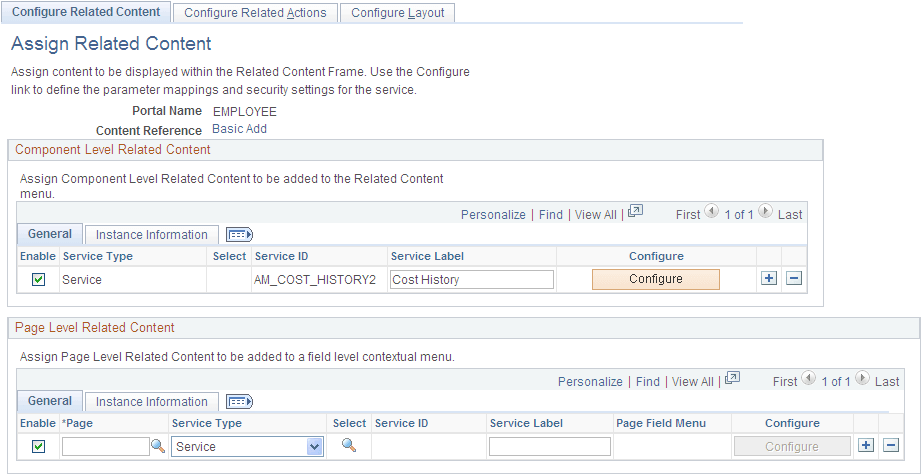
Notice that the Component Level Related Content is assigned to the Service ID, AM_COST_HISTORY2. There is no page level related content . If you want to modify the setup as delivered, see PeopleTools Documentation: PeopleTools Portal Technologies, Developing and Configuring Related Content Services.
Configure Layout Page
Click the Configure layout button to assign the related content service ID to the application component.
This example illustrates the fields and controls on the Configure Layout page. You can find definitions for the fields and controls later on this page.
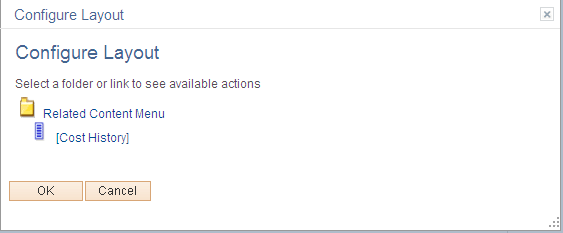
Click OK and Save the Configure Layout page.