Billing WorkCenter - My Approvals (Fluid)
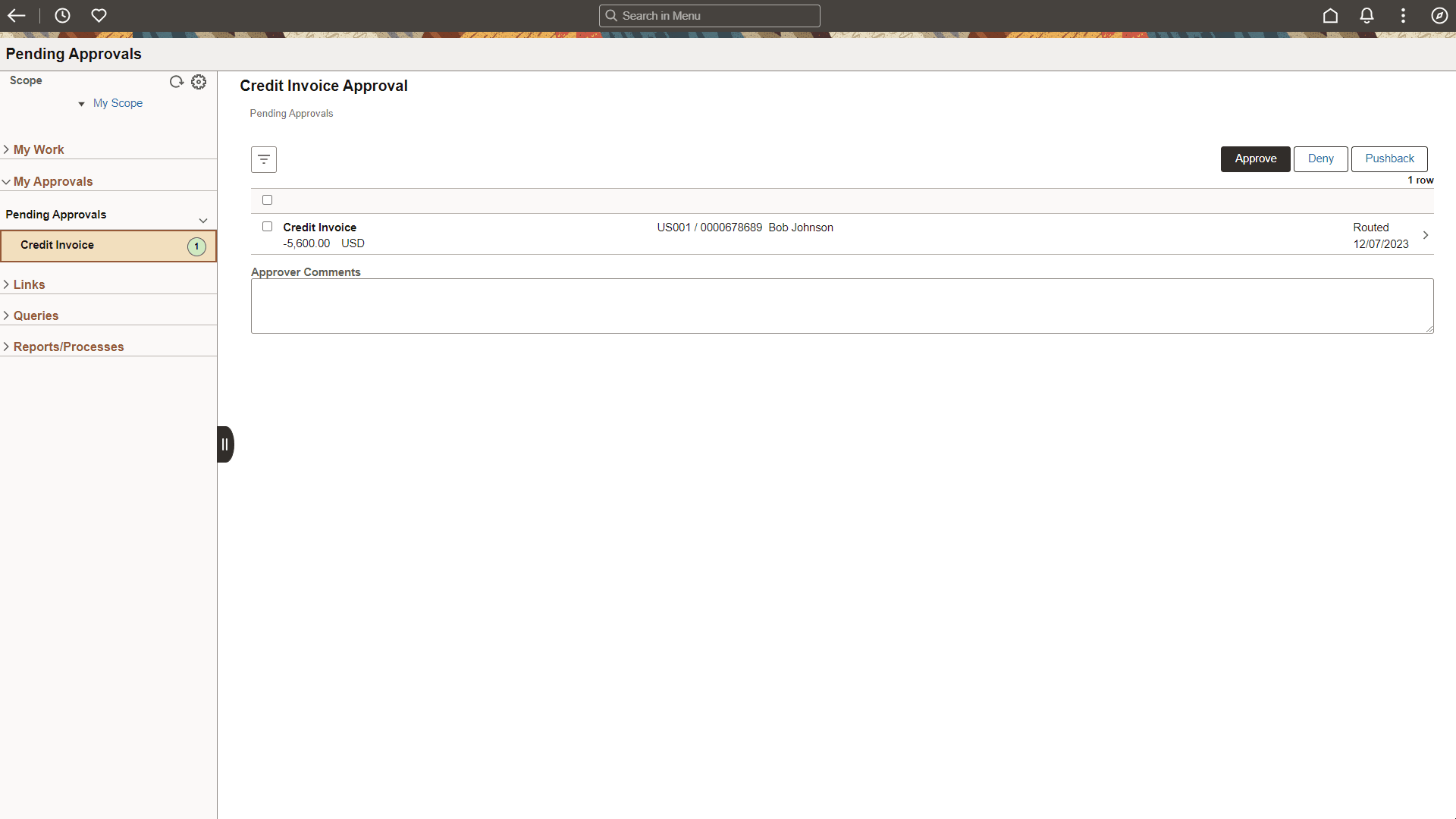
Use the Billing WorkCenter - My Approvals to access pending approvals that are assigned to you.
Navigation
Select the Billing WorkCenter tile from a Fluid homepage. Expand My Approvals.
This example illustrates the fields and controls on the Billing WorkCenter - My Approvals (Fluid).
Activating My Approvals
You must first activate My Approvals:
-
Select
-
Enter BI as the Configuration ID
-
Select the My Approvals tab.
-
Select the Activate My Approvals Settings button in the Update User Personalization Settings section.
-
Select the Save button.
See Enterprise Components: Configure Pagelets - My Approvals Page.