Billing WorkCenter - My Insights (Fluid)
Use the Billing WorkCenter - My Insights (BI_HDR_APP_GRID_FL) to access Billing Insights dashboards.
Navigation
Select the Billing WorkCenter tile from a Fluid homepage. Expand My Insights.
This example illustrates the fields and controls on the Billing WorkCenter - My Insights (Fluid).
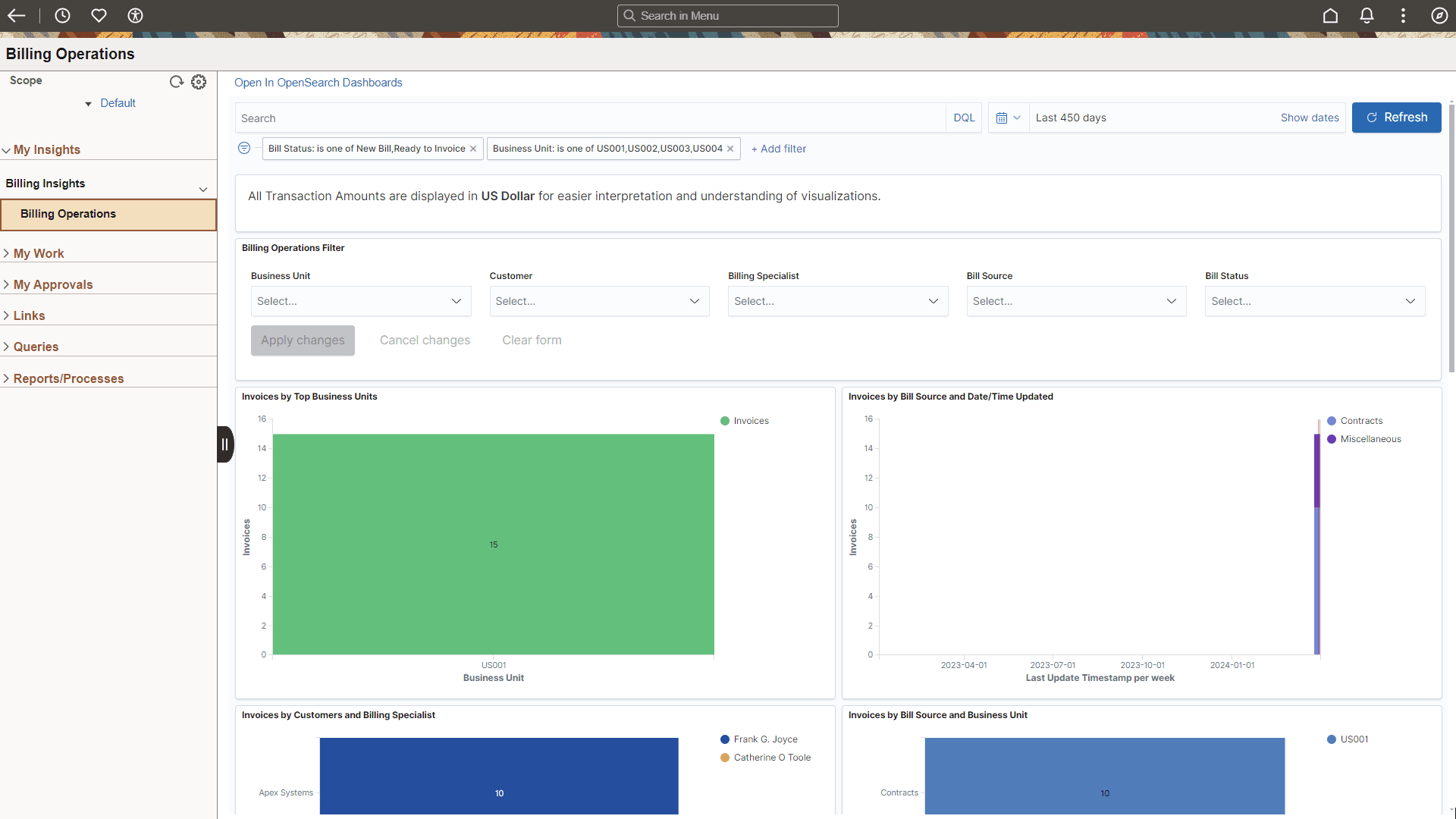
To access Billing Insights dashboards in the Billing WorkCenter, you must have one of these roles: “Insights BI Edit Privilege” and “Insights BI View Privilege”.
For more information about Billing Insights dashboards, see Analyzing Billing Using PeopleSoft Insights.
Filters Used in the WorkCenter for Insights Dashboards
These filters are available on the Billing generic filter for Billing WorkCenter and is mapped to the corresponding filters on the Billing Analysis Insights dashboard:
-
Date and Time Added
-
Billing Specialist
-
Bill Source ID
-
Bill Status
-
Bill Type ID
-
Business Unit
-
Invoice Type
-
Customer Bill To
-
Invoice Amount
These filters are available on the Billing Operations Insights dashboard:
-
Date and Time Added
-
Billing Specialist
-
Bill Source ID
-
Bill Status
-
Bill Type ID
-
Business Unit
-
Invoice Type
-
Customer Bill To
-
Invoice Amount
This information can be found by selecting the Define Map link from the Enterprise Components: Configure Pagelets - My Insights Page.