Payment Details Page
This step appears in the Payment Cart for credit card payments only.
Use Payment Details page (EB_PAYCART_AGS2_FL) to review payment details. Select a different credit card profile for payment, edit an existing credit card profile, or add a new credit card profile.
Navigation:
Click the Next button on the Invoices to Pay page.
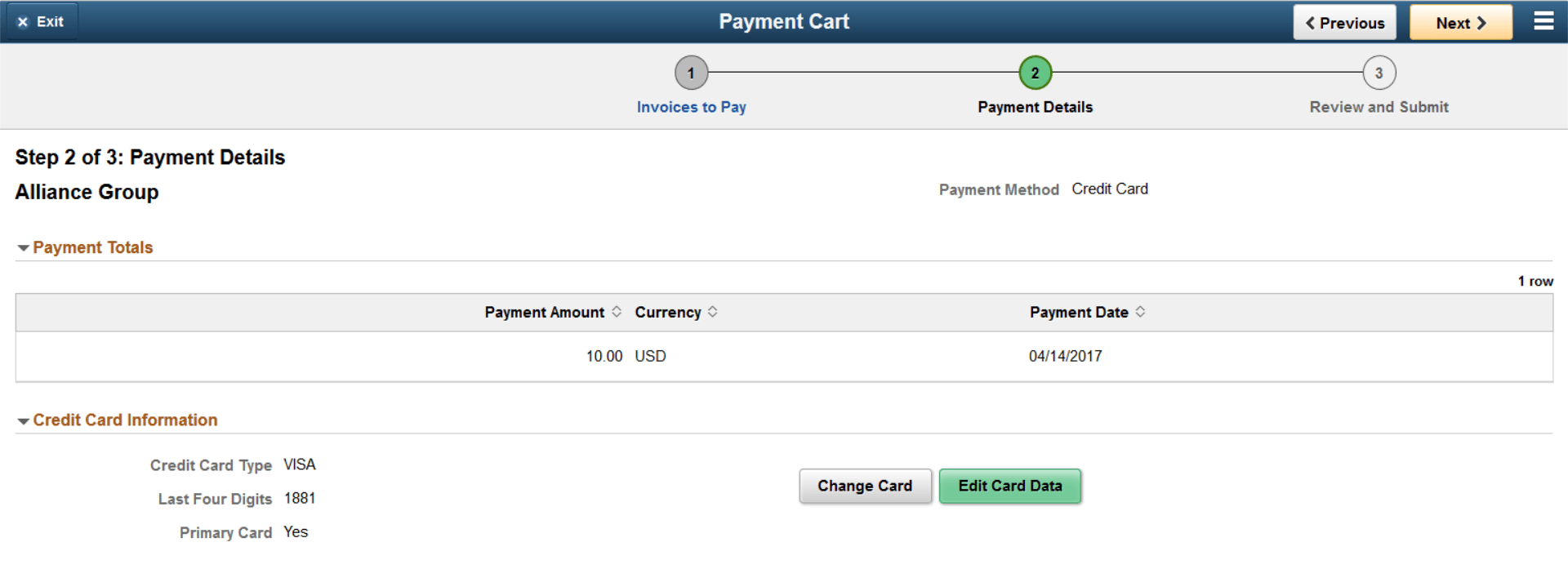
This example illustrates the fields and controls on the Payment Details page, which is Step 2 in the Payment Cart for credit card payments, as displayed on a laptop. You can find definitions for the fields and controls later on this page.
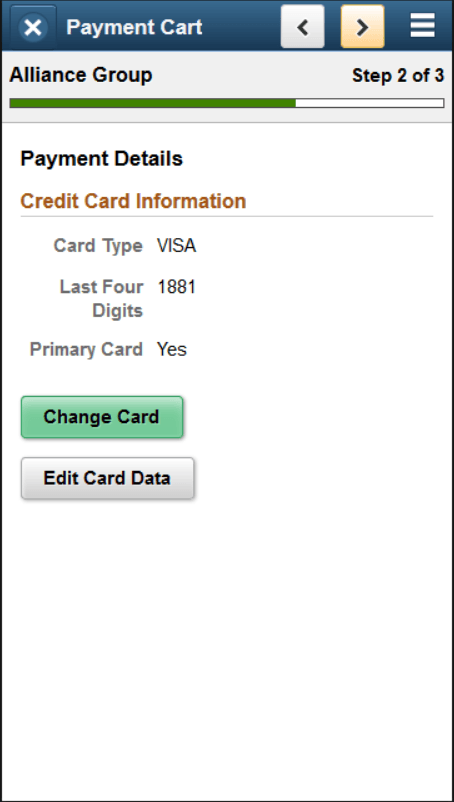
This example illustrates the fields and controls on the Example of the Payment Details page, Step 2 in the Payment Cart for credit card payments, as displayed on a smartphone. You can find definitions for the fields and controls later on this page.
| Field or Control | Description |
|---|---|
|
Credit Card Information |
Displays the profile information for the credit card used to make the payment. Profile information includes credit card type, last four digits of the credit card number, and whether the credit card is the primary or default card used for payments. |
|
Change Card |
Click this button to open the Change Card page (EB_PYCART_CARD_SCF), where you can select a different card in your profile or access the third-party credit card hosting website to add a new credit card. |
|
Edit Card Data |
Click this button to edit credit card data in the third-party credit card hosting website. |