Review and Submit Page
This is the last step in the Payment Cart before submitting a payment for processing.
Use Review and Submit page (EB_PAYCART_AGS3_FL) to review payment totals and enter comments for a partial payment.
Navigation:
Click the Next button on the Invoices to Pay or Payment Details page, depending on the payment method.
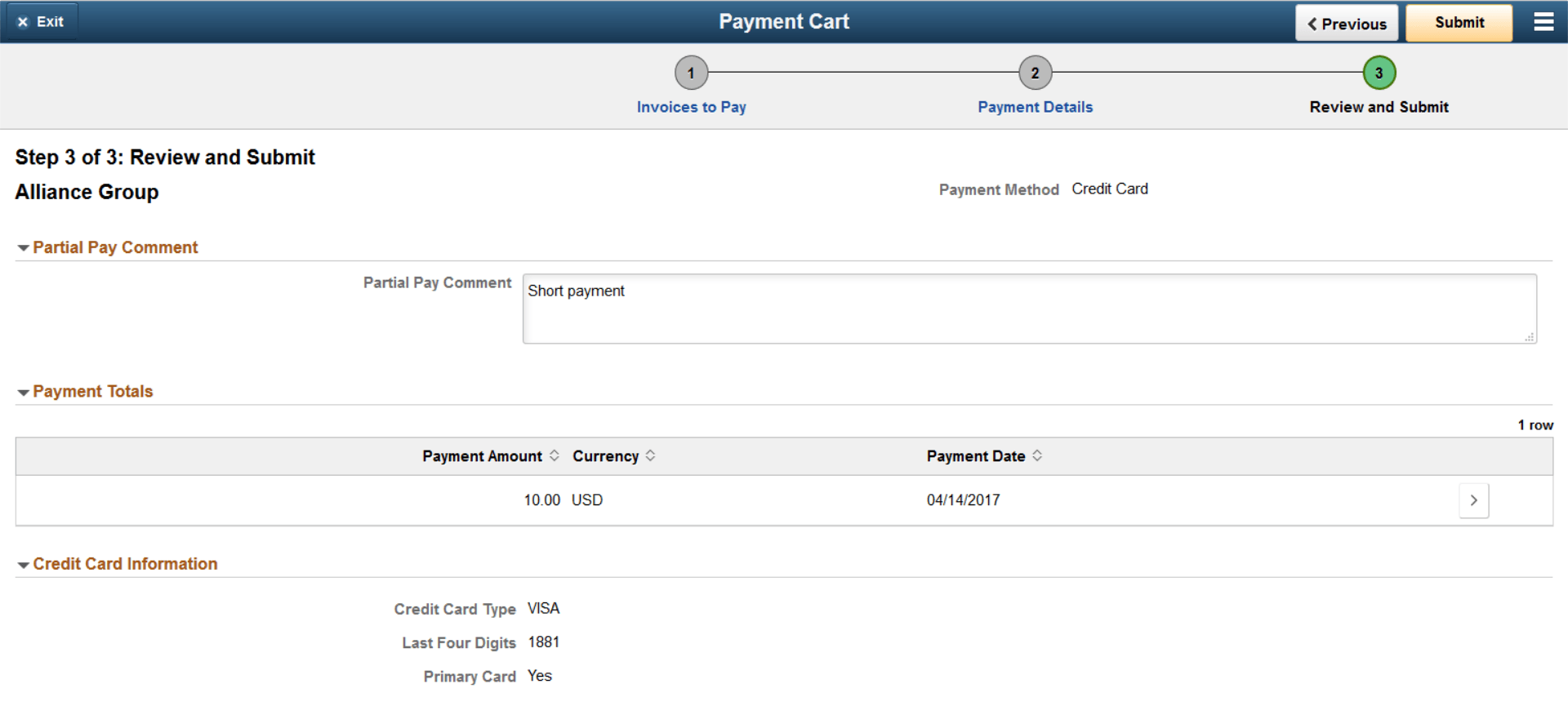
This example illustrates the fields and controls on the Review and Submit page for a credit card partial payment on a laptop. You can find definitions for the fields and controls later on this page.
| Field or Control | Description |
|---|---|
|
Partial Pay Comment |
Enter a comment regarding the partial payment. |
|
Payment Totals |
Click the Show Detail Entry button to review payment details on the Payment Amount Detail page (EB_PAY_DETAIL_SCF). |
|
Credit Card Information or Direct Debit Information |
Depending on the payment method, this section displays the credit card type and last four digits or beneficiary bank for direct debit payments. |