Deleting EBOMs
This topic discusses how to delete EBOMs.
Page Used to Delete EBOMs
| Page Name | Definition Name | Usage |
|---|---|---|
|
EG_BOM_DELETE |
Delete EBOMs for any or all assembly items. |
Delete EBOMs Page
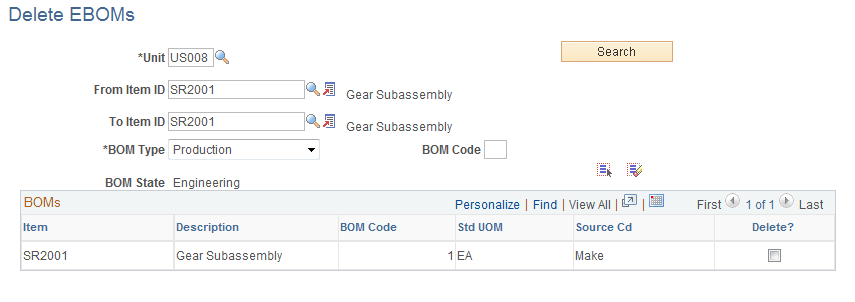
Use the Delete EBOMs page (EG_BOM_DELETE) to delete EBOMs for any or all assembly items.
Navigation:
This example illustrates the fields and controls on the Delete EBOMs page. You can find definitions for the fields and controls later on this page.
| Field or Control | Description |
|---|---|
|
Search |
Click to display the list of production or rework BOMs for the assembly items that you are deleting. |
|
|
Click the Select All button to select each Delete? Check box next to each assembly. |
|
|
Click the Deselect All button to deselect each Delete? Check box next to each assembly. |


You can delete production or rework BOMs.
For each assembly, the system deletes all EBOM components regardless of effectivity date or revision. All assembly EBOMs scheduled for deletion have header, outputs, related text, attachments, components, and reference designators deleted.
If you leave the BOM Code field blank, then the system deletes all BOMs, regardless of code. To delete only a specific BOM code, enter a value in the BOM Code field.
The Delete Engineering BOMs process checks and warns you of these conditions:
-
BOM is used in a production area.
-
Production exists in the Entered status.
-
Production is planned, but a BOM and routing haven't yet been frozen for production.
-
Assembly item is present on pending or approved ECOs that haven't been released to manufacturing.