Running PeopleSoft eProcurement Processes
This section provides an overview of eProcurement Processes and discusses how to run PeopleSoft eProcurement processes.
Page Used to Run PeopleSoft eProcurement Processes
| Page Name | Definition Name | Usage |
|---|---|---|
|
PV_ADM_ALL_PROCESS |
Run PeopleSoft eProcurement processes. Access is limited to users with the SYSTEM_ADMIN eProcurement role action. |
Understanding the eProcurement Processes
PeopleSoft eProcurement has grouped the standard processes that you can run. These processes include:
-
Procurement processes that include, for example, dispatching purchase orders, expediting requisitions, quick sourcing requisitions, and running inventory demand.
-
Marketplace processes, which include building the Search Engine collection of items, loading items, and importing item catalogs.
-
Procurement card processes that work with bank statements and vouchers.
-
Receiving and return-to-supplier processes that include processing and loading receipts, Workflow notification, and reconciling return-to-supplier items.
-
Requisition processes that include reconciling requisitions, reopening closed requisitions, and building item search indexes.
Run eProcurement Processes Page
Use the Run eProcurement Processes page (PV_ADM_ALL_PROCESS) to run PeopleSoft eProcurement processes.
Access is limited to users with the SYSTEM_ADMIN eProcurement role action.
Navigation:
This example illustrates the fields and controls on the Run eProcurement Processes page.
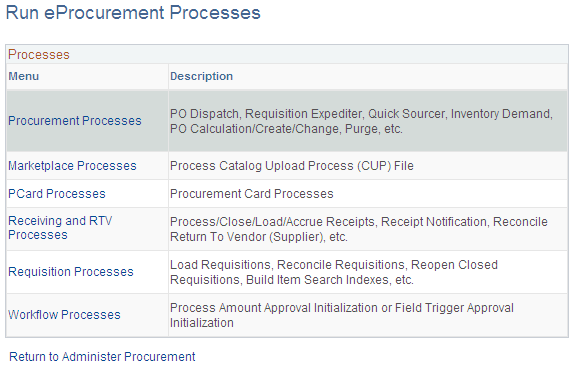
Use this page to navigate to other pages where you can run standard eProcurement processes.