Special Requests Page
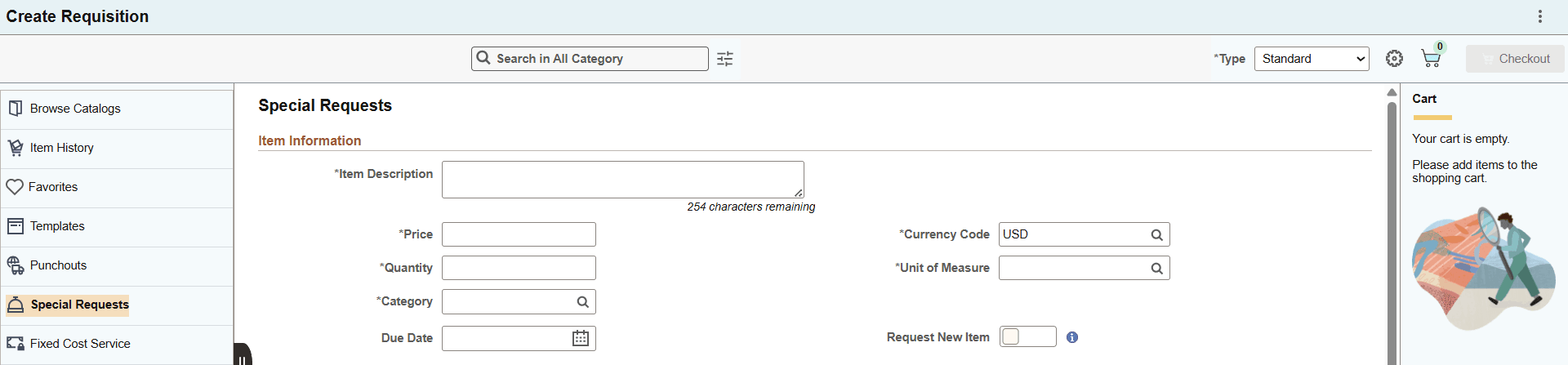
Use the Special Requests page (PV_MOB_SPECIAL_REQ) to order items that are not found in the item catalog.
Navigation:
On the ePro Homepage, select Special Requests from the left menu.
This example illustrates the fields and controls on the Special Requests page (1 of 2).
This example illustrates the fields and controls on the Special Requests page (2 of 2).
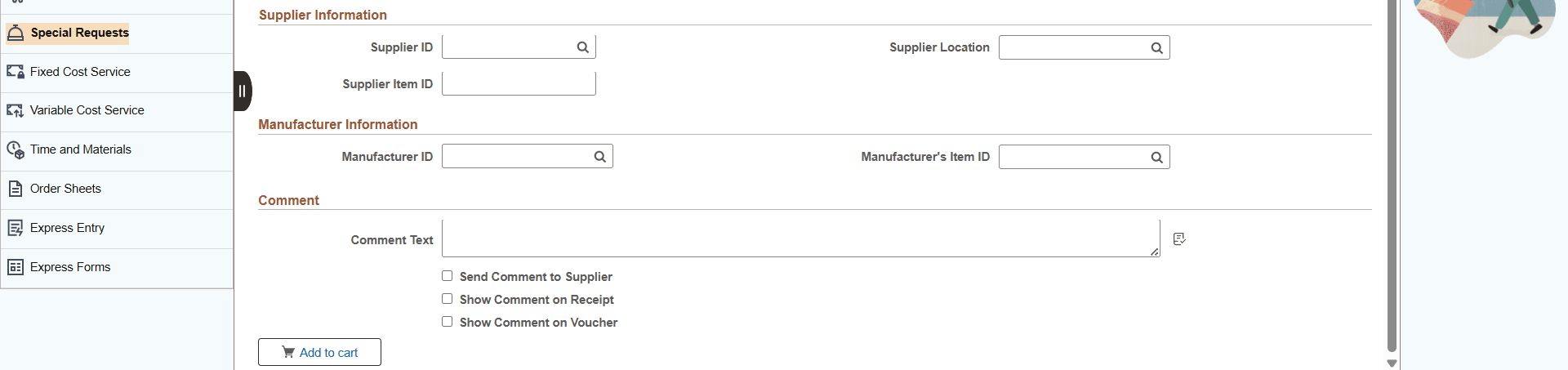
Specify the required requisition details and click the Add button to add the special item to the cart.
Note:
The Amount Only toggle button is displayed only if the requester has the AMT_ONLY_SPECIAL_REQ role action assigned and enabled. By default, this button is set to No.
For more information on special requests, see Requesting Special Items.