Deleting Time Reports
Page Used to Delete Time Reports
| Page Name | Definition Name | Usage |
|---|---|---|
|
TE_DEL_TIME |
Select and delete time reports from the expense system. |
Travel and Expenses - Delete Time Report Page
Use the Travel and Expenses - Delete Time Report page (TE_DEL_TIME) to select and delete time reports from the expense system.
Navigation:
.
This example illustrates the fields and controls on the Travel and Expense - Delete Time Report page. You can find definitions for the fields and controls later on this page.
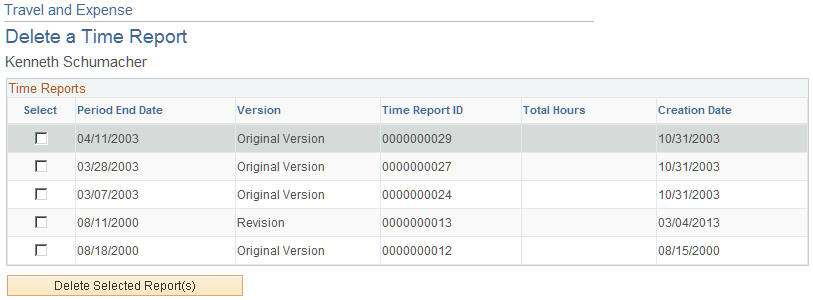
If you create a time report and decide not to process it, you can delete the time report if it is in Pending status. You can also delete a time report if the status is Denied.
PeopleSoft Expenses displays a list of pending and denied time reports. Select those that you wish to delete and click the Delete Selected Report(s) button.