Maintaining Employee Profile Data
To update employee profiles, use the Update Profile (EX_EE_PROFILE2.GBL) component.
PeopleSoft Expenses enables you to send reimbursement checks to home addresses or other mailing addresses, such as a company location. This helps those who receive reimbursements while on long assignments away from their primary residences.
Pages Used to Maintain Employee Data
| Page Name | Definition Name | Usage |
|---|---|---|
|
EX_PERSONAL_DATA |
View employee personal information and that PeopleSoft Expenses uses to distribute reimbursements. |
|
|
EX_PERSONAL_DATA2 |
Common Elements Used to Maintain Employee Data
| Field or Control | Description |
|---|---|
|
Employee Information (group box) |
Personal data originates in your human resource system or is entered manually through the Travel and Expenses navigation. |
|
Personnel Status |
Indicates whether the individual is an Employee or a Non-Employee. |
|
Telephone |
Displays the employee's telephone number. |
|
Employee Base |
Indicates where the employee works. |
|
Send Payments To |
Indicates where reimbursement checks are sent. Home Address is the default. |
|
Home Address (group box) |
Displays the employee's residential address. Select a country to activate the appropriate address fields. |
|
Mailing Address (group box) |
Displays an alternate address to which to send reimbursement checks. Select a country to activate the appropriate address fields. |
Employee Data Page (Employee Self-Service)
Use the Employee Profile - Employee Data page (EX_PERSONAL_DATA) to view employee personal information that PeopleSoft Expenses uses to distribute reimbursements.
Navigation:
This example illustrates the fields and controls on the Employee Data page from Employee Self-Service.
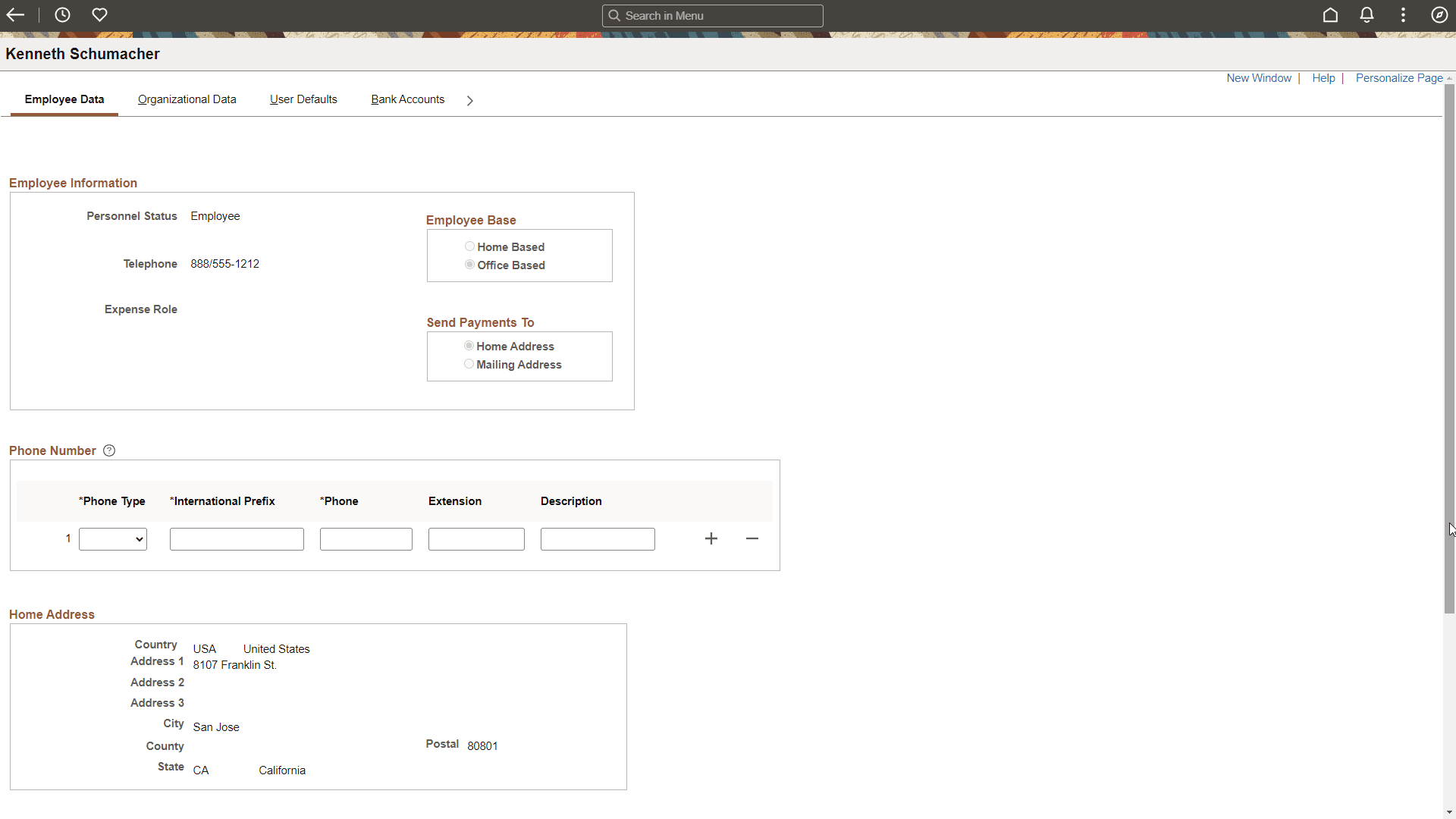
Use the Phone number section to enter or update phone number that will be used by the employee to send text message using Twilio.
| Field or Control | Description |
|---|---|
|
Text Message |
Select the phone number to send and receive a text message via Twilio integration. This check box is available only if the Phone Type is Mobile. Note: The Text Message field is unavailable if the Business Unit is not set up to allow text messages. To set up Business Unit to allow text messages, see Expenses Definition - Text Message Page. |
Employee Data Page (Travel and Expenses)
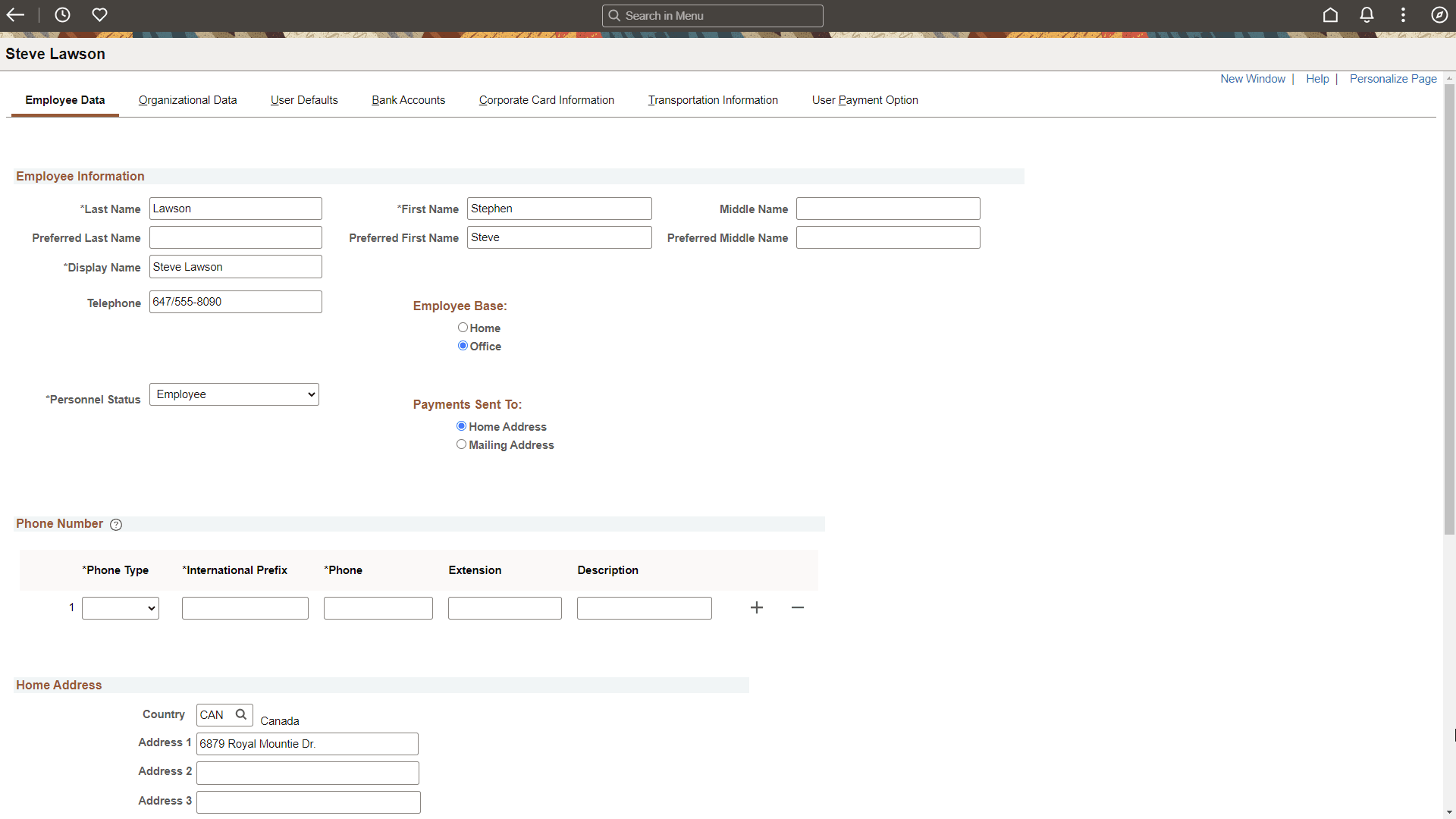
Use the Employee Profile - Employee Data page (EX_PERSONAL_DATA2) to edit employee information that PeopleSoft Expenses uses to distribute reimbursements.
Navigation:
This example illustrates the fields and controls on the Employee Data page from Travel and Expenses.
Note:
Note: Most of the information on this page is the same as the data on the Application Fundamentals: Personal Data (Edit) Page (Common Definitions).
See Application Fundamentals: Installation Options - Overall Page, Displaying Preferred Name section to understand how the Employee Name fields are sourced.