Setting Up VAT Driver Defaults for PeopleSoft Expenses
The VAT drivers for PeopleSoft Expenses are:
-
Expense Types
-
Expenses Business Unit
-
VAT Entity Registration
-
VAT Country
Pages Used to Set Up VAT Drivers for PeopleSoft Expenses
| Page Name | Definition Name | Usage |
|---|---|---|
|
VAT Defaults Setup (VAT Driver: Expenses Business Unit) Page |
VAT_DEFAULTS_DTL |
Access the VAT defaults for expenses business units. |
|
VAT_DEFAULTS_DTL |
Access the VAT defaults for expense types. |
Related Topics
VAT Defaults Setup (VAT Driver: Expenses Business Unit) Page
Use the VAT Defaults Setup page (VAT_DEFAULTS_DTL) for expenses business unit VAT Driver, to access the VAT defaults for expenses business units.
Navigation:
-
-
. Click the VAT Default link on the Expenses Business Unit Definitions – VAT Options page.
This example illustrates the fields and controls on the VAT Defaults Setup - VAT Driver: Expenses Business Unit page.
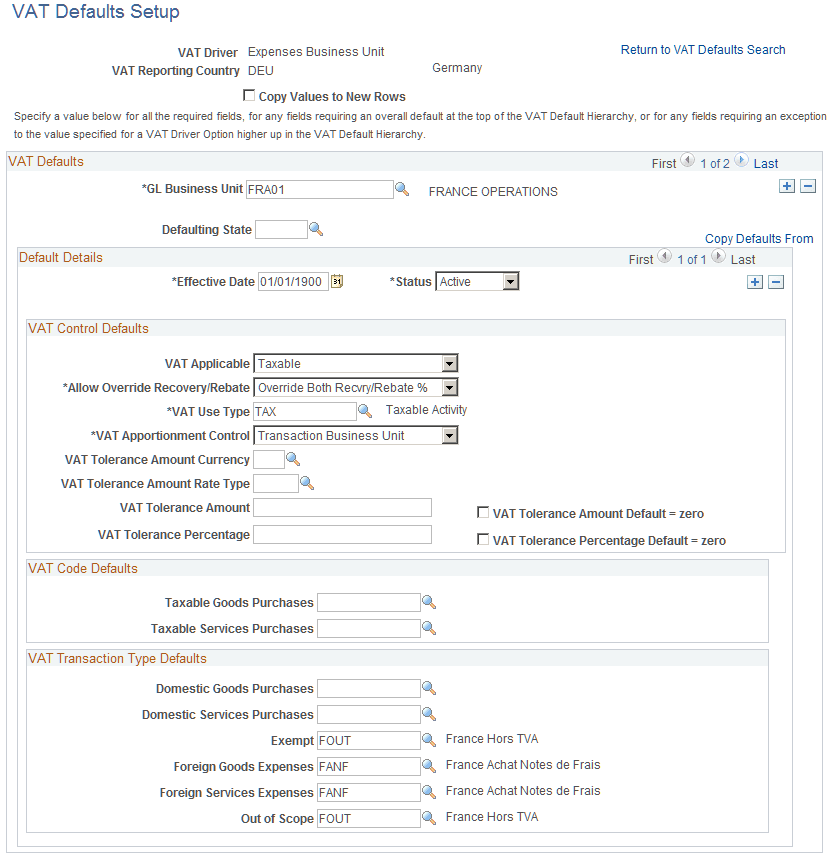
The VAT Defaults Setup page is a common page used to set up VAT defaults for all Oracle's PeopleSoft products that process VAT transactions. On this page, you define PeopleSoft Expenses defaults as applicable for each PeopleSoft-defined Expenses VAT driver.
See PeopleSoft Global Options and Reports: Defining VAT Transaction Types.
VAT Defaults Setup (VAT Driver: Expense Type) Page
Use the VAT Defaults Setup (VAT Driver: Expense Type) page (VAT_DEFAULTS_DTL) to access the VAT defaults for expense types.
Navigation:
-
-
. Click the VAT Default link on the Expense Types 1 page.
This example illustrates the fields and controls on the VAT Defaults Setup - VAT Driver: Expense Type page.
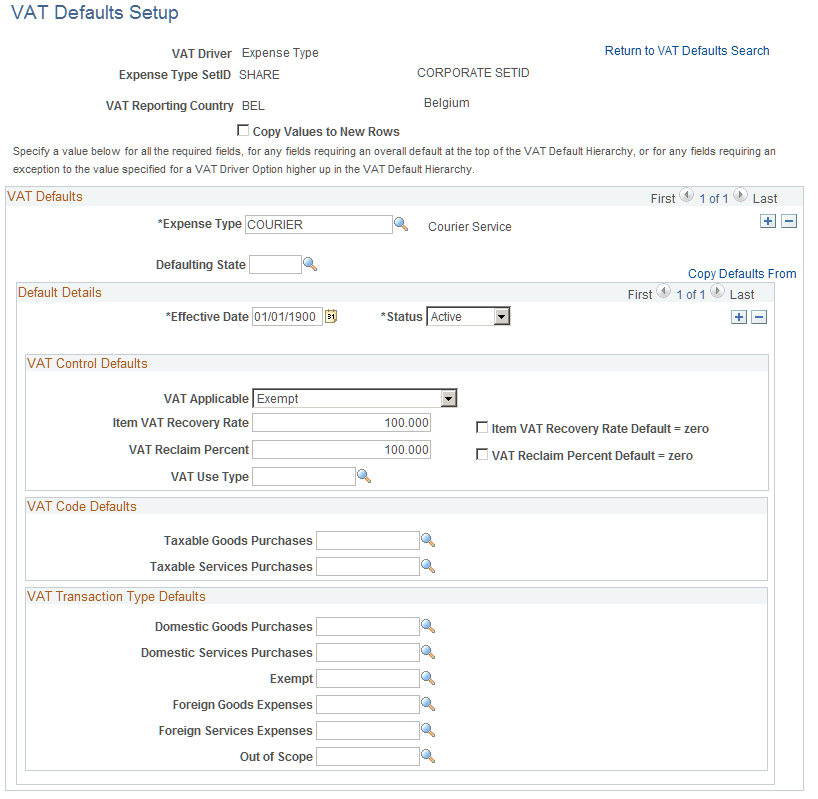
The VAT Defaults Setup page is a common page used to set up VAT defaults for all Oracle's PeopleSoft products that process VAT transactions. On this page, you can define PeopleSoft Expenses defaults as applicable for each PeopleSoft-defined Expenses VAT driver.