Viewing Employee Expense Data
Pages Used to View Employee Expense Data
| Page Name | Definition Name | Usage |
|---|---|---|
|
TE_EE_INQ_HIST TE_EE_INQ_HIST2 |
View an employee's expense transactions for travel authorizations, cash advances, and expense reports. |
|
|
TE_PYMT_INQ_EMP TE_PYMT_INQ_EMP2 |
View, by check number, payments to employees for cash advances and expense report reimbursements. |
|
|
TE_PYRL_INQ_EMP TE_PYRL_INQ_EMP2 |
View payroll payments for an employee. |
|
|
EX_PY_PMT_INQ |
View payroll payment status by date and document type. |
Employee Expense History Page
Use the Employee Expense History page (TE_EE_INQ_HIST and TE_EE_INQ_HIST2) to view an employee's expense transactions for travel authorizations, cash advances, and expense reports.
Navigation:
This example illustrates the fields and controls on the Employee Expense History page . You can find definitions for the fields and controls later on this page.
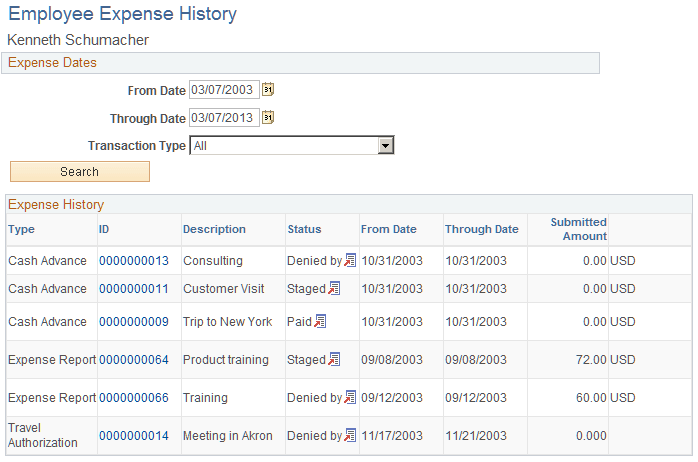
| Field or Control | Description |
|---|---|
|
Transaction Type |
Select a type of transaction to display: All, Cash Advances, Expense Reports, or Travel Authorizations. |
|
ID |
Click a report ID link in this column to open the expense document. |
|
Status |
Displays the payment status for the expense transaction. Click the View Related Links button in this column to open the related links page, and then select a link to view additional information. Options are:
|
Note:
The Employee Expense History page that you access through the Employee Self-Service navigation differs slightly from the page that you access through the Travel and Expenses navigation path.
Employee Payment History Page
Use the Employee Payment History page (TE_PYMT_INQ_EMP) to view, by check number, payments to employees for cash advances and expense report reimbursements.
Navigation:
This example illustrates the fields and controls on the Employee Payment History page. You can find definitions for the fields and controls later on this page.
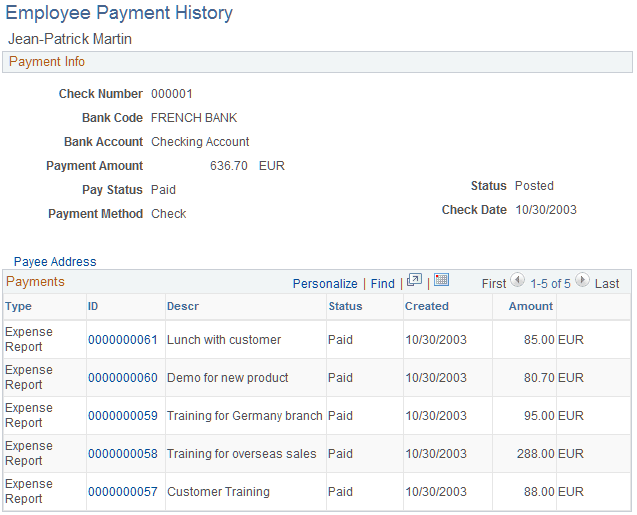
| Field or Control | Description |
|---|---|
|
Payee Address |
Click to access the Payee Address Information - Employee Payment History page and view the employee's address information. |
|
ID |
Click to view the View Expense Report page or the Cash Advance - View Cash Advance page. |
Note:
The Employee Payment History page that you access through the Employee Self-Service navigation differs slightly from the page that you access through the Travel and Expenses navigation.
Employee Payroll Payment History Page
Use the Employee Payroll Payment History page (TE_PYRL_INQ_EMP) to view payroll payments for an employee.
Navigation:
This example illustrates the fields and controls on the Employee Payroll Payment History page. You can find definitions for the fields and controls later on this page.
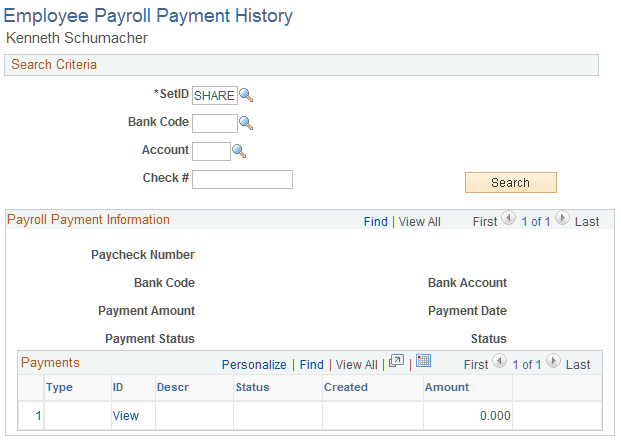
| Field or Control | Description |
|---|---|
|
ID |
Click the link to access the View Expense Report or Cash Advance - View Cash Advance page. |
Payroll Payments Status Page
Use the Payroll Payments Status page (EX_PY_PMT_INQ) to view payroll payment status by date and document type.
Navigation:
This example illustrates the fields and controls on the Payroll Payments Status page. You can find definitions for the fields and controls later on this page.
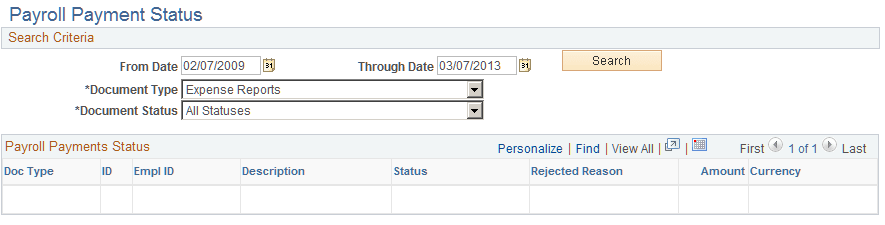
| Field or Control | Description |
|---|---|
|
Document Type |
Select one of the following: All Document Types, Cash Advances, or Expense Reports. |
|
Document Status |
Select one of the following statuses:
|
|
ID |
Click to view the View Expense Report page or the Cash Advance - View Cash Advance page. |