Period Close Visualization Page (Level 3 - Full View)
Use the Period Close Visualization page (GL_BU_CHART_FL) to view and take action on General Ledger entities, business units, and subsystems.
Navigation:
Select the Finance & Accounting search menu, Period Close Visualization tile, enter the Search Name (defined on the My Preferences - Period Close Visualization page), select the View Visualization button. Drill down two levels and select the Full view.
This example illustrates the fields and controls on the Period Close Visualization Page (Level 3 - Full View) (1 of 2)
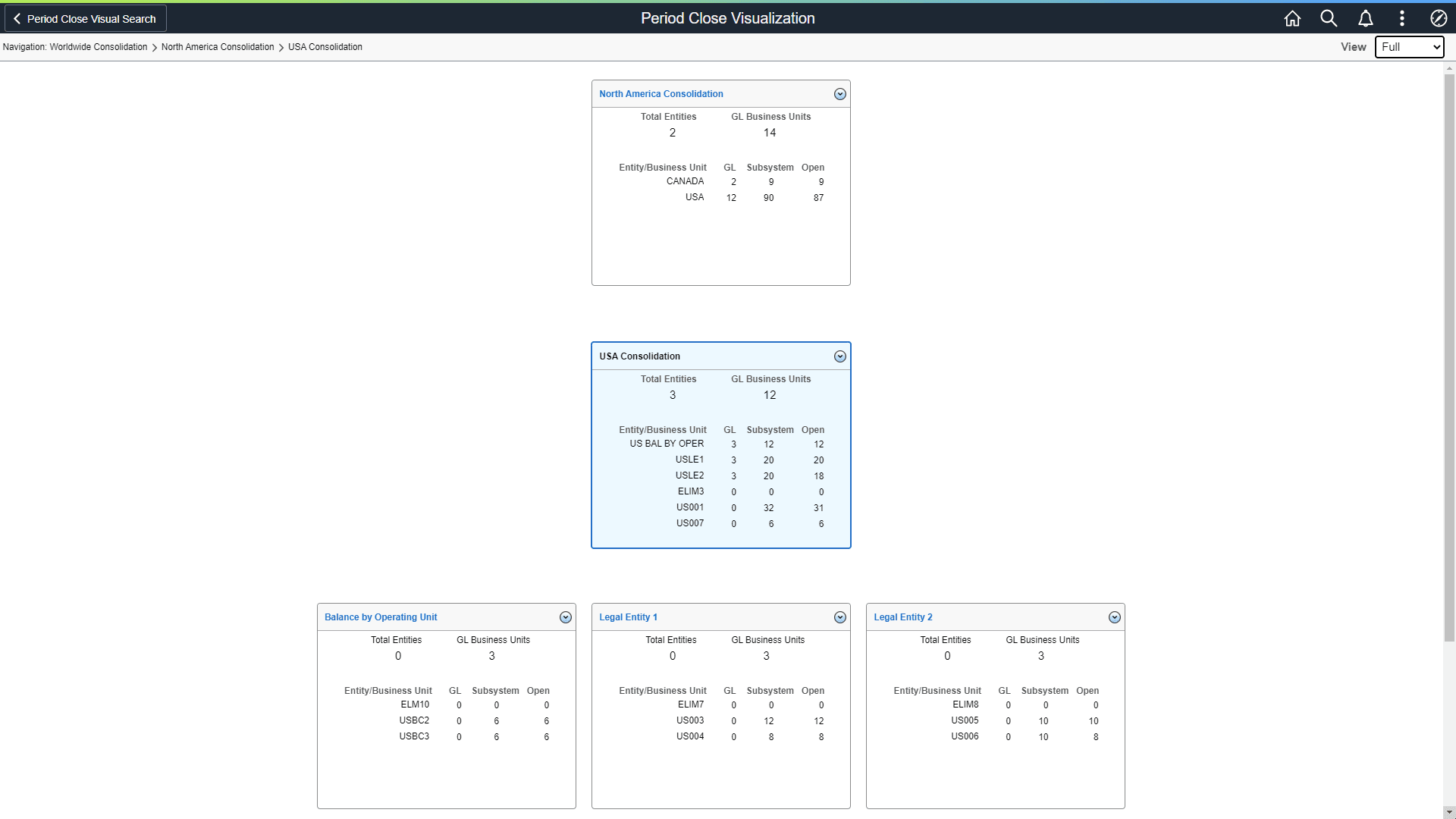
This example illustrates the fields and controls on the Period Close Visualization Page (Level 3 - Full View) (2 of 2)

The example above displays the Full view:
-
If the card is a tree node (Legal Entity 1 card), along with Total Entities and GL Business Units, it displays the count of GL business units and Subsystem business units for each child card or node.
-
If the card is a GL business unit (US001 New York Operations card), along with Default Ledger Group and current open period, it displays the number of open and closed business units for each subsystem.
If the open period from date of the sub-ledger business unit is after the open period from date of the corresponding GL business unit, then the period is closed for the sub-ledger business unit. Otherwise, the period is open for the sub-ledger business unit.
-
If the GL column displays a zero (0), then the Entity/Business Unit column is an entity.
Not a business unit.
| Field or Control | Description |
|---|---|
|
Subsystem |
Select to access the Subsystem Details Page. |