Simple Journal - Header Page
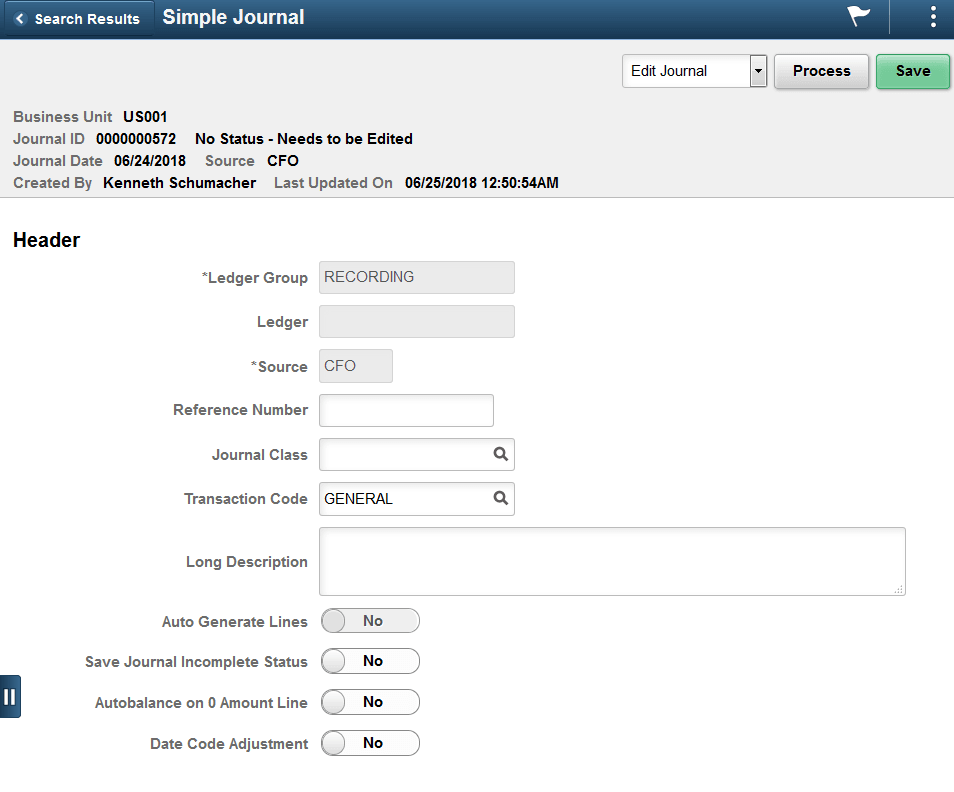
Use the Simple Journal - Header page (SJ_JRNL_HDR_SRC_FL) to review and edit the journal header details.
Navigation:
.
Click the Search button to view the available journals for the selected Business Unit. Select required Journal ID and click Header from the left menu.
This example illustrates the fields and controls on the Simple Journal - Header Page.
| Field or Control | Description |
|---|---|
|
Source |
Select a Journal Source. Sources available are based on the user access that is defined in the Journal Source Security by User Page and Journal Source Security by Role Page. Note: Journals for a source cannot be posted beyond the cutoff date defined in the Period End Cutoff Definition Page for that particular journal source, unless the user or role has override exception. |