Maintaining and Reviewing Attachments
Pages Used to Maintain and Review Attachments
| Page Name | Definition Name | Usage |
|---|---|---|
|
GM_AWD_ATTACH |
Manage attachments for awards. |
|
|
GM_AWD_SRCH_ATTACH |
Search for attachments of an award. |
Maintain Attachments Page
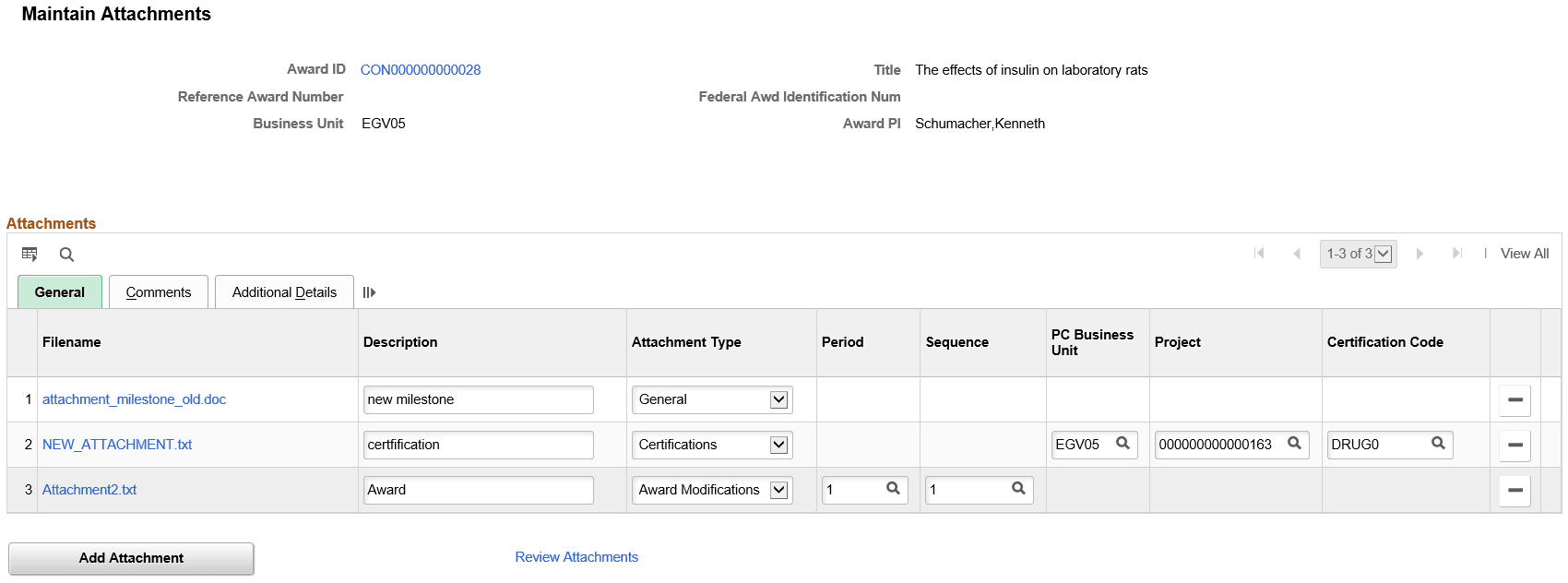
Use the Maintain Attachments page (GM_AWD_ATTACH) to manage attachments for awards.
Navigation:
This example illustrates the fields and controls on the Maintain Attachments Page. You can find definitions for the fields and controls later on this page.
| Field or Control | Description |
|---|---|
|
Attachment Type |
Select the attachment type. Based on the attachment type selected, additional key value fields are displayed. The additional key value fields are mandatory. The available options are:
|
|
Add Attachment |
Click to browse for the file and upload the attachment. |
|
Additional Details |
Based on the key value fields selected, you can view additional related fields on this tab. These are display-only. |
When the Maintain Attachments page is accessed using the links on the following pages or tiles, attachment type and the key value fields are not available for editing.
-
Award Funding
-
Award Certifications
-
Award Milestones
-
Award Modification Period
-
Award Milestones tile.
-
Award Certifications tile.
Related Topics
Review Attachments Page
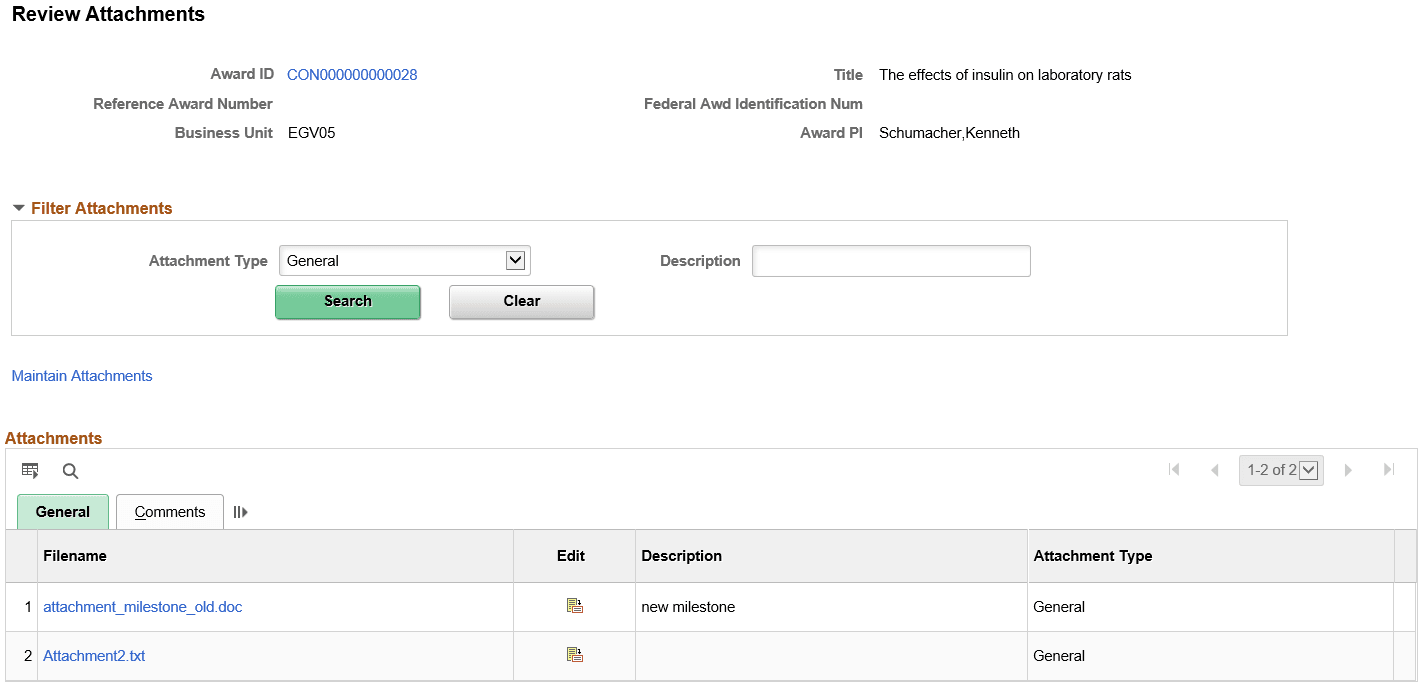
Use the Review Attachments page (GM_AWD_SRCH_ATTACH) to search for attachments associated with an award.
Navigation:
This example illustrates the fields and controls on the Review Attachments page.
| Field or Control | Description |
|---|---|
|
Search |
Select an attachment type and click Search to view the attachments. The default value for Attachment type field is General. Based on the attachment type selected, other key value fields are displayed. You can also do a wildcard and case insensitive search using the Description field. |
|
|
Click Edit icon to access the Maintain Attachments page. |
