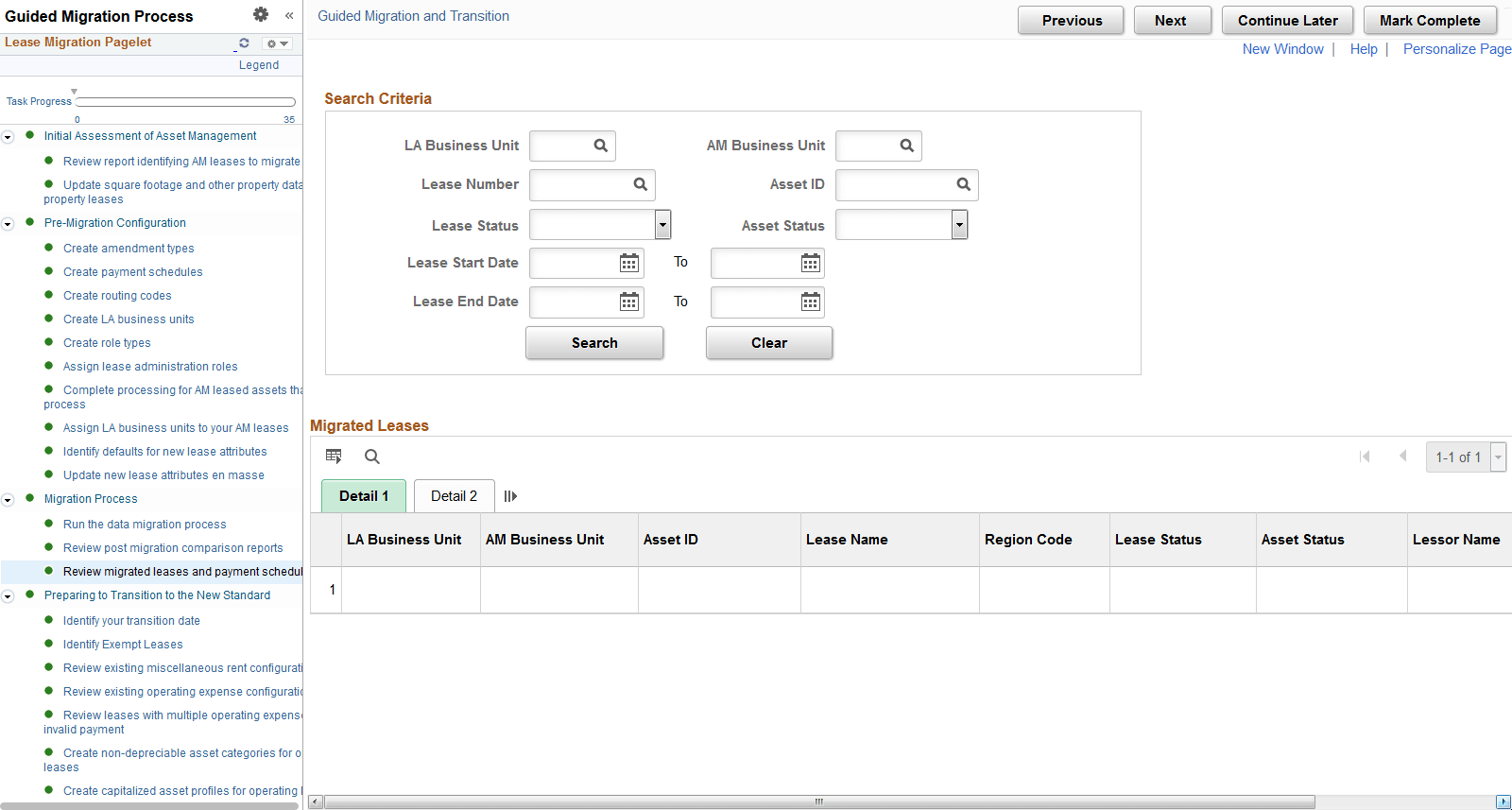
Migration Process
This section includes tasks related to running the Migration Process followed by tasks to review the results of the data migration online.
Run the Data Migration Process
Use this page to run the data migration process.
The data migration process is an application engine process run through the process scheduler. You can migrate one or many assets at once by selecting the check box next to the assets in the grid. The following validations will prevent a lease from being migrated:
-
No lease type, region code, lease administrator or portfolio manager for the lease.
-
No supplier/lessor for the lease.
-
No default value for AM interim rent.
-
No LA BU for the lease (note that leases without an assigned LA BU will be excluded from this page altogether).
After the lease is migrated to LA, you can access the lease through the pages shared with Lease Administration.
This example illustrates the fields and controls on the AM Leases Migration page.
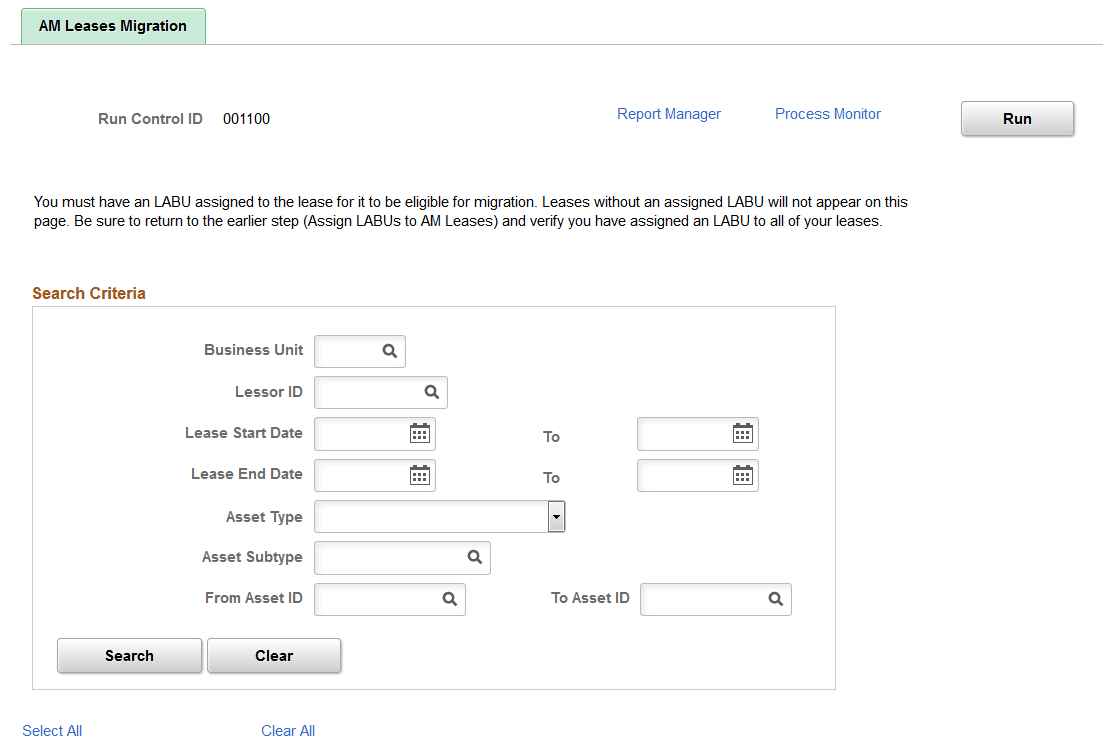
This example illustrates the fields and controls on the AM Leases Migration page.
Review Post Migration Comparison Reports
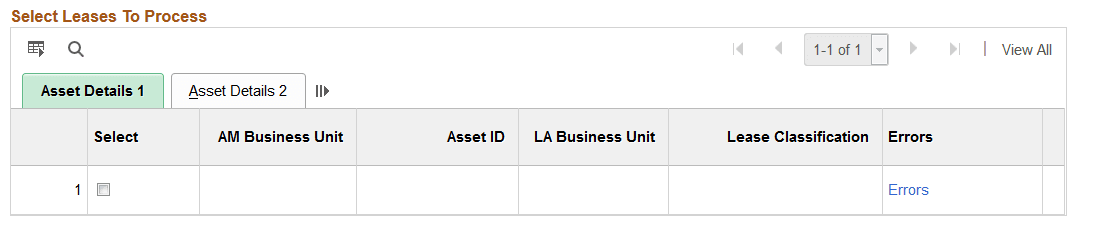
Use this page to compare a count of leases in AM to a count of leases migrated to LA.
-
Summary Level Report — compares the number of leases in AM by business unit to the number of leases in LA by business unit. The report displays asset status and lease status.
-
Payment Schedule Detail Report — details the payment schedules created in LA by payment type. The payment schedule migration is an important part of the data migration. This report summarizes the types of payment schedules created in LA.
-
Row Count in Lower Level Tables — provides a count of the rows populated in the LA tables. This includes only the leases migrated from AM. Even after data migration this report will only include leases migrated from AM.
This example illustrates the fields and controls on the Review Post Migration Comparison Reports.
Review Migrated Leases and Payment Schedules Online
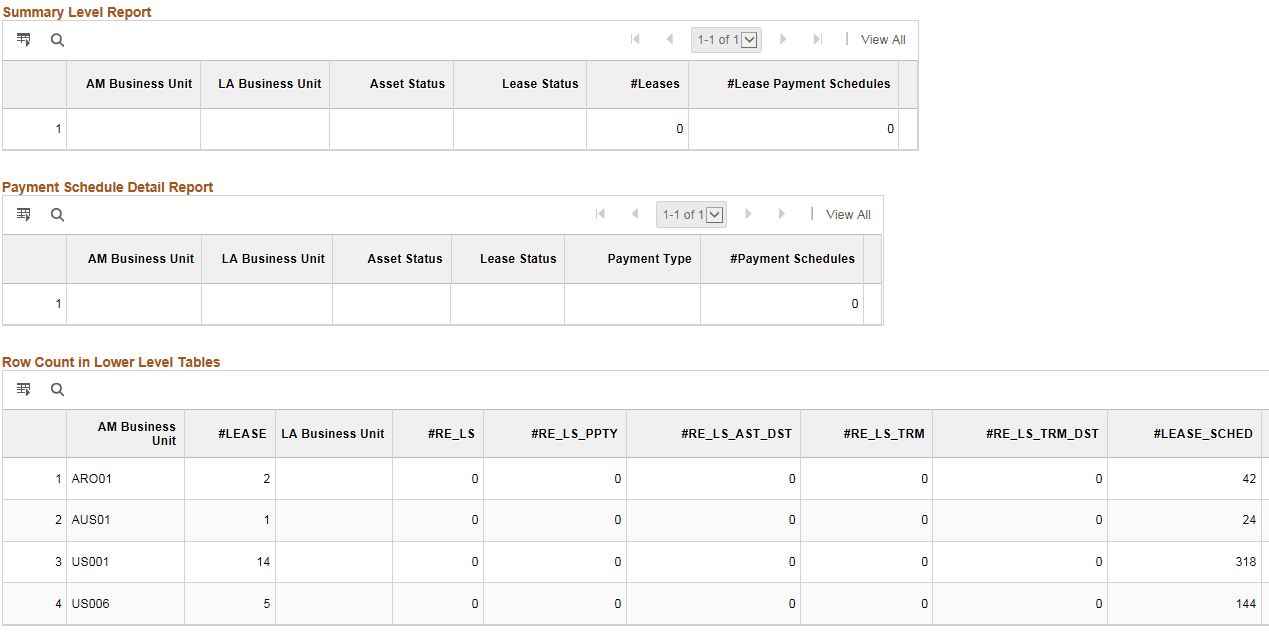
Use this page to perform an online review of the leases migrated from AM into LA. This page provides a detailed, asset-level view of the leases migrated from AM to LA.
-
Detail 1 — provides high-level view of the lease including BU, lease name and other lease attributes defined for the migration. Select the Lease Number link to view the lease.
-
Detail 2 — provides start and end date, lease administrator and other lease attributes defined for the migration.
-
Detail 3 — provides visibility into the types of lease payments created in LA and a link to view those lease payments on the Financial Terms page on the lease.
You can click the links for Base Rent, Purchase Option, Penalty Option and Interim Rent to view the payment schedules migrated from AM into LA. The link first opens the Financial Terms page on the lease. From the Financial Terms page, select the rent payment. After selecting the rent payment, you can review the start and end dates for the payment along with the payee. All payment information on this page are migrated from AM.
The data migration process does not populate values for Schedule, Frequency and Terms Calendar. When you open the page, the terms calendar defaults from the Lease Administration BU. The data migration process sets the Integrate with Accounts Payable selection to checked on base rent payments if the AM BU was set to process lease interface payments with AP. Purchase options and penalties migrated from AM were set to not integrate with accounts payable (unchecked) since these payments were not integrated with AP previously. You can update this selection through amendment processing. The data migration process does not generate a detailed payment schedule for one-time payments such as purchase options migrated from AM since there is only one payment. These amounts are included in the PVLP calculation.
This example illustrates the fields and controls on the Review Migrated Leases and Payment Schedules Online page.