Creating Work Center Groups
To create and maintain work center groups, use the Work Center Groups (EN_WC_GRP) component.
PeopleSoft Manufacturing enables you to define work center groups. That way, in PeopleSoft Supply Planning you can analyze aggregate capacity and detail resource usage for a subset of work centers contained in a planning instance.
To create a work center group, all work centers must share the same:
-
Allocation strategy
-
Resource class
-
Bucket size
Page Used to Create Work Center Groups
| Page Name | Definition Name | Usage |
|---|---|---|
|
EN_WC_GRP_PG |
Define work center groups. |
Work Center Groups Page
Use the Work Center Groups page (EN_WC_GRP_PG) to define work center groups.
Navigation:
This example illustrates the fields and controls on the Work Center Groups page. You can find definitions for the fields and controls later on this page.
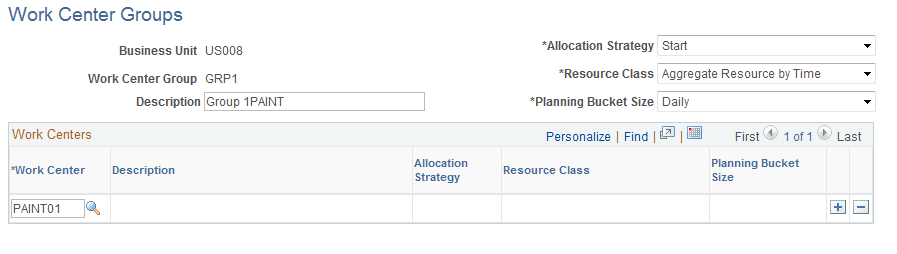
To define a work center group:
-
Enter a description of the new work center group.
-
Add the work centers to the group.
-
After you've added all the work centers, select the common allocation strategy, resource class, and planning bucket size.
-
Click Save to create the work center group.