Defining Setup and Installation Options for Mobile Picking Feedback
This topic discusses how to define setup and installation options for mobile picking feedback.
Pages Used to Define Installation Options and User Preferences for Mobile Inventory Picking Feedback
| Page Name | Definition Name | Usage |
|---|---|---|
|
OPR_DEF_TABLE_MIN |
Define user preferences for Mobile Picking Feedback. |
|
|
INSTALLATION_MIN_N |
Define Mobile Picking Feedback installation options. |
User Preferences - Mobile Inventory - Fluid Page
Use the User Preferences - Mobile Inventory - Fluid page (OPR_DEF_TABLE_MIN) to define user preferences for Mobile Picking Feedback.
Navigation:
Select the Picking Feedback task flow.
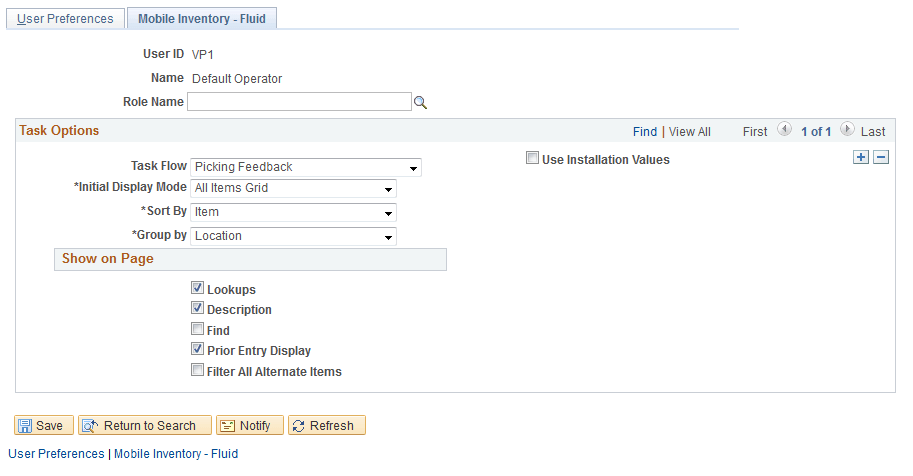
This example illustrates the fields and controls on the User Preferences - Mobile Inventory - Fluid : Picking Feedback page. You can find definitions for the fields and controls later on this page.
Installation Options - Mobile Inventory - Fluid Page
Use the Installation Options - Mobile Inventory - Fluid page (INSTALLATION_MIN_N) to define Mobile Picking Feedback installation options.
Navigation:
Select the Picking Feedback task flow.
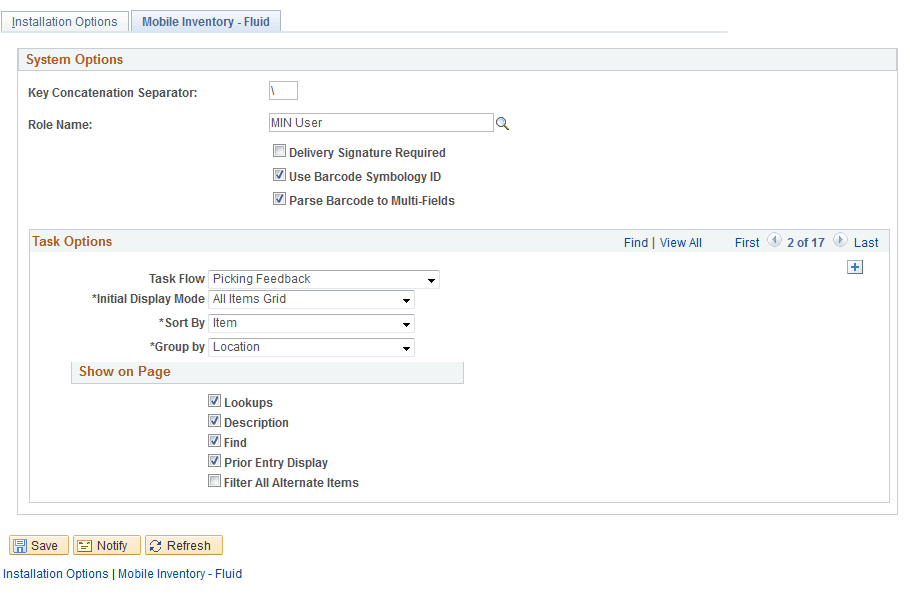
This example illustrates the fields and controls on the Installation Options - Mobile Inventory - Fluid: Picking Feedback page.