Approving Program Budgets
Pages Used to Approve Program Budgets
| Page Name | Definition Name | Usage |
|---|---|---|
|
Worklist for <User ID>: <Resource> |
WORKLIST |
Access the Budget Approval work item. |
|
PGM_BUD_APPROVE |
Approve or return a submitted program budget plan. |
Program Budget Approval Page
Use the Program Budget Approval page (PGM_BUD_APPROVE) to approve or return a submitted program budget plan.
Navigation:
-
-
Click Worklist from the PeopleSoft universal navigation header.
Click the link that is associated with the Budget Approval work item from the Worklist for <User ID>: <Resource> page. The link is a concatenation of the business unit, program ID, and budget plan ID.
This example illustrates the fields and controls on the Program Budget Approval page. You can find definitions for the fields and controls later on this page.
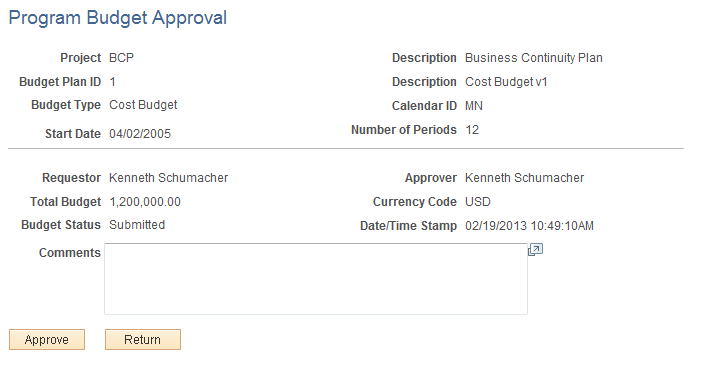
Click Approve to approve the budget plan. Click Return to return the plan to the requester without approving it. You can enter comments to explain the approver's action. You can view the comments on the Program Budget Status History page.