Maintaining Activity Status
Page Used to Maintain Activity Status
| Page Name | Definition Name | Usage |
|---|---|---|
|
PROJECT_ACT_STATUS |
View detailed information about the life of the project. This page operates in deferred processing mode. |
Activity Definitions - Status Page
Use the Activity Definitions - Status page (PROJECT_ACT_STATUS) to view detailed information about the life of the project.
This page operates in deferred processing mode.
Navigation:
-
-
. Click the Activity Status link on the Details tab of the Project Activities page.
This example illustrates the fields and controls on the Activity Definitions - Status page.
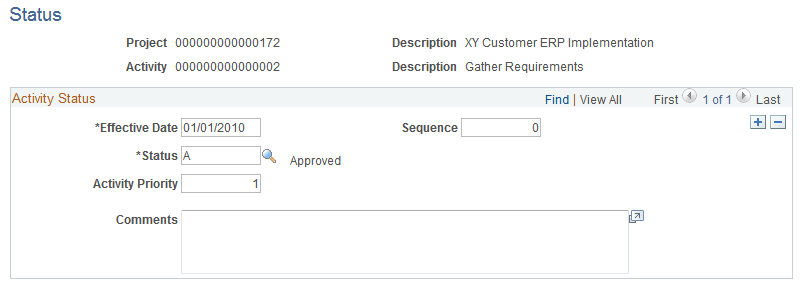
Use this page to create a new effective dated row for each status change to maintain a history of the activity.
Changes that you make on this page can trigger an email notification to project team members if you select these options:
-
Enable Status Control on the Installation Options - Project Costing Integration page.
-
Email Notify for Status Change on the Activity Type Status Path page.
-
Email Notify for Status Change on the Project Definitions - Team page for the team member (if you use PeopleSoft Project Costing without PeopleSoft Program Management) or the Resource Detail page (if you use Program Management).
| Field or Control | Description |
|---|---|
|
Sequence |
The system increments the sequence number, which tracks incremental changes in status. By using a sequence number in combination with the status effective date, multiple status changes can occur on the same day. |
|
Status |
Select the activity status that corresponds to the status effective date. Available options are based on the values that you enter on the Status Types page during implementation. See Status Types Page. |