Pre-Billing Exceptions
This group contains these exceptions:
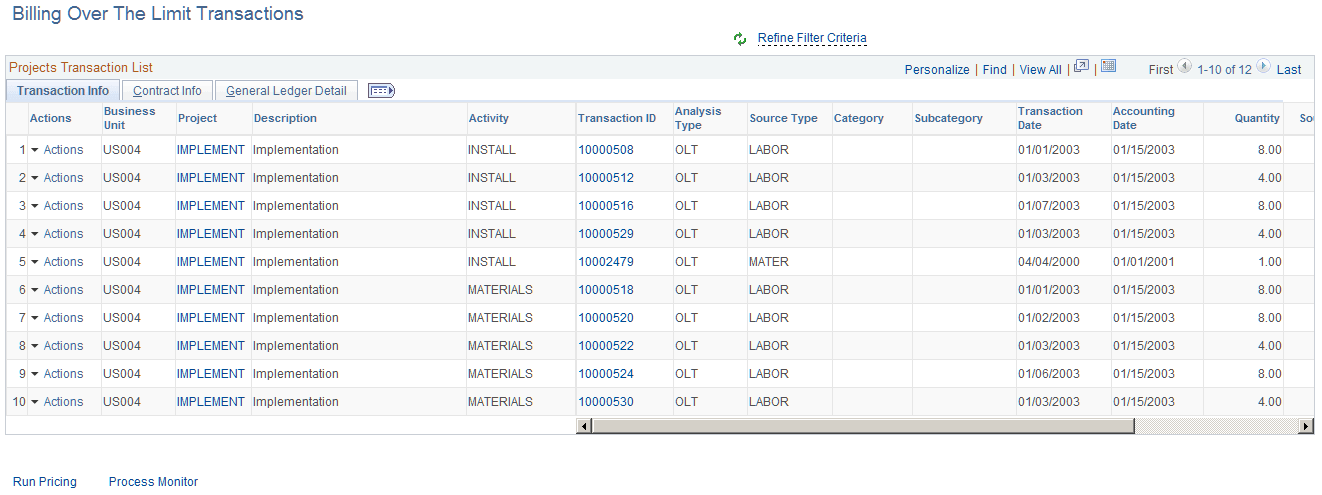
Billing Over the Limit Transactions
Use the Billing Over the Limit Transactions pagelet (PC_APP_WC_GRID) to view all transactions whose analysis type is OLT (over the limit transaction) for all active projects. If a user increases the billing limit on the contracts page, then they can perform limit checking for each row.
This example illustrates the fields and controls on the Billing Over the Limit Transactions.
Deferred Billing Transactions
Use the Deferred Billing Transactions pagelet (PC_APP_WC_GRID) to view all transactions whose analysis type is DEF (deferred billing) for all active projects and can change the billing date.
This example illustrates the fields and controls on the Deferred Billing Transactions pagelet .

PC Unpaid Vouchers
Use the PC Unpaid Vouchers pagelet (PC_APP_WC_GRID) to view transactions for active projects that have a voucher ID, but the voucher is not paid.
This example illustrates the fields and controls on the PC Unpaid Vouchers page.
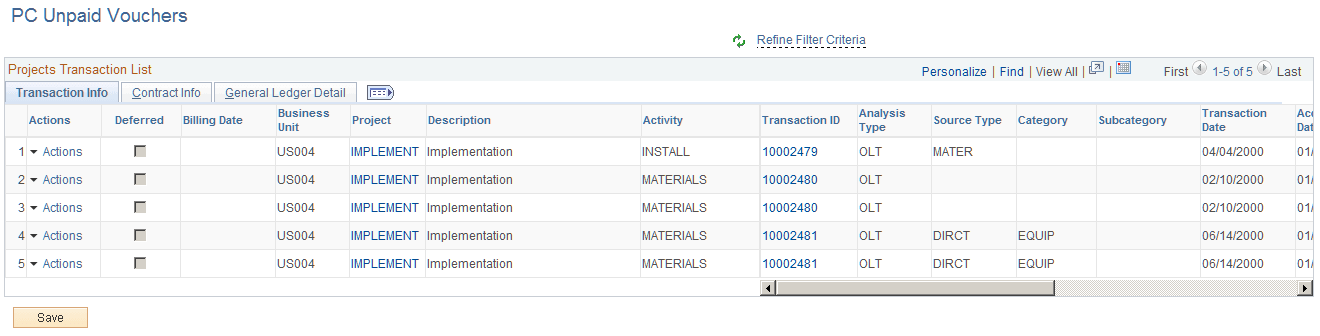
Users can select an action to defer a particular transaction and give a different billing date, which behaves the same way as the Manager Transaction Review page. After a user defers a specific row, the analysis type is changed to DEF and will appear in the Deferred Billing Transactions exception.
Missing Journal Analysis Type
Use the Missing Journal Analysis Type pagelet ((PC_APP_WC_GRID) to view General Ledger journals that have been posted and contain active project IDs that are missing an analysis type.
This example illustrates the fields and controls on the Missing Journal Analysis Type pagelet.

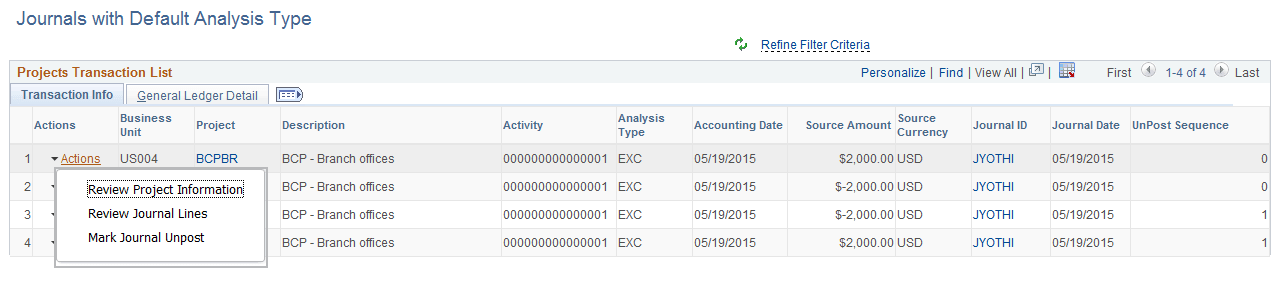
Journals with Default Analysis Type
Use the Journals with Default Analysis Type pagelet (PC_APP_WC_GRID) to view all journal lines with the Default Analysis Type. The Default Analysis Type will be assigned to journal lines when there is no matching mapping rule found on the Assign General Ledger Analysis Types page.
This example illustrates the fields and controls on the Journals with Default Analysis Type pagelet. You can find definitions for the fields and controls later on this page.
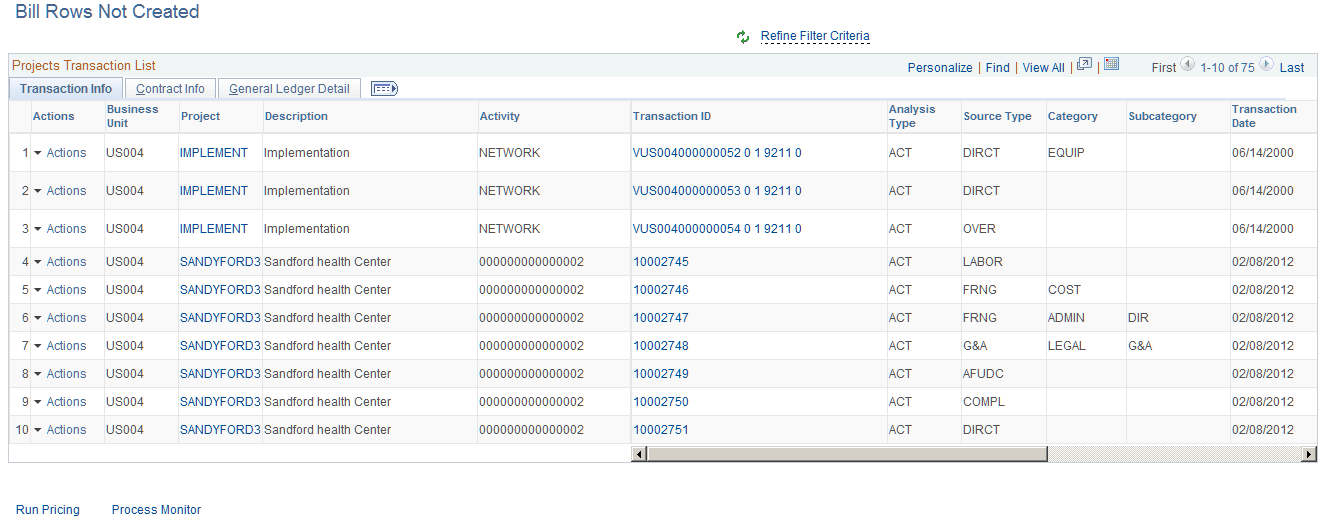
Bill Rows Not Created
Use the Bill Rows Not Created pagelet ((PC_APP_WC_GRID) to view Bill Rows Not Created, which are all transactions for active projects whose analysis type falls under Actual Cost Analysis Group. If a user provides the missing information that caused the BIL row to not be generated, the exception will be cleared after the Pricing process is run.
This example illustrates the fields and controls on the Bill Rows Not Created page.