View Project Request Page
View Project Request Page to view existing project requests or create a new request.
Navigation:
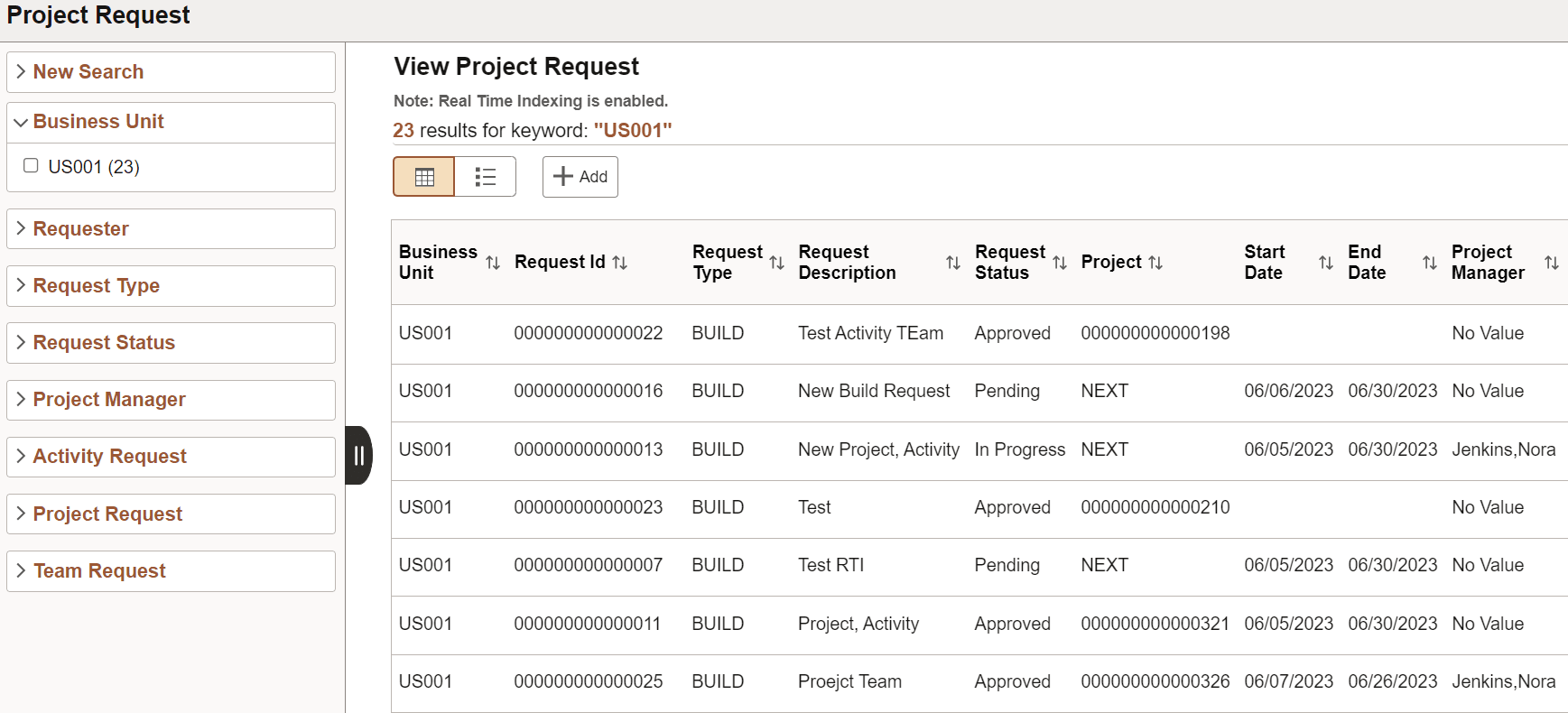
This example illustrates the fields and controls on the View Project Request page. You can find definitions for the fields and controls later on this page.
Note:
Keyword Search is the default search mechanism for the Project Request component. The search definition must be built before the feature can be used. See Application Fundamentals: Understanding Financials and Supply Chain Search.
Note:
To view requests in the search results, customers on PeopleTools 8.59.13 and later should use Real Time Indexing. If Real Time Indexing is not in use then the Project Request index needs to be refreshed on a frequent basis to view new project requests and updates to existing requests. See Application Fundamentals: Understanding Real Time Indexing in FSCM.
| Field or Control | Description |
|---|---|
|
|
Click the Add button to create a new request. |

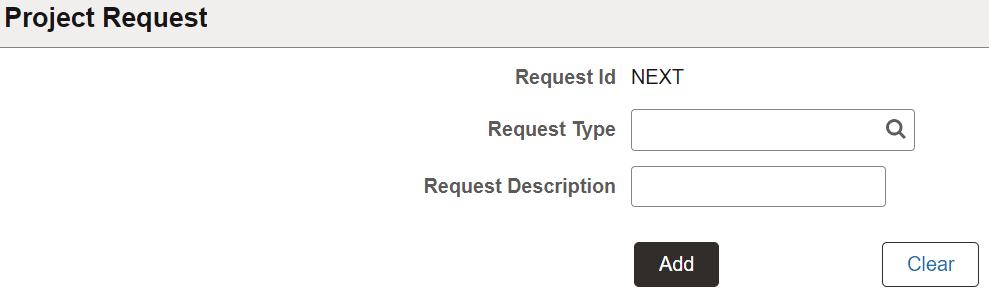
This example illustrates the fields and controls on the Add Project Request page
For more information on request types, see Setup Project Request Types.