Control Charts
Control charts are graphical representations of data that is associated with a process, plotted over time.
Use these charts to:
-
Monitor a process to determine stability.
-
Visualize trends and variability.
-
Note and track process adjustments.
-
Investigate causes of unacceptable or marginal quality.
PeopleSoft provides you with seven industry-standard control charts. These charts are time-series charts for monitoring and controlling processes or equipment. Each control chart has a unique chart ID that represents a different display format.
Using the Control Chart component, you can define custom charts to reflect special control requirements or labeling conventions. The charts are based on industry-standard control charts and are applicable to a specific data type.
Note:
Chart IDs 1 through 7 are supplied as industry-standard system defaults.
| Chart ID | Description | Data Type |
|---|---|---|
|
1 |
X and Moving Range. |
Variables |
|
2 |
Xbar and Range. |
Variables |
|
3 |
Xbar and Sigma. |
Variables |
|
4 |
c Chart. |
Defects |
|
5 |
u Chart. |
Defects |
|
6 |
p Chart. |
Defectives |
|
7 |
np Chart. |
Defectives |
These tables illustrate the structure of each control chart.
Note:
Some control charts are comprised of two individual subcharts for plotting means and variances together. These subcharts are labeled as chart 1 or chart 2 in the tables.
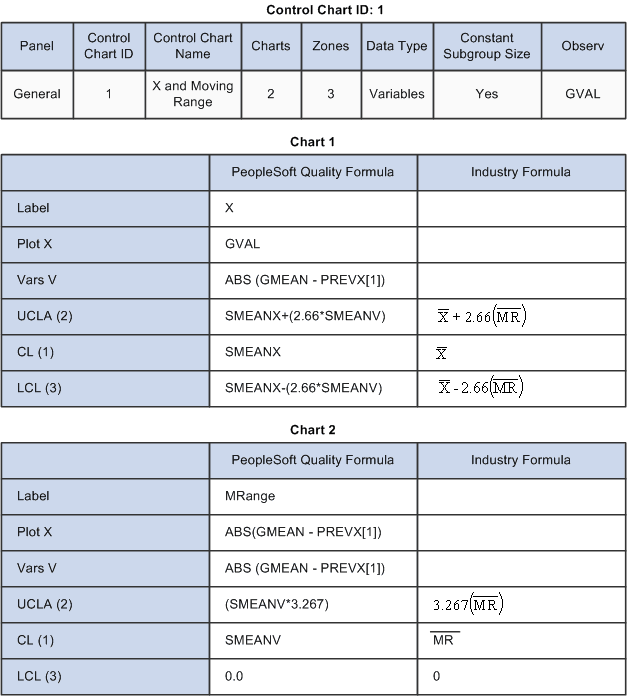
Control Chart ID: 1
This graphic shows Control Chart ID 1
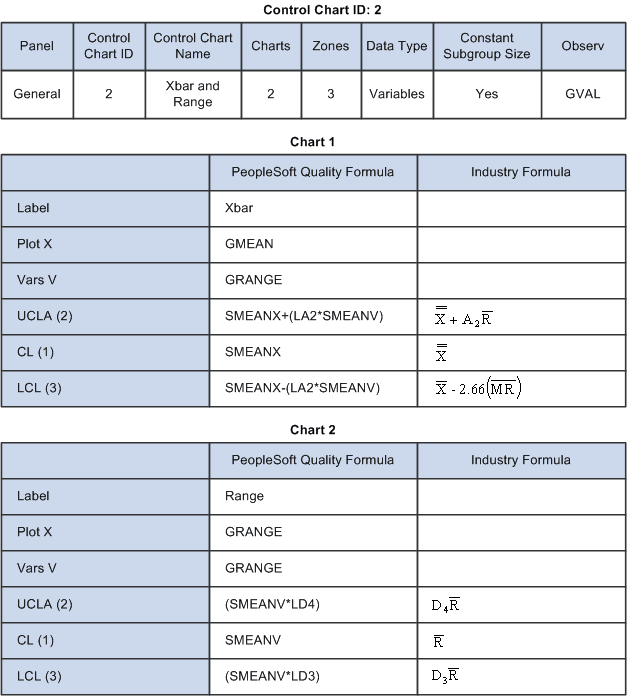
Control Chart ID: 2
This graphic displays Control Chart ID 2
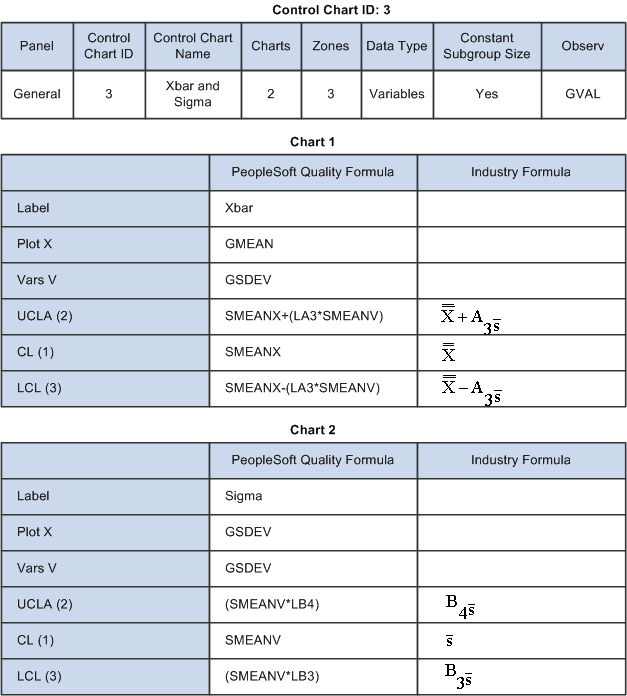
Control Chart ID: 3
This graphic displays Control Chart ID 3
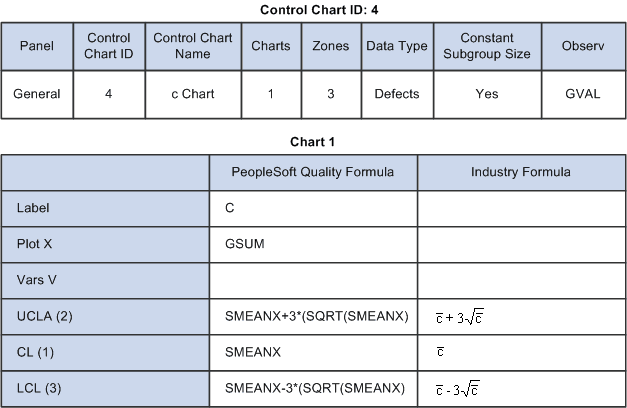
Control Chart ID: 4
This graphic displays Control Chart ID 4
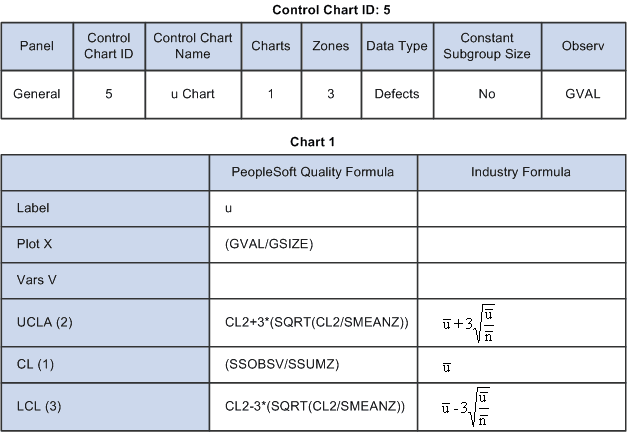
Control Chart ID: 5
This graphic displays Control Chart ID 5
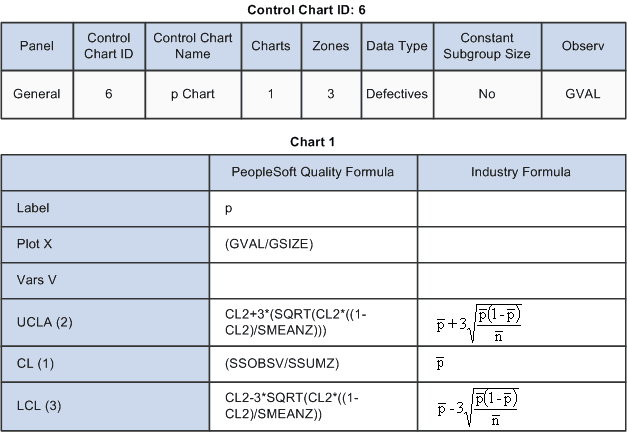
Control Chart ID: 6
This graphic displays Control Chart ID 6
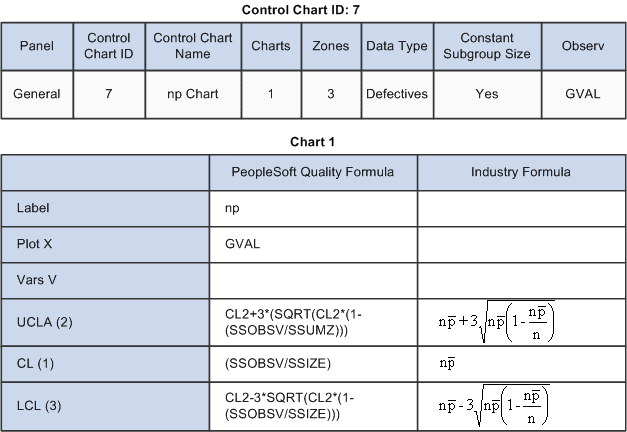
Control Chart ID: 7
This graphic displays Control Chart ID 7