Comprehensive Customer View Page (Analysis View)
Use the Comprehensive Customer View page - Analysis View (CAFNUI_360_FL) to view data related to a single customer.
Navigation:
This example illustrates the fields and controls on the Comprehensive Customer View page - Analysis View.
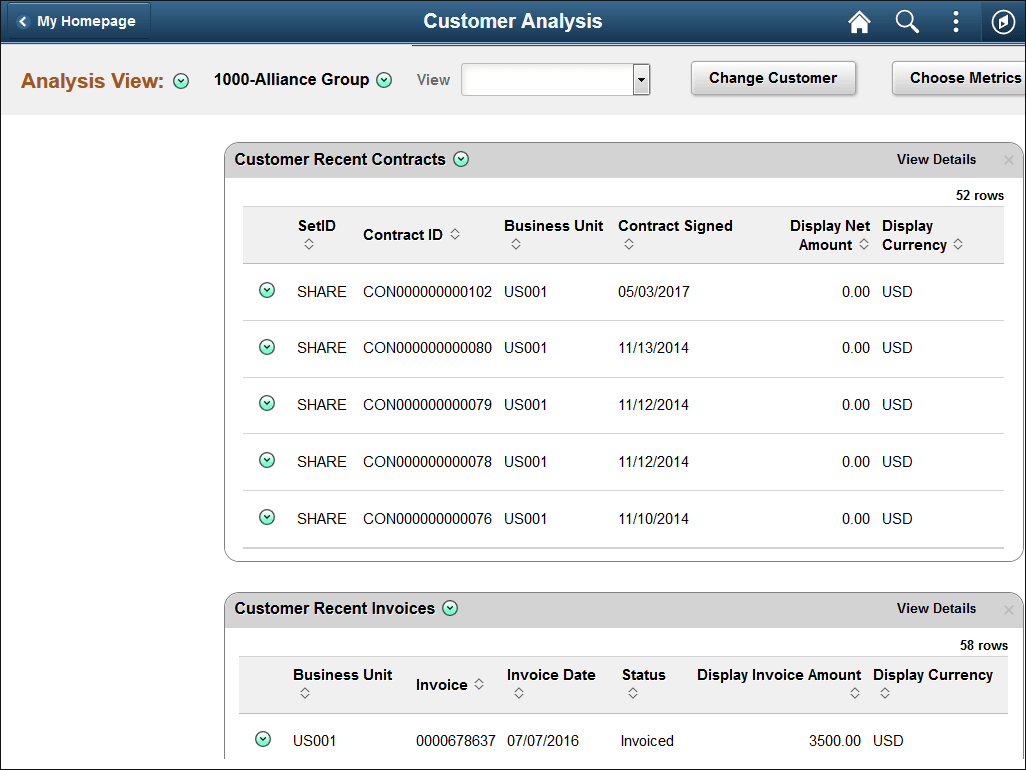
In Analysis view, each metric and its corresponding data display in individual grids.
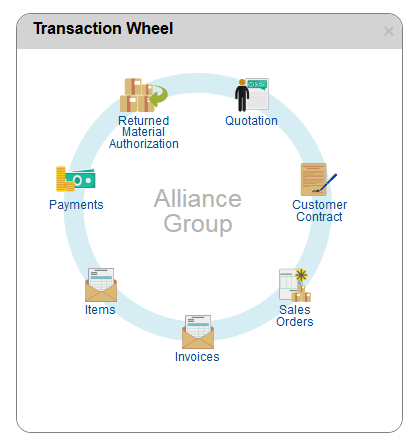
Transaction Wheel
The Transaction Wheel is available in the Analysis view. In the Transaction Wheel you can access up to seven types of transactions associated with a particular customer. You can click any icon to access the respective transaction search component, where you can filter transactions, and review transaction status and document status. All inquiry pages open in a new window.
Access to the transaction inquiry pages depends on the user role. If a user is not authorized to access certain components, a message denying them access appears.
The Transaction Wheel is accessible in the analysis mode and includes these transactions:
-
Quotations
-
Customer Contracts
-
Sales Orders
-
Invoices
-
Items
-
Payments
-
Returned Material Authorizations
Fluid Transaction Wheel