Electronic Payments to Post
Use the Electronic Payments to Post page (AR_WC_PYMNT_SEL) to review and post electronic check and PayPal payments.
Navigation:
Click the Payments: Electronic Payments to Post link.
This example illustrates the fields and controls on the Electronic Payments to Post Page - Detail 1 Tab.
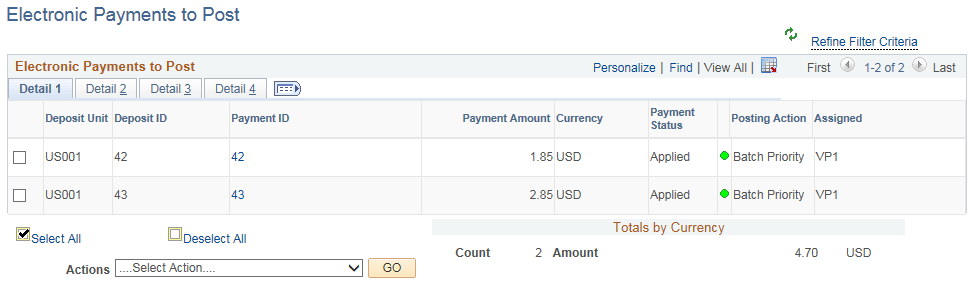
This example illustrates the fields and controls on the Electronic Payments to Post Page - Detail 2 Tab.

This example illustrates the fields and controls on the Electronic Payments to Post Page - Detail 3 Tab.

This example illustrates the fields and controls on the Electronic Payments to Post Page - Detail 4 Tab.

| Field or Control | Description |
|---|---|
|
Payment ID |
Click the link associated with a payment ID to access the All Payments page (Accounts Receivable, Payments, Review Payments, All Payments, All Payments or Accounts Receivable, Payments, Review Payments, Payment Status, All Payments), where you can review payment status details. |
|
Actions |
Perform an action on one or more payment groups that you select in the Electronic Payments to Post grid, and click the GO button. Choose from these actions:
|
|
Payment Worksheet Type |
Displays ePayment Worksheet. For more information, see Processing ePayments in Receivables. |