Express Deposits to Post Page
Use the Express Deposits to Post page (AR_WC_PYMNT_SEL) to review and select one or more express deposits to post.
Navigation:
Click the Payments: Express Deposits to Post link.
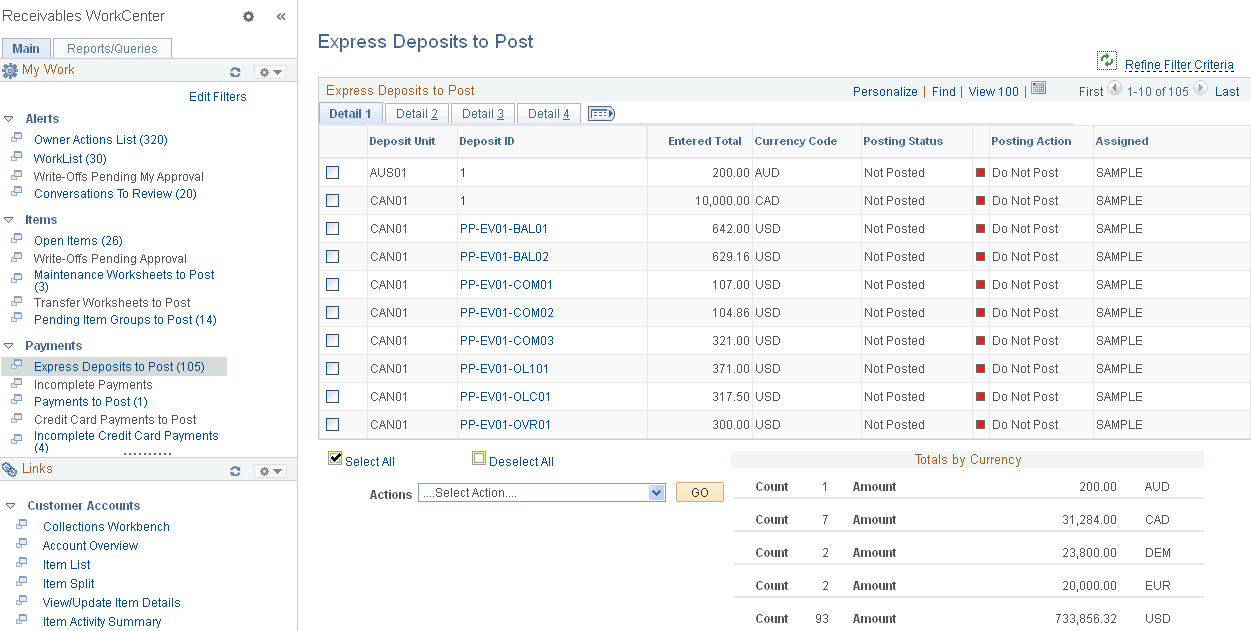
This example illustrates the fields and controls on the Express Deposits to Post Page - Detail 1 Tab.
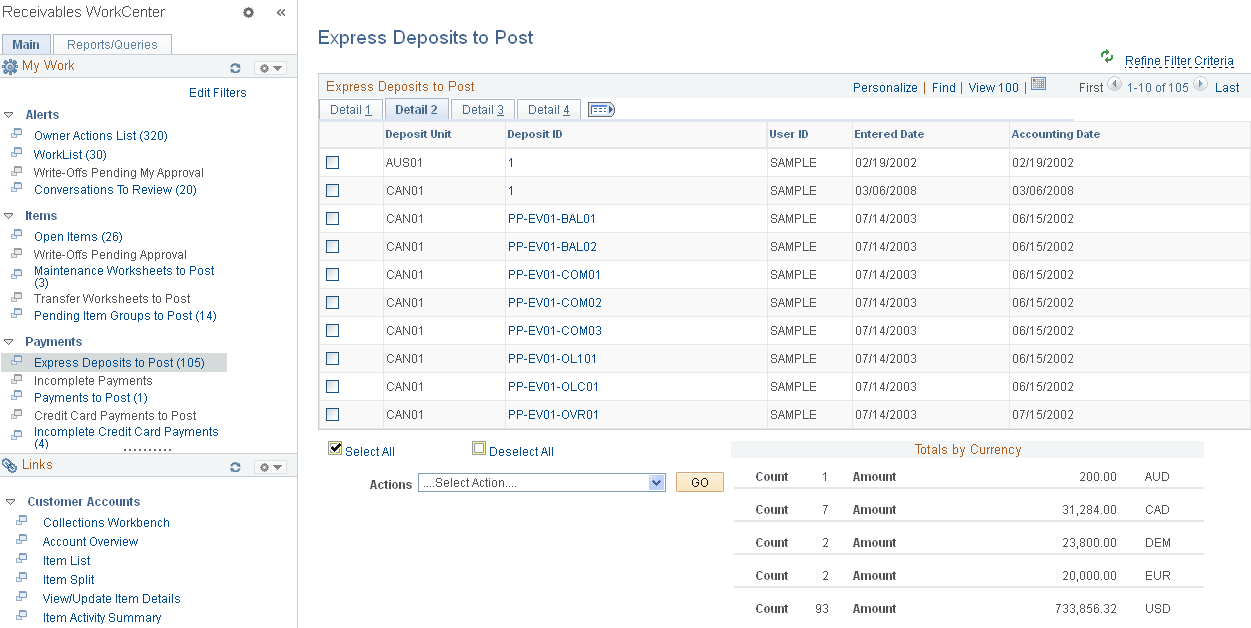
This example illustrates the fields and controls on the Express Deposits to Post Page - Detail 2 Tab.
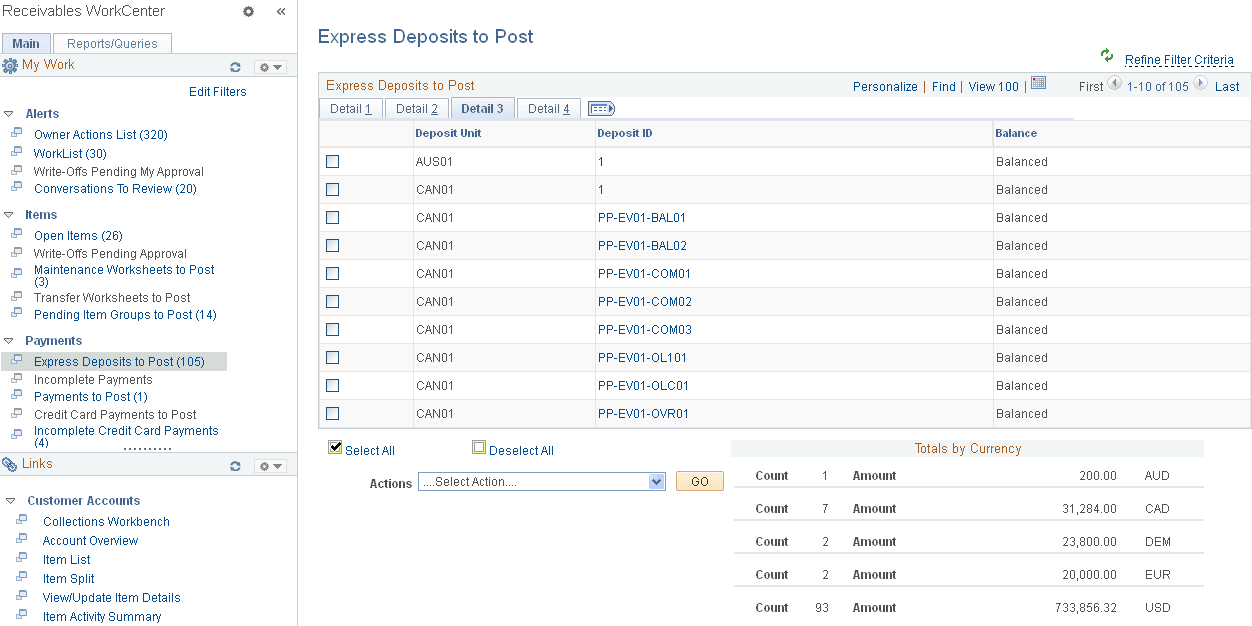
This example illustrates the fields and controls on the Express Deposits to Post Page - Detail 3 Tab.
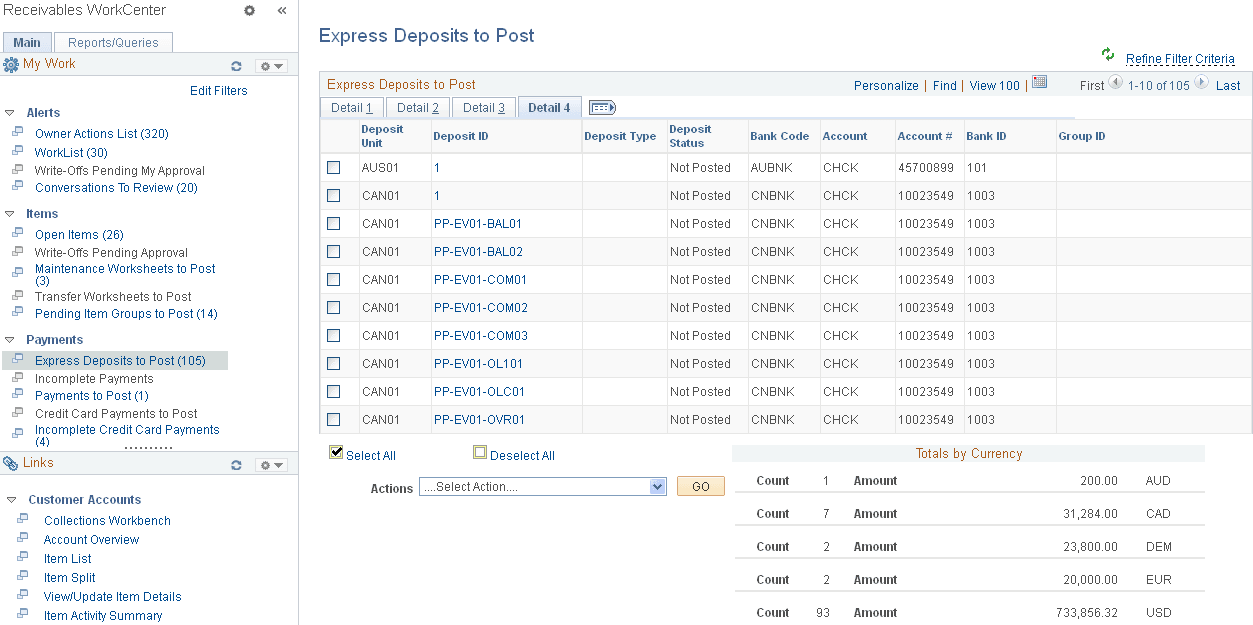
This example illustrates the fields and controls on the Express Deposits to Post Page - Detail 4 Tab.
| Field or Control | Description |
|---|---|
|
Deposit ID |
Click the Deposit ID link to open the Express Deposit (PAYMENT_EXPRESS) component (Accounts Receivable, Payments, Online Payments, Express Deposit), where you can enter express deposit totals, enter and apply payments with express deposit, and select an express deposit action. |
|
Actions |
Perform an action on one or more payment groups that you select in the Express Deposits to Post grid, and click the GO button. Choose from these actions:
To perform actions on express deposits one at a time, you can also use the Express Deposit - Action page (Accounts Receivable, Payments, Online Payments, Express Deposit, Action). |