Owner Actions List Page
Use the Owner Actions Lists page (AR_WC_ALERTS_SEL) to review and act upon the action list items assigned to you.
Navigation:
-
Click the Alerts: Owner Actions List link.
-
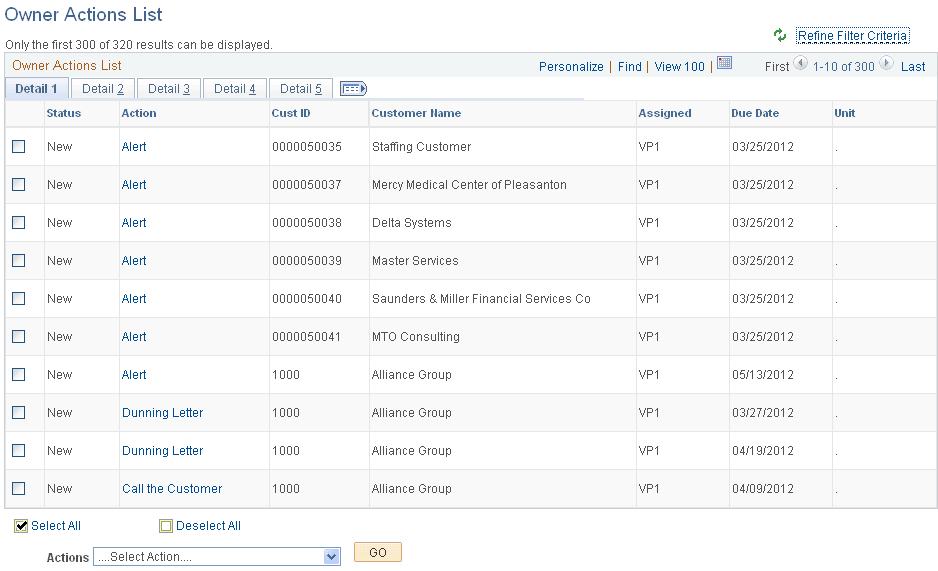
This example illustrates the fields and controls on the Owner Actions List Page - Detail 1 Tab.
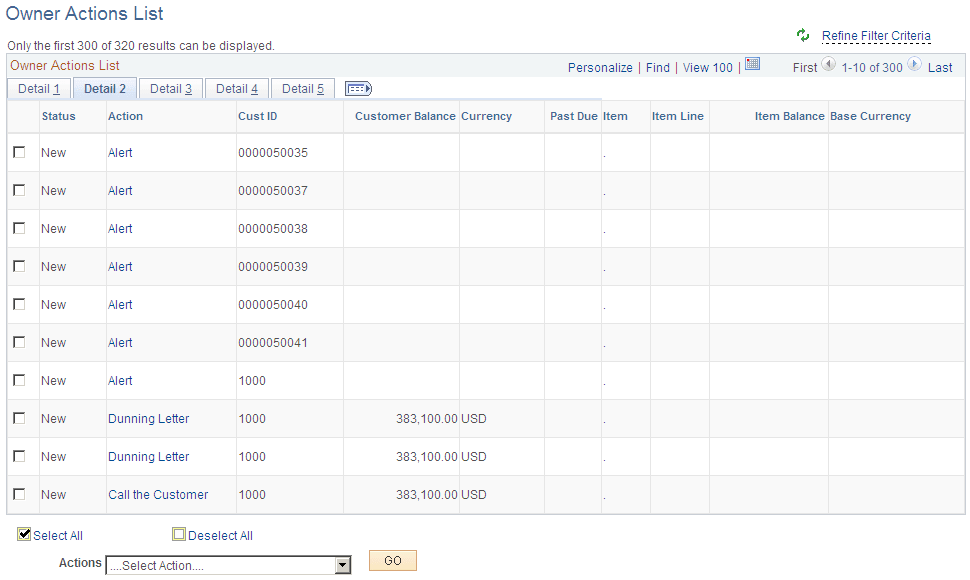
This example illustrates the fields and controls on the Owner Actions List Page - Detail 2 Tab.
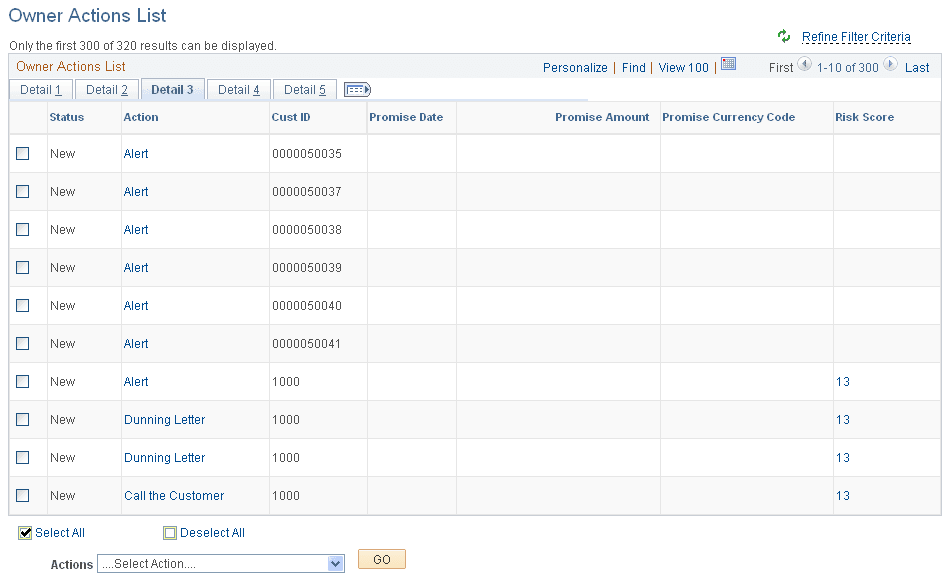
This example illustrates the fields and controls on the Owner Actions List Page - Detail 3 Tab.
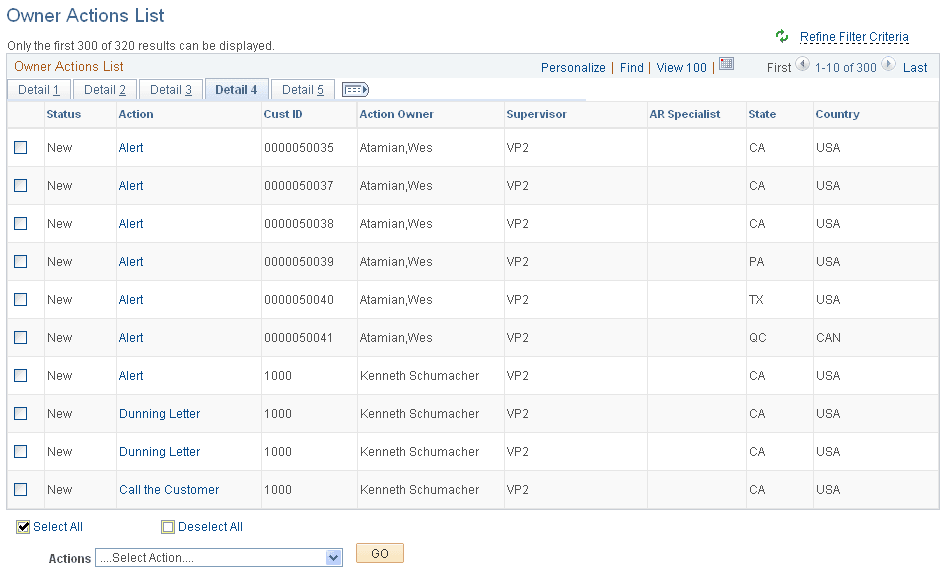
This example illustrates the fields and controls on the Owner Actions List Page - Detail 4 Tab.
This example illustrates the fields and controls on the Owner Actions List Page - Detail 5 Tab.
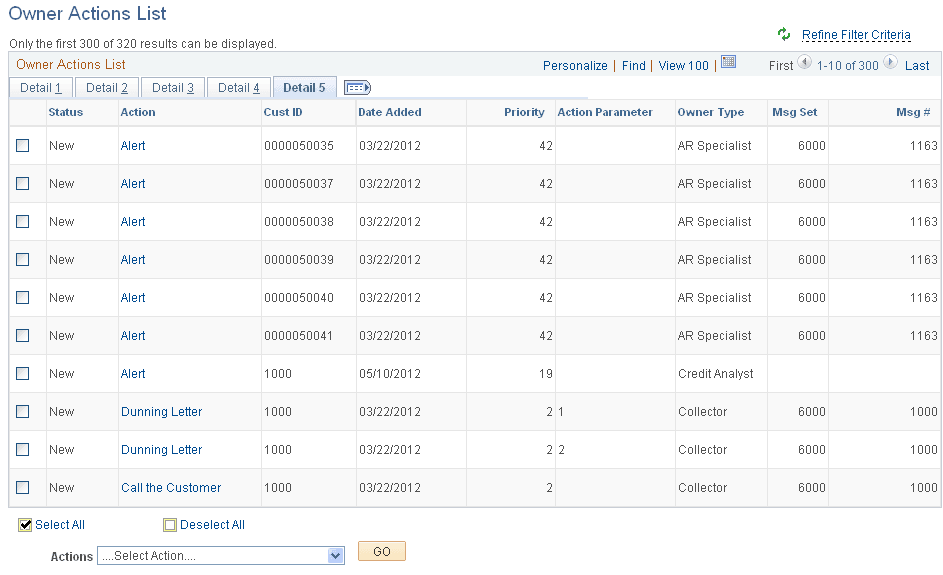
| Field or Control | Description |
|---|---|
|
Action |
Click the action link associated with an item to show action details on the Action page, where you can perform, cancel, or reassign the action, and add a conversation. Each action in the Action column must be performed individually by drilling into the action from this list. See the documentation for the Action Detail Page. See also Working with Actions. |
|
Item |
Click the item ID link to access item details in the View/Update Item Details component (ITEM_MAINTAIN), where you can view and update item details and view item activity and accounting entries (Accounts Receivable, Customer Accounts, Item Information, View/Update Item Details). |
|
Risk Score |
Click the risk score link to open the Risk Score Details page, where you can view the risk score that is calculated based on setting up risk scoring rules and running the Request Risk Scoring process (AR_RISK). You can also access this information on the Risk Score Details page by clicking the Risk Score value link on the Credit Profile tab on the Collections Workbench. |
|
Actions |
Perform an action on one or more items that you select in the Owner Actions List grid, and click the GO button. Choose from these actions:
When you choose the Reassign action, the system displays the Reassignment group box, where you can assign the selected item action to a different owner. You can also access the Owner Action List page through the Customer Interactions component (Accounts Receivable, Customer Interactions, Actions, Owner Action List, Owner Action List). See Working with Actions. |