Refunds Page
Use the Refunds page (AR_WC_INTFC_SEL) to display ITEM_ACTIVITY refund transactions that have not been distributed to AP.
Navigation:
Click the Refunds link.
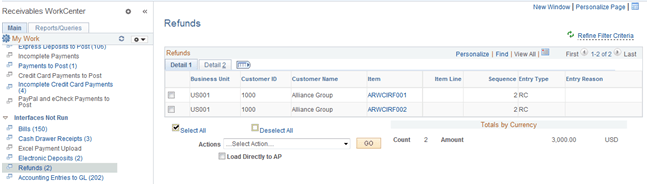
This example illustrates the fields and controls on the Refunds Page - Detail 1 Tab.
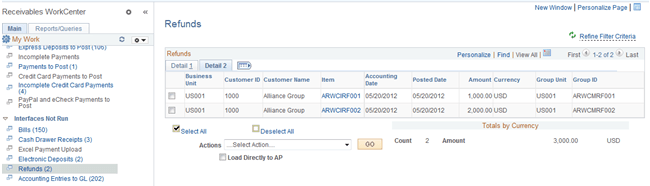
This example illustrates the fields and controls on the Refunds Page - Detail 2 Tab.
| Field or Control | Description |
|---|---|
|
Actions |
Select the following action from the list to apply to all refunds shown in the grid, and click the GO button: Load Refunds to AP This grid does not allow individual refunds to be selected for processing. When you select the Load Refunds to AP action, the system opens the Refunds page (Accounts Receivable, Receivables Maintenance, Refunds, Request Refund Item, Refunds), where you can select the refunds and initiate processing refund processing (RUN_AR36001). The system loads the processed refunds into the PeopleSoft Payables voucher staging tables. See Processing Refunds. The run control ID is generated using auto-numbering with this prefix: ARWC_RFND. |