Resubmitting Service Purchase Messages
Page Used to Resubmit Service Purchase Messages
| Page Name | Definition Name | Usage |
|---|---|---|
|
AR_SP_RESUBMIT_MSG |
Resubmit Service Purchase messages with IB problems to Pension Administration. This functionality is limited to system administrators for use only when it is not possible to resubmit the message using the IB Service Operations Monitor pages. |
Understanding Resubmitting Service Purchase Messages
In general, messages should be resubmitted using the Integration Broker (IB) Service Operations Monitor pages. However, this is not always possible, as, for example, when the Service Purchase message cannot be published due to an IB issue (for example, the message fails because the Service Operation Outbound Routing is not active). Only in this case can you resubmit the message through the Service Purchase component in Receivables. You must have appropriate system knowledge about both PeopleSoft Pension Administration and IB to use this functionality.
See the product documentation for PeopleTools: Integration Broker and PeopleTools: Integration Broker Service Operations Monitor.
See also the product documentation for PeopleSoft 9.2 Application Installation for your database platform.
Resubmit Service Purchase Message Page
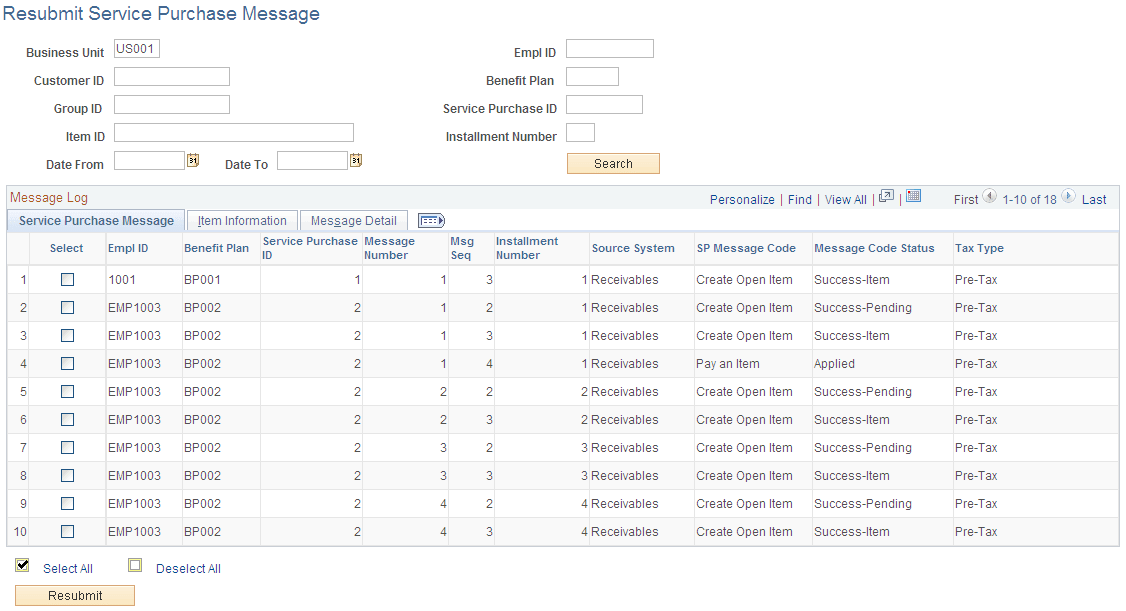
Use the Resubmit Service Purchase Message page (AR_SP_RESUBMIT_MSG) to resubmit Service Purchase messages with IB problems to Pension Administration.
This functionality is limited to system administrators for use only when it is not possible to resubmit the message using the IB Service Operations Monitor pages.
Navigation:
This example illustrates the fields and controls on the Resubmit Service Purchase Message page.
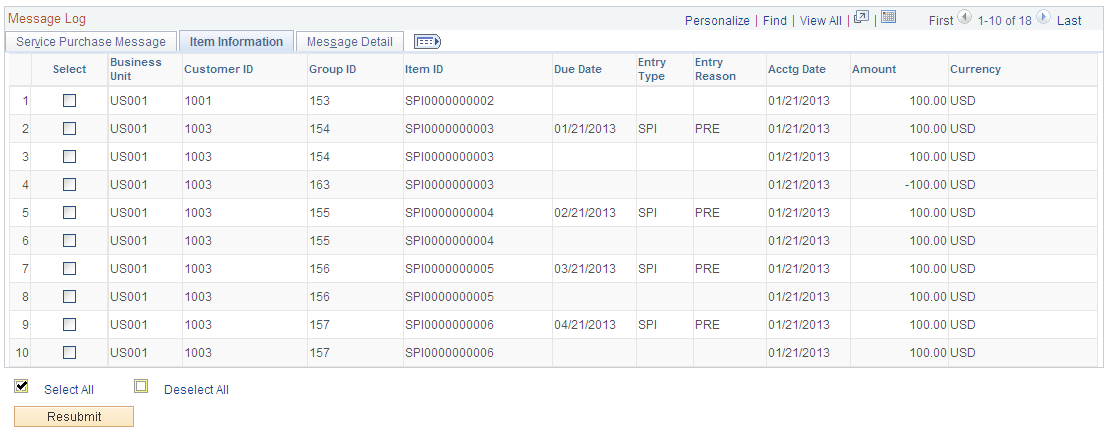
This example illustrates the fields and controls on the Resubmit Service Purchase Message page - Item Information tab.
This example illustrates the fields and controls on the Resubmit Service Purchase Message page - Message Detail tab.
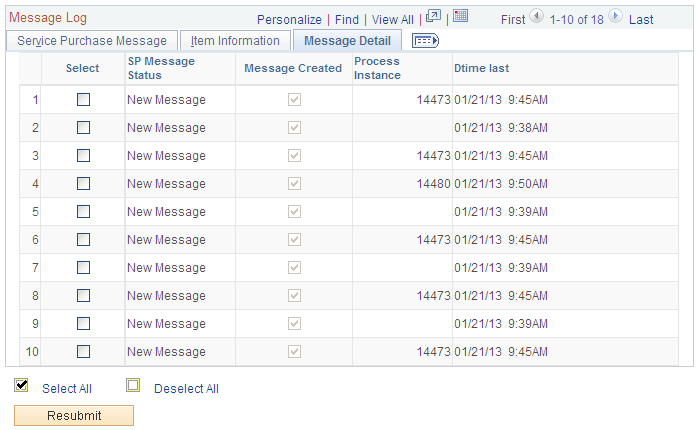
Only messages with a New Message status appear in the Resubmit Service Purchase Message page.
Select the check boxes in the Select column for the messages you want to resubmit and then click the Resubmit button. You will be prompted to confirm the Resubmit request.