Resource Near-Term Assignment Completion Page
Use the Resource Near-Term Assignment Completion (RS_RES_ASSGN_WC) page to display list of all the Resources whose Assignments are coming to an end in the near-term future.
Navigation:
This example illustrates the fields and controls on the Resource Near-Term Assignment Completion page.
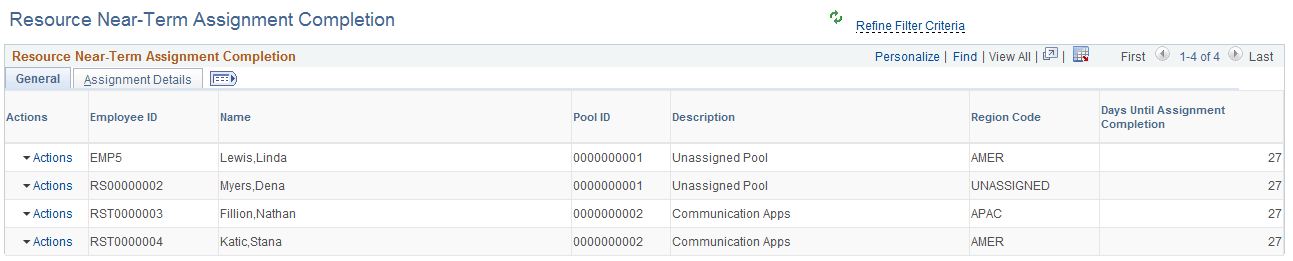
The Resource Near-Term Assignment Completion exception displays only those Resources for whom the logged-in user is assigned as “Supervisor” in the Update Employee Data page (PS_JOB). You following actions can be exercised for this exception:
| Field or Control | Description |
|---|---|
|
Review Resource Work History |
The Review Resource Work History action opens the Resource Work History page displaying the list of all work experiences of the Resource. |
|
Review Resource Profile |
The Review Resource Profile action opens the Resource Profile page giving details about the Resource. You can use this page to review consolidated resource profile information in a resumé format. |
|
Create Resource Appointment |
The Create Resource Appointment action opens the Create Appointment page. You can use the Create Appointment page to create Appointments for the Resource. |
|
Manage Resource Utilization |
Manage Resource Utilization action launches the Manage Utilization page giving full details of the Resource. You can use the Manage Utilization page to view key resource statistics and the resource's current assignment status. |