Customer Aging Tile and Pivot Page
Use the Customer Aging tile to view a customer’s receivables balance based on the aging categories.
Navigation:
This example illustrates the fields and controls on the Customer Aging Tile.
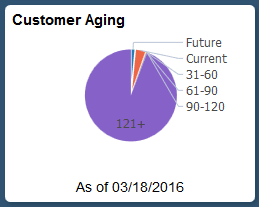
Select the Customer Aging tile to view the pie chart. It displays the aging balance by aging category according to the user-defined aging buckets.
Select the following facets to filter data displayed in the pivot grid:
-
Category
-
Business Unit
-
Currency
Add, delete, or move the following pivot grid columns as desired:
-
Business Unit
-
Aging ID
-
Aging Category
-
Item Count
-
Item Balance
-
Display Currency