Invoice Mass Maintenance Page
Use the Mass Maintenance page (BI_MASSMAINT_PG_FL) to update different fields, such as Billing Authority, Billing Specialist, Collector, Accounting Date, and so on for multiple invoices.
Navigation:
Click the Invoice Mass Maintenance tile on the Credit to Cash Operations Home page.
Note:
You can configure the Billing Workcenter and add the Invoice Mass Maintenance link to the workcenter.
This example illustrates the fields and controls on the Mass Maintenance page. You can find definitions for the fields and controls later on this page.
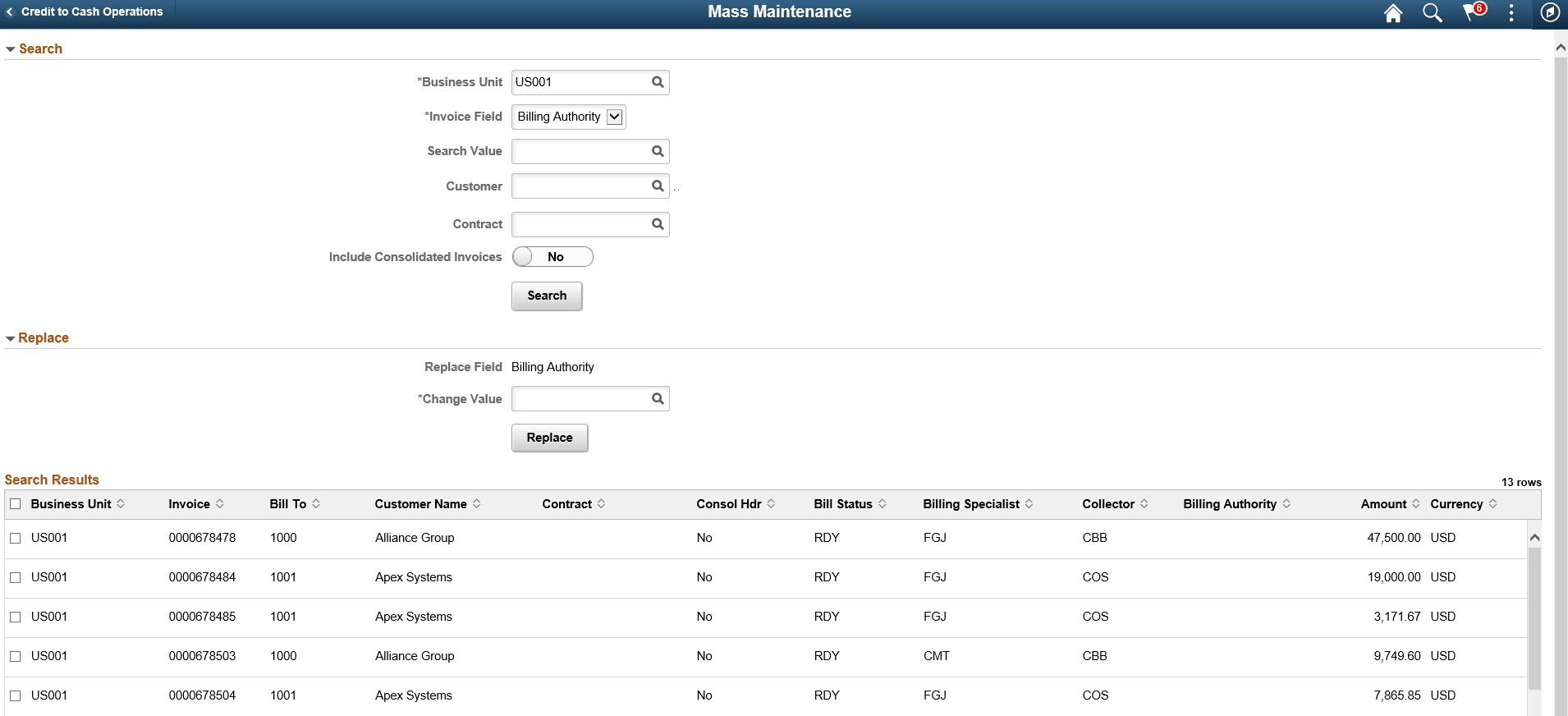
Search
| Field or Control | Description |
|---|---|
|
Invoice Field |
Select an option for retrieving a list of invoices to make changes. The available options are:
|
|
Search Value |
Enter the search value. The Search Value prompt lists the set of data for selection depending on the option selected in the Invoice Field. The search looks for invoices that has blank value for the selected Invoice Field if you leave the Search Value field blank. For example, select Billing Authority option in the Invoice Field and click Search button without entering any value for the Search Value field. The search result displays all invoices that matches the page criteria and do not have a value in the Billing Authority field. |
|
Customer and Contract |
Enter a value to further narrow down the list of invoices. |
|
Include Consolidate Invoices |
Toggle the option to Yes if consolidated invoices and the invoices attached to the consolidated invoices need to be included in the search. |
Replace
| Field or Control | Description |
|---|---|
|
Replace Field |
Displays the value selected in the Invoice Field. |
|
Change Value |
Enter the change value you want to replace on the selected invoices. |
Note:
Select the invoices that you want to apply the changes in the Search Results grid before clicking the Replace button.