Managing Supplier Change Request Invitations
This topic discusses the pages used to manage Supplier Change Request invitations as well as send notifications to suppliers requesting them to update their supplier information.
Pages Used to Manage Supplier Change Request Invitations
| Page Name | Definition Name | Usage |
|---|---|---|
|
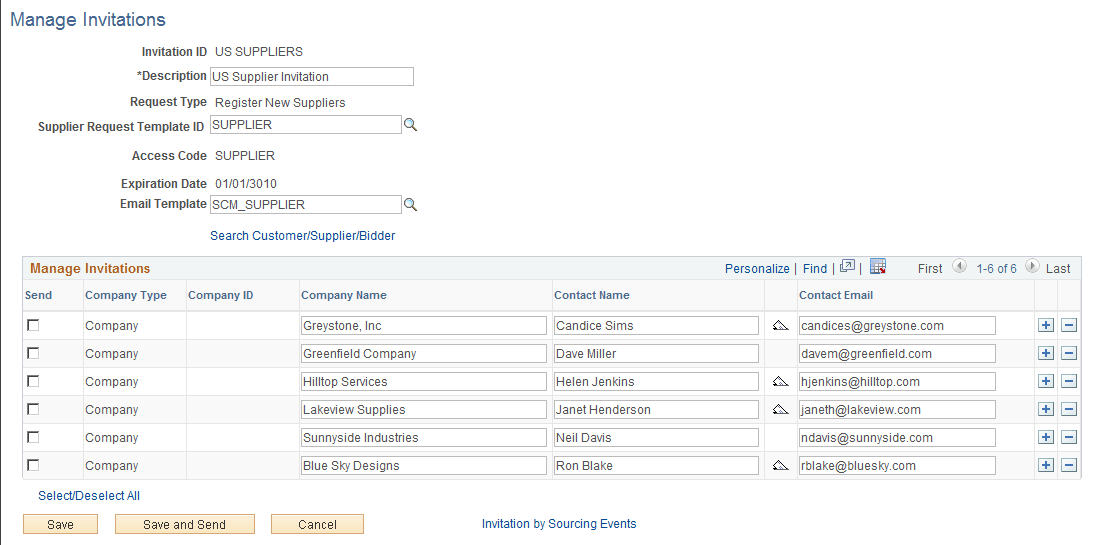
SUP_OB_MNG_INVITE |
Review invitation data, save, and send or resend the invitation to selected recipients. |
|
|
SUP_OB_INV_SRCH |
Search for customers, suppliers, or bidders and filter using supplier information criteria. Select invitation recipient from search results. |
|
|
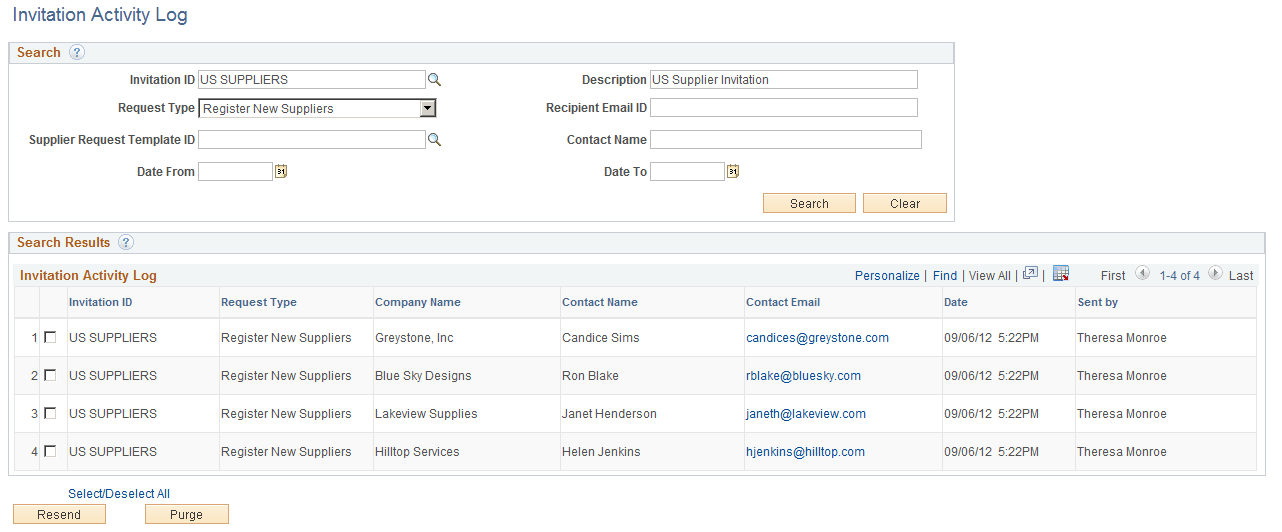
SUP_INV_ACT_LOG |
Search for and review invitation activity by invitation parameters such as invitation ID, recipient email ID, date sent. |
|
|
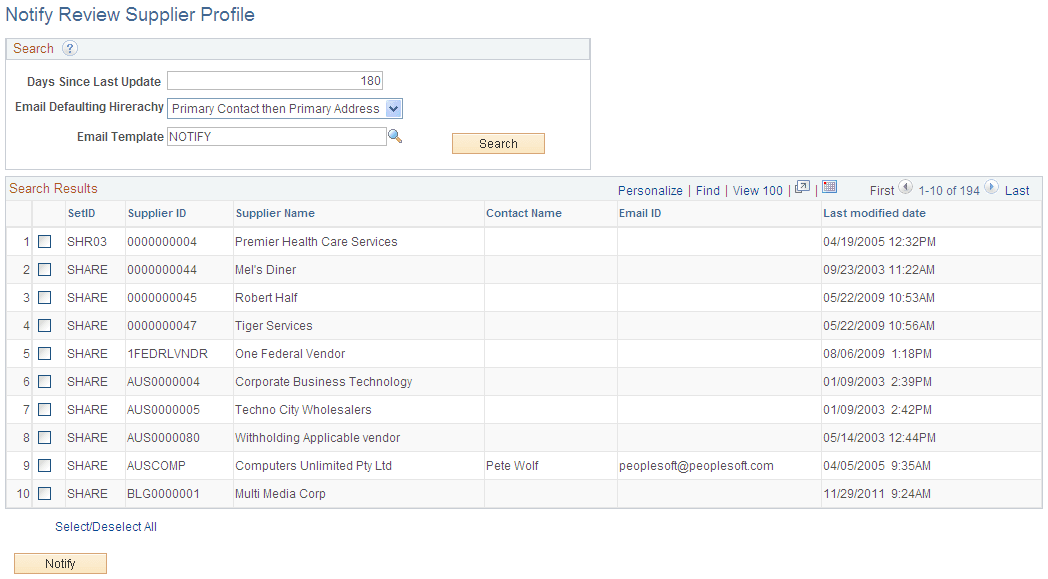
SUP_NOTIFY_RVW_PRF |
Notify suppliers to update their company profile information. |
Manage Invitations Page
Use the Manage Invitations page (SUP_OB_MNG_INVITE) to review invitation data, save, and send or resend the invitation to selected recipients.
Navigation:
This example illustrates the fields and controls on the Manage Invitations Page.
Search Customer/Supplier/Bidder Page
Use the Search Customer/Supplier/Bidder page (SUP_OB_INV_SRCH) to search for customers, suppliers, or bidders and filter using supplier information criteria. Select invitation recipient from search results.
Navigation:
Click the Search Customer/Supplier/Bidder link on the Manage Invitations page.
This example illustrates the fields and controls on the Search Customer/Supplier/Bidder Page.
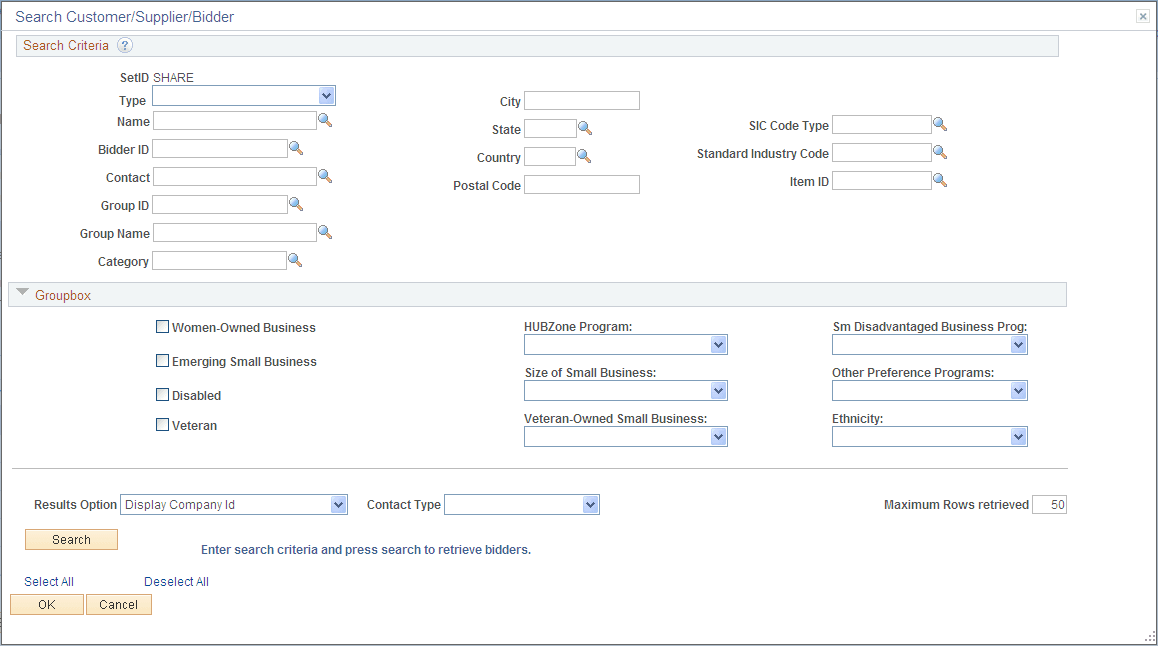
Enter search criteria and click the Search button. The Search Results grid displays the customers/suppliers/bidders that meet the search criteria. Click the Invite check box to invite the contact in one row, or click the Select All link to select all contacts in the search results.
Invitation Activity Log Page
Use the Invitation Activity Log page (SUP_INV_ACT_LOG) to search for and review invitation activity by invitation parameters such as invitation ID, recipient email ID, date sent.
Navigation:
This example illustrates the fields and controls on the Invitation Activity Log Page.