Related Contracts page
Use the Related Contracts page to add related or child contracts to the group contract. This page only appears for Group Multi and Group Single Supplier contracts. It is used to identify the child, or related contracts for these group contract types.
Click the Related Contracts tab (left panel) to access the Related Contracts page.
This example illustrates the fields and controls on the Related Contracts page.
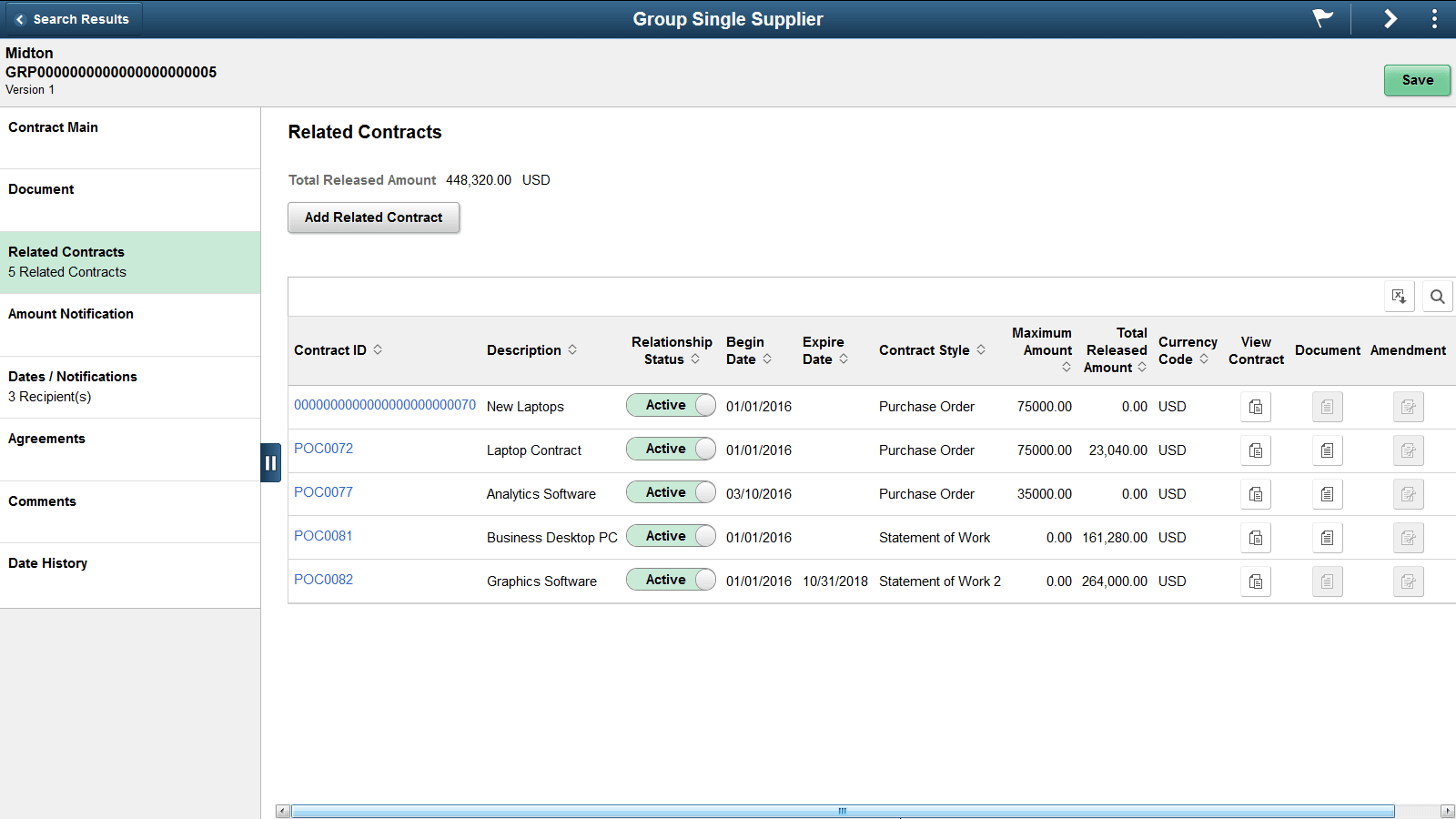
Click the Related Contract button to add a child contract. Clicking this button will display a secondary page, where you can search for and select the related contracts.
This example illustrates the fields and controls on the Relate Contract page.
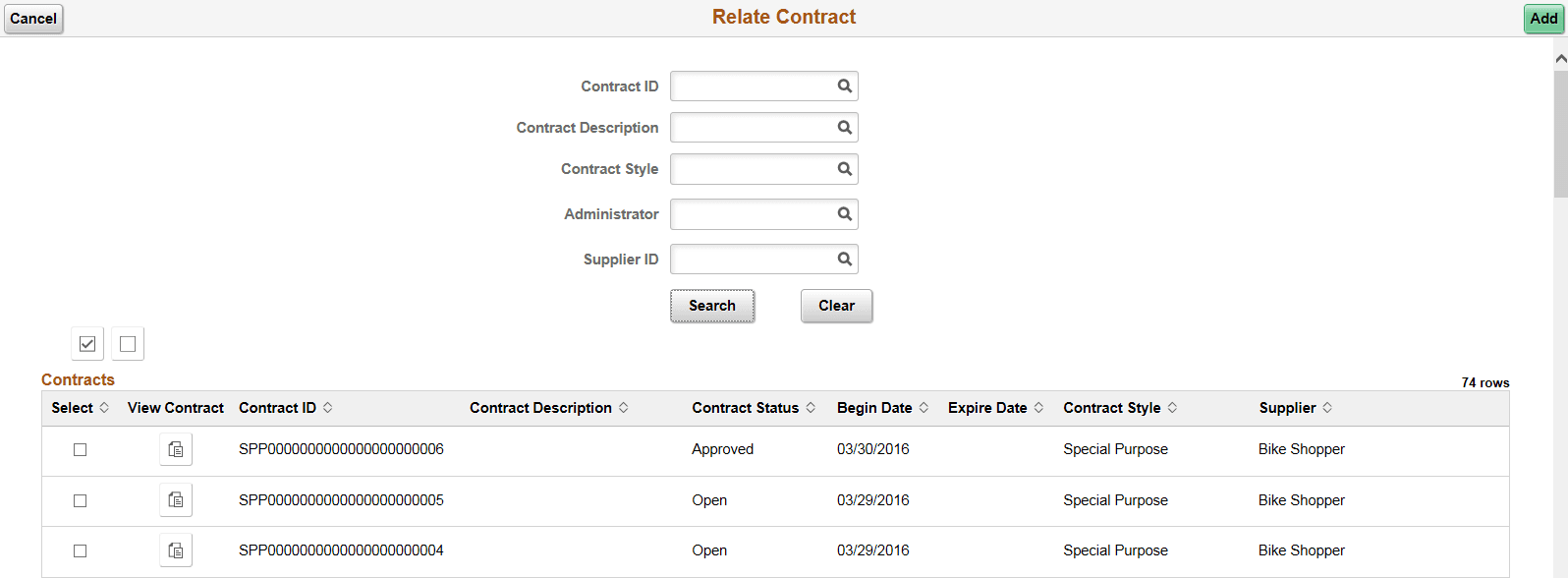
Contracts that are eligible for selection include those that meet the search criteria that are not already related, and not Group contracts. In case of Group Single Supplier contracts the supplier value is displayed and cannot be modified because with that format, all contracts must be for the same supplier.
The search displays contracts already associated to other Group Contracts only if Allow Link to Multiple Groups is selected on the Contract Set Controls options. If you have added a child contract then the main page displays that contract on the Related Contract page
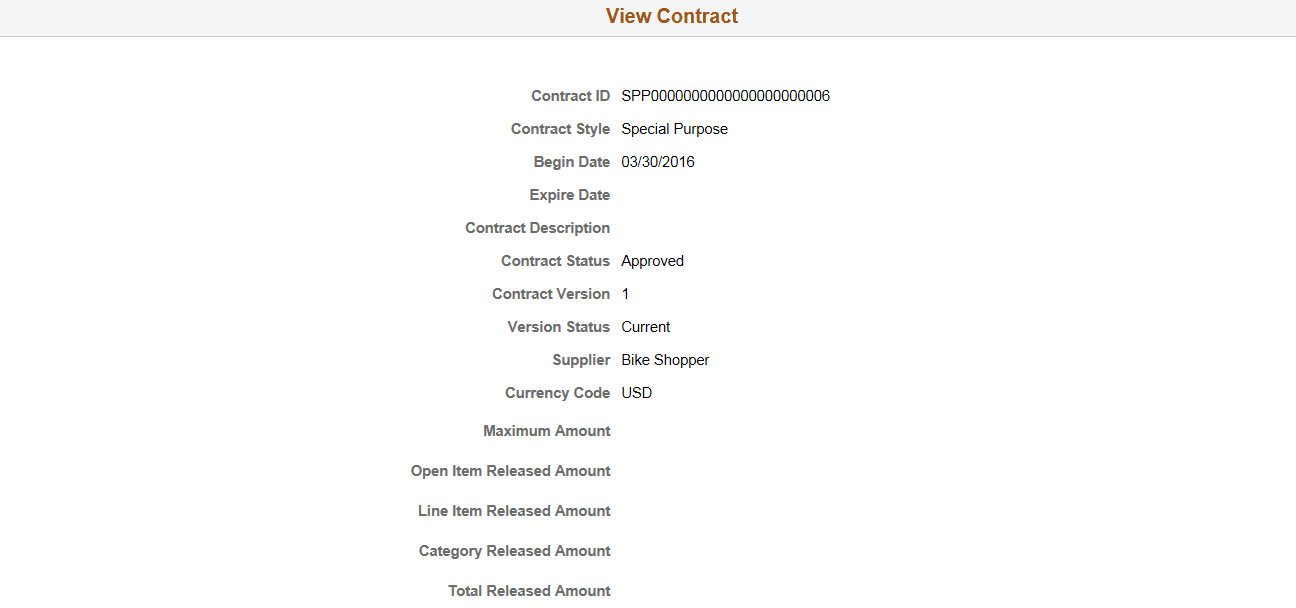
Click on the View Contract button to display a secondary page, where you can view detailed information about the contract.
This example illustrates the fields and controls on the View Contract page.
Click the check box for any contracts you wish to add, and then select the Add button.
After adding contracts from the Relate Contract page, the system takes you to the Related Contracts page. The newly selected contract(s) will appear along with summary information for the contract.
This example illustrates the fields and controls on the Example of Group Multi Supplier - Related Contracts.
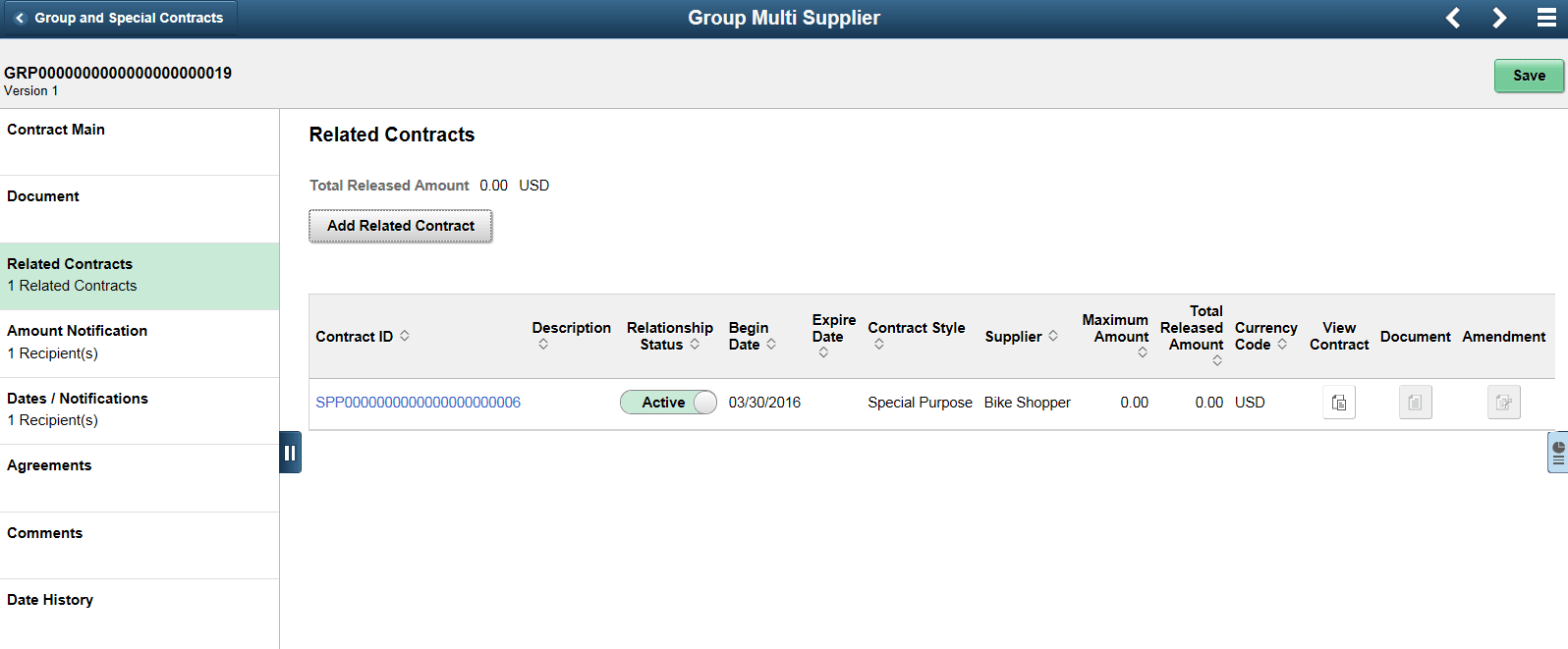
The left panel displays the number of child contracts.
The Total Released Amount appearing at the top of the right panel displays the sum for all related contracts. The Total Released Amount also displays for each related contract in the grid.
Supplier information will be displayed for Group Multi Supplier contracts, which will have related contracts for different suppliers.
Click the Contract ID link to be taken to the Contract Entry page in inquiry mode.
When a Document or Amendment exists for the related contract, the View Document or View Amendment icons will be enabled. Click the icon to download the document for viewing.