Review ASN Pagelet
Access the Review ASN pagelet.
This example illustrates the fields and controls on the Review ASN pagelet. You can find definitions for the fields and controls later on this page.
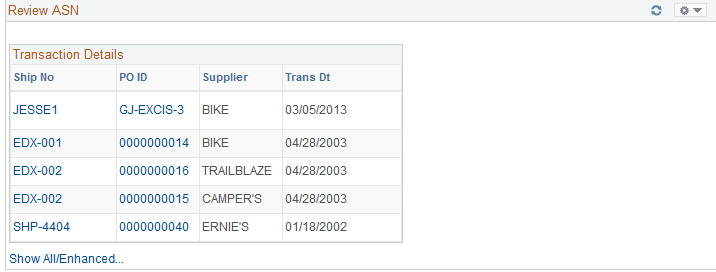
This pagelet displays only those shipment numbers that are associated to purchase orders related to the specific buyer. Only those ASNs that are new or ready to be processed will display. The supplier name and the date of transmission will also display. If multiple purchase orders are associated with the ASN, Multiple will appear under the PO ID column instead of the Purchase Order ID.
| Field or Control | Description |
|---|---|
|
Ship No |
Displays the shipping number. Click this link to access the ASN History - Line Details page. Use this page to review the ASN information. |
|
Show All/Enhanced |
Click this link to access the Search (advanced shipping receipts) page. Use this page to enter search criteria for a different set of purchase orders or ASNs. After you enter the search criteria you are able to see the results of the search using the Filter Results page. |