Unapplied Payments Tile and Pivot Page
Use the Unapplied Payments tile to view the total amount and number of unapplied payments. This can also include the payments in the processing status.
Navigation:
This example illustrates the fields and controls on the Unapplied Payments Tile.
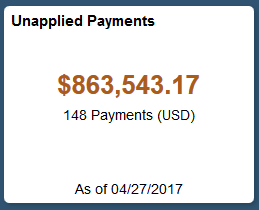
Select the Unapplied Payments tile to view the pivot grid.
On the Y-axis, the tile shows either the Display Balance Payment Count. On the X-axis the tile shows the Payment Status.
Select the following facets to filter data displayed in the pivot grid:
-
Payment Status
-
Deposit Unit
-
Payment Method
-
Currency
Add, delete, or move the following pivot grid columns as desired:
-
Payment Status
-
Deposit Unit
-
Payment Method
-
Payment Count
-
Payment Amount
-
Currency
-
Display Balance
-
Display Currency