14.3.2 Modifying the Attachment Print Directory URL for an Alternate Download Holding Directory
While printing Work Order Attachments, the PeopleSoft Work Order Attachment Print process temporarily downloads the attachments to the server in a holding directory, where they can then be passed on to the additional component application for printing. The URL WM_ATT_PRINT_DIR determines the directory to which the Work Order Attachments download. After the attachments print, they are removed from this temporary directory. The PeopleSoft Work Order Attachment Print process automatically creates this directory on the server if it does not already exist.
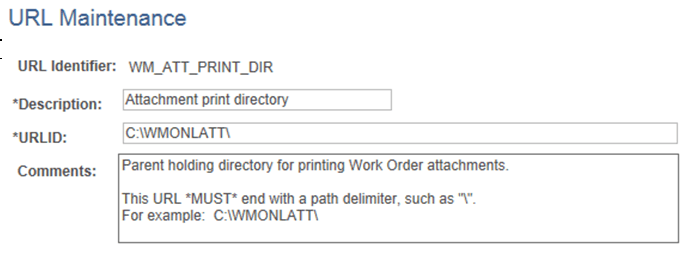
By default, the URL is set to: C:\WMONLATT\
To use a different temporary download holding directory on your server:
-
Select PeopleTools, Utilities, Administration, Maintain URLs.
The URL Maintenance page appears, as shown in the following example:
Figure 14-2 URL Maintenance page - Attachment print directory
-
On the URL Maintenance page, modify the default URL C:\WMONLATT\ to the directory that you want to use.
Note:
The slash (“\”) path delimiter at the end of the Attachment print directory URL is required and must be entered.