Defining Social Media Types
To define social media types, use the Social Media Type component (SOCIAL_MEDIA_TYPE).
This topic discusses how to enter social media types.
Pages Used to Define Social Media Types
| Page Name | Definition Name | Usage |
|---|---|---|
|
SOCIAL_MEDIA_TYPE |
Enter social media types and URLs. |
Social Media Type Page
Use the Social Media Type page (SOCIAL_MEDIA_TYPE) to enter social media types and URLs.
Navigation:
This example illustrates the fields and controls on the Social Media Type page.
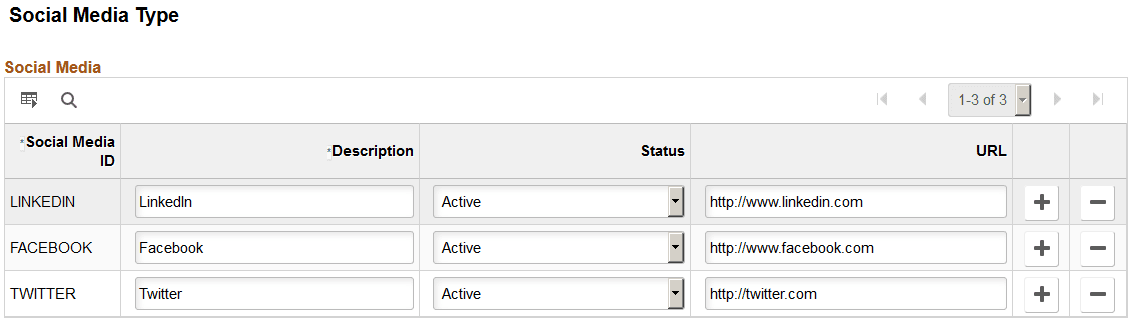
Use this page to enter valid social networking sites to which your workers may belong. Employees will select from this list to identify their social media accounts on the PeopleSoft eProfile: Social Media (Detail) Page.
| Field or Control | Description |
|---|---|
|
Social Media ID |
Enter a unique ID to identify the social media type. This value does not appear to the user. |
|
Description |
Enter the name that will appear as the social media type on the Social Media pages of the Personal Details component. (See the PeopleSoft eProfile: Social Media (Detail) Page ). |
|
URL |
Enter the URL for this social media type. This will appear as a display only value to the user when he or she selects this media type. |
The system will prevent you from deleting a social media type that is in use.