Manager Self Service Homepage
Use the Manager Self Service homepage to access a variety of manager self-service transactions. The cref for this page is HC_HR_MGR_SELF_SERVICE_FLU_GBL.
Navigation:
When you first sign in, the default homepage title appears at the top of the homepage. If the Manager Self Service homepage is not your default homepage, tap the title of the default homepage and select Manager Self Service from the list that appears.
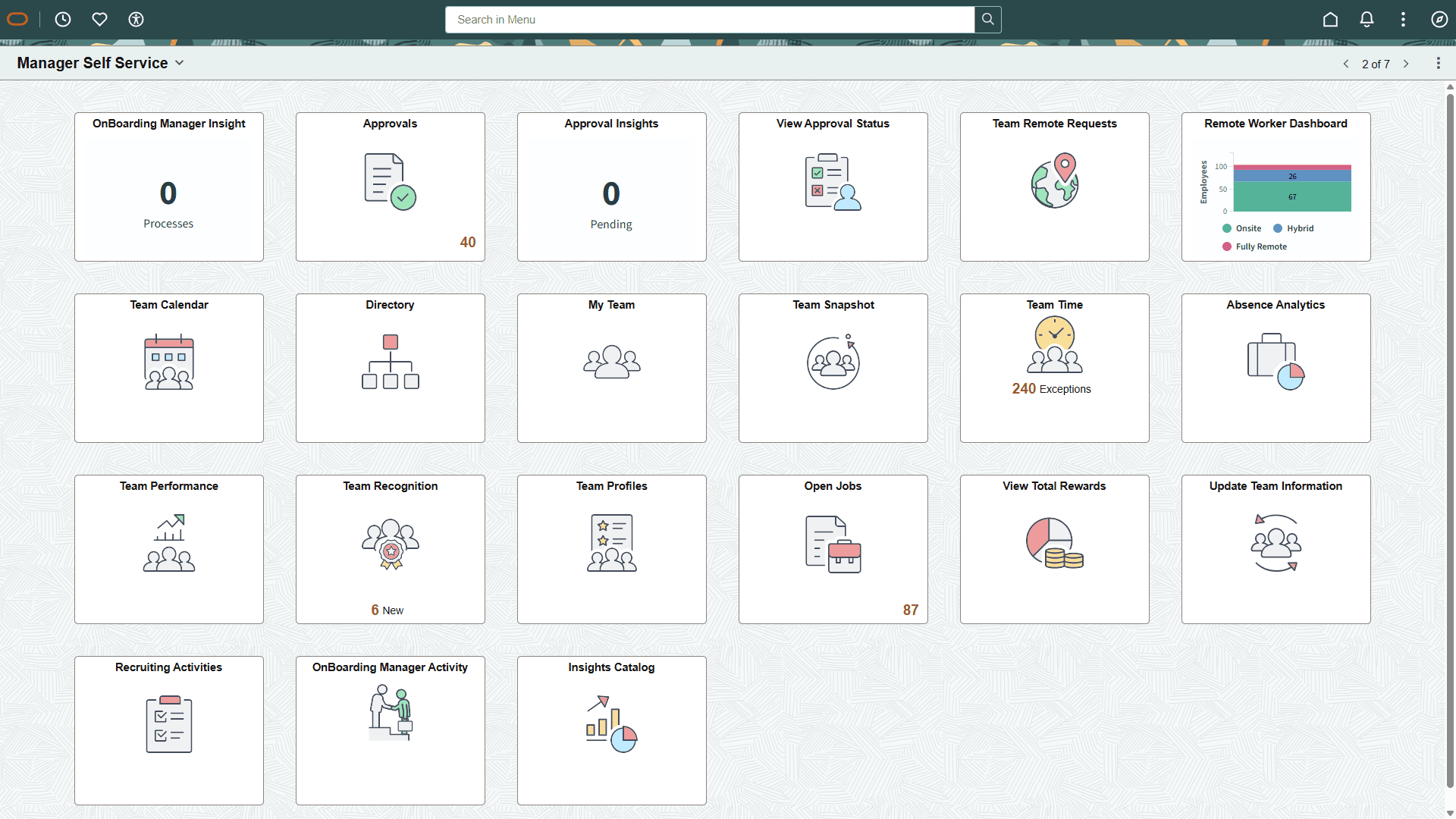
This example illustrates the Manager Self Service homepage.
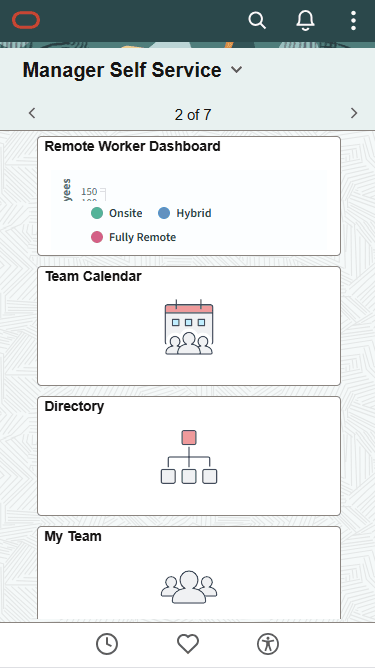
This example illustrates the Manager Self Service homepage for the smartphone. Action buttons, which appear on the page banner when viewed with a laptop or tablet, are available in the actions list when viewed with a smartphone.
PeopleSoft HCM Tiles on the Manager Self Service Homepage
The following table describes the tiles on the delivered Manager Self Service homepage. The table also identifies navigation paths to equivalent classic pages. These are the menu paths that are replaced by fluid navigation paths due to Fluid Transactions and Conditional Navigation when the user is in fluid mode.
Tiles are listed in alphabetical order. On the homepage, users can personalize the tile order.
Use the links in the table to access complete documentation for each transaction.
| Tile Name | Description | Conditional Navigation |
|---|---|---|
|
Access a pivot grid with absence information about your team. |
None |
|
|
Review and act on approval requests. |
Using the classic menu path redirects uses to the main fluid Pending Approvals page. The classic approval pages for these transactions also have conditional navigation to equivalent fluid approval pages:
|
|
|
Access and view analytics related to approval requests that fall under your hierarchy. |
None |
|
|
PeopleSoft Human Resources Administer Workforce: Directory Tile |
Access the Company Directory, where you can view employee personal and job data within the context of your organization's various hierarchical reporting structures. |
Using the classic menu path, select Company Directory or the Org Chart Viewer menu. |
|
PeopleSoft eProfile Manager Desktop: (Manager) Team Snapshot Tile |
Access a group of tiles and dashboards to see a comprehensive view of talent data related to an employee. |
None However, using the classic menu path, you can select to view similar data. |
|
Access a collection of HCM Insights dashboards. |
None |
|
|
View information about employees in your direct line of reports and to perform actions for those employees. This tile provides information that is similar to the PeopleSoft eProfile Manager Desktop: Direct Line Reports Pagelet |
None |
|
|
PeopleSoft Human Resources Administer Workforce: OnBoarding Manager Insight Tile (for Managers) |
Access and view OnBoarding activity guide analytics for employees under your supervision. |
None |
|
Review open jobs in your organization. |
None |
|
|
PeopleSoft Talent Acquisition Manager: Recruiting Activities Tile |
View a navigation collection of commonly used recruiting pages, such as, My Job Openings, Search Job Openings, Create Job Opening, Applicant Lists, Interview Calender and Recruiting Alerts. |
None |
|
PeopleSoft Human Resources Administer Workforce: Remote Worker Dashboard Tile (for Managers) |
Access and view HR remote workforce analytics as a manager to view information for employees under your supervision. |
None |
|
Access the Team Calendar page to view and manage the calendar for direct and indirect reporters. |
None |
|
|
Work with performance documents, perform administrative tasks, and review document status progress for your team. |
|
|
|
View a chart related to the status of your team’s performance documents. Use this tile to view additional details and modify chart displays if necessary. |
None |
|
|
Access the manager Team Profiles dashboard, where managers can view and maintain various profile transactions related to their team. |
|
|
|
Access pages to create, view, and interact with team members' recognitions as managers. |
None |
|
|
PeopleSoft eProfile Manager Desktop: Team Remote Request Tile |
Enter and review remote worker requests for your direct reports using fluid pages. |
None |
|
PeopleSoft Time and Labor: Team Time Tile for time reporting PeopleSoft Absence Management: Team Time Tile for absences |
Use this tile to:
|
|
|
Access the Tuition Reimbursement request pages for one of their employees to view the status or history of tuition requests. |
None |
|
|
PeopleSoft eProfile Manager Desktop: Update Team Information Tile |
Access guided self-service transactions. Managers use these transactions to update data for employees in their organization. |
None. |
|
PeopleSoft Human Resources Administer Compensation: View Total Rewards Tile |
View employee’s earnings, benefits, and other compensation information in the form of a statement. |
|
Additional Tiles
If you set up a PeopleSoft cluster, the Manager Self Service homepage can also display tiles from other content provider systems (for example, PeopleSoft Enterprise Learning Management) that are federated by the portal system (PeopleSoft HCM) into the cluster.
On the cluster, homepages with the same name are automatically merged. Therefore, the following tiles from other Manager Self Service homepages can automatically appear on the PeopleSoft HCM Manager Self Service homepage if the associated content provider system is part of the cluster. For example:
-
Company News (PeopleSoft Interaction Hub)
-
Team Learning (PeopleSoft Enterprise Learning Management)
-
Learning Compliance (PeopleSoft Enterprise Learning Management)