Absence Requests Page
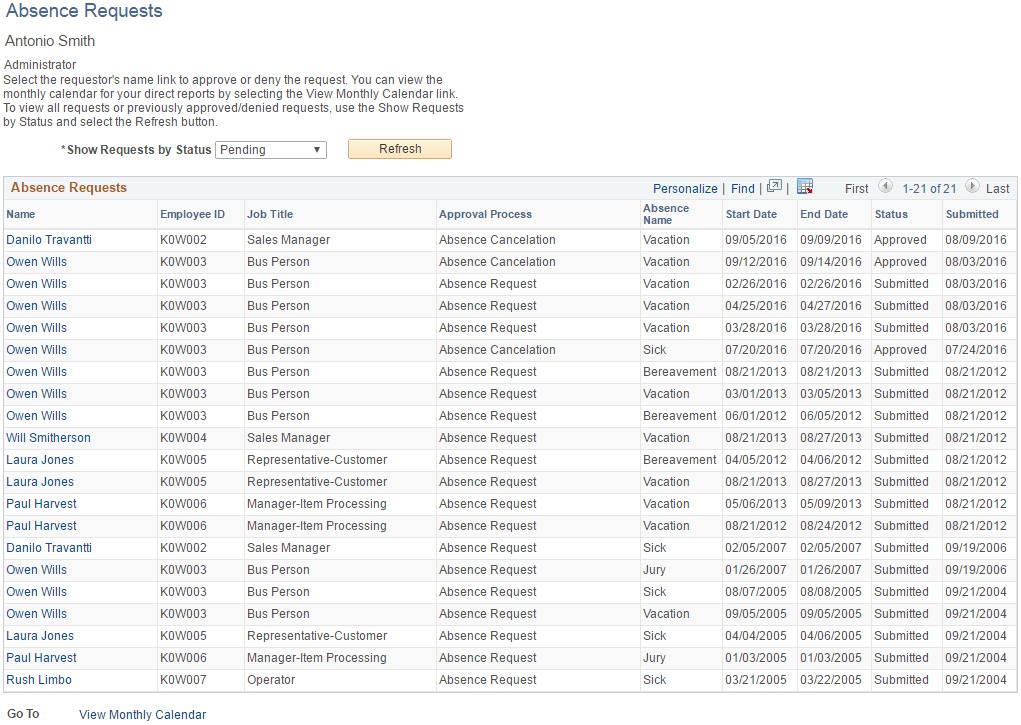
Use the Absence Requests page (GP_SS_ABS_APPR) to select the absence request to approve or deny.
Navigation:
This example illustrates the fields and controls on the Absence Requests page.
| Field or Control | Description |
|---|---|
|
Show Requests by Status |
The following options are available in this field:
|
After selecting the status, click the Refresh button to display all requests. Click the employee name link to work with the request. The Request Details page appears:
This example illustrates the fields and controls on the Approve Absence Requests - Request Details page.
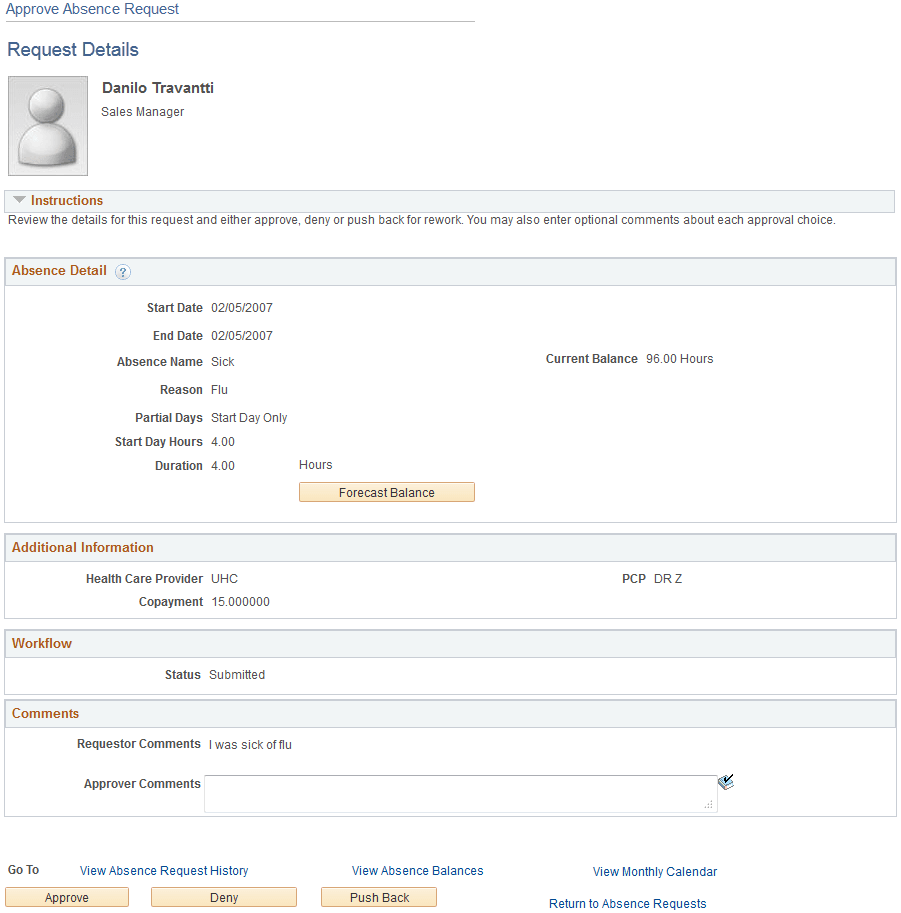
The manager uses this page to approve, deny, or push back the request to the previous step in the approval process (by clicking the Push Back button). The approver can include suggested changes or other comments by entering information in the Approver Comments field.
After clicking one of these buttons, the approver must confirm the selection on a confirmation page:
This example illustrates the fields and controls on the Approval Confirmation page.
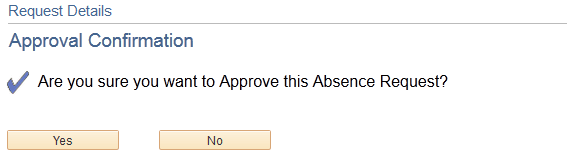
After clicking the Yes button the system re-displays the Absence Requests page so that the manager can continue to work with other absence requests. Clicking the No button displays the Request Details page.
If the manager clicks the Push Back button, the system displays the Push Back Confirmation page.