Accessing Performance Tasks as Administrators Using Fluid Navigation Collection
This topic lists the pages that ePerformance administrators can access from the navigation collection of the Performance Management tile to manage templates, documents, profiles, and business objectives.
For general information about fluid pages in PeopleSoft HCM, see Application Fundamentals: Understanding PeopleSoft Fluid User Interface Homepages and Application Fundamentals: Using the Talent Administrator Homepage.
Video: PeopleSoft Fluid User Interface Experience in HCM
Delivered Administrator Roles
Users must be members of the:
-
ePerformance HR Admin role to access the Performance Management tile and most of its navigation collection entries.
-
ePerformance HR Admin Fluid role to access Auto Transfer Document Status and .
-
Profile Administrator role to access Profiles.
Pages Used to Access Performance Tasks as Administrators Using Fluid Navigation Collection
| Page/Tile Name | Definition Name | Usage |
|---|---|---|
|
HC_PERF_ADMIN_FL (cref for the tile) |
Access administrator-specific pages to manage documents, profiles, and business objectives. |
|
|
RUNCTL_EPMGRDOC |
Create documents. |
|
EP_APPR_SELECT |
Delete documents. |
|
EP_APPR_SELECT |
Reopen documents. |
|
EP_APPR_SELECT |
Transfer documents. |
|
EP_APPR_SELECT |
Cancel documents. |
|
Template Definition |
EP_TMPL_DEFN1 |
Define document templates. |
|
Auto Transfer Document Status |
EP_XFER_LOG_FL |
View automatic transfer statuses of in-progress documents that were owned by terminated managers. |
|
Non-person Profiles PeopleSoft Human Resources Manage Profiles: Non-person Profile Page |
JPM_PROFILE1 |
Create and update non-person profiles. |
|
Person Profiles PeopleSoft Human Resources Manage Profiles: Person Profile Page |
JPM_PROFILE_PERS |
Create and update person profiles. |
|
Search and Compare Profiles PeopleSoft Human Resources Manage Profiles: Understanding Setting Up Search and Compare Profiles |
JPM_SRCH_TRANSFER |
Select the profile that you want to use as the source of criteria for the search. |
|
Employee Profile Matching PeopleSoft Human Resources Manage Profiles: Matching Employee Profiles |
CM_PROFILE_SUMM |
Match employee profiles. |
|
Manage Business Objectives |
EPO_PLAN_SELECT |
Select an objective plan for update. |
|
Create Objectives Summary Data |
EPO_ALIGN_EXT |
Extract data by objective plan that the system will use to generate the Employees Aligned to Business Objectives metric. |
|
EPO_CASC_RUN_FL |
Review a list of item cascading processes run by managers. |
|
|
EP_NP_CONFIG_FL |
Specify setup options for using performance notes by role. |
|
|
Advance by Document Search |
EP_APP_SEL_FL |
Define criteria for selecting documents to advance. |
|
Advance by Group/Department |
EP_RUN_ADV_DOC |
Define selection criteria and the target status for advancing documents by group or department. |
|
Review Advanced Documents |
EP_ADV_RES_LST_FL |
View a list of completed document advancement process instances. |
Performance Management Tile
Use the Performance Management tile (HC_PERF_ADMIN_FL) to access groups of pages to manage templates, documents, profiles, and business objectives.
Navigation:
-
The Performance Management tile is available on the sample HCM landing page, Application Fundamentals: My Work - Human Resources Section.
-
Select Talent Administrator from the list of home pages. The Performance Management tile is available on the Talent Administrator landing page.
As an administrator, you can add the tile, through personalization, to another system-delivered home page or a home page that you create.
This example illustrates the Performance Management tile.
Select the Performance Management tile to access a collection of administrative transactions for ePerformance from one location.
This example illustrates the pages that are displayed on the Performance Management application start page.
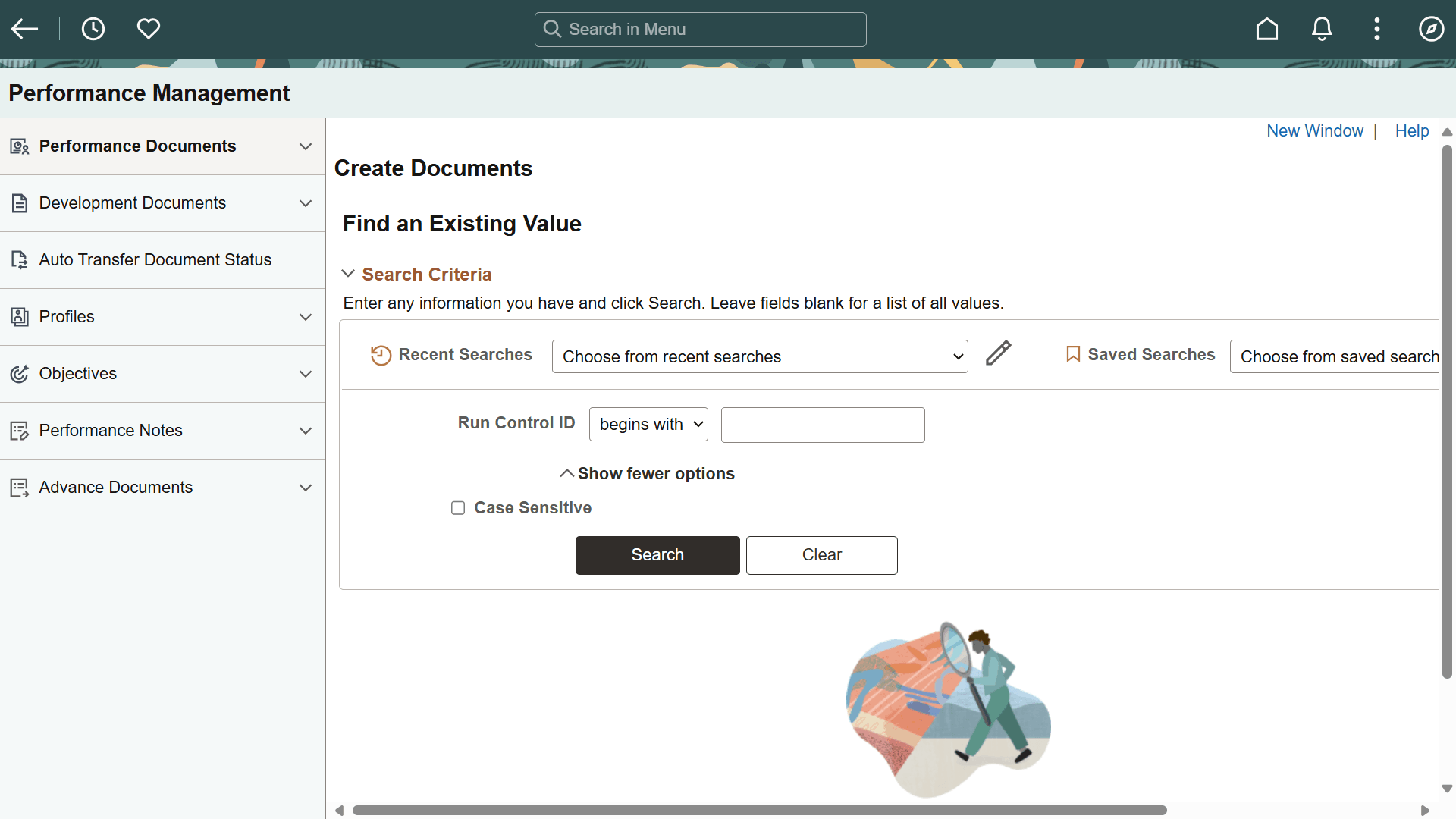
This application start page is a navigation collection that lists the components and pages collected under these categories:
-
Performance Documents
-
Development Documents
-
Auto Transfer Document Status
-
Profiles
-
Objectives
-
Performance Notes
-
Advance Documents