Setting Up CNAO Accounting Data Interface Options
Pages Used to Set Up CNAO Accounting Data Interface Options
| Page Name | Definition Name | Usage |
|---|---|---|
|
COMPANY_TABLE1 |
Enter the description to use as the Enterprise Name on the CNAO Shared Information report for SOE and PSGM. |
|
|
COMPANY_TABLE2_GBL |
Enter the currency code, translation type template, accounting period mapping, and other default settings to use for CNAO reporting. |
|
|
DEPARTMENT_TBL_GBL |
Identify the parent department responsible for CNAO reporting. |
Company Location Page
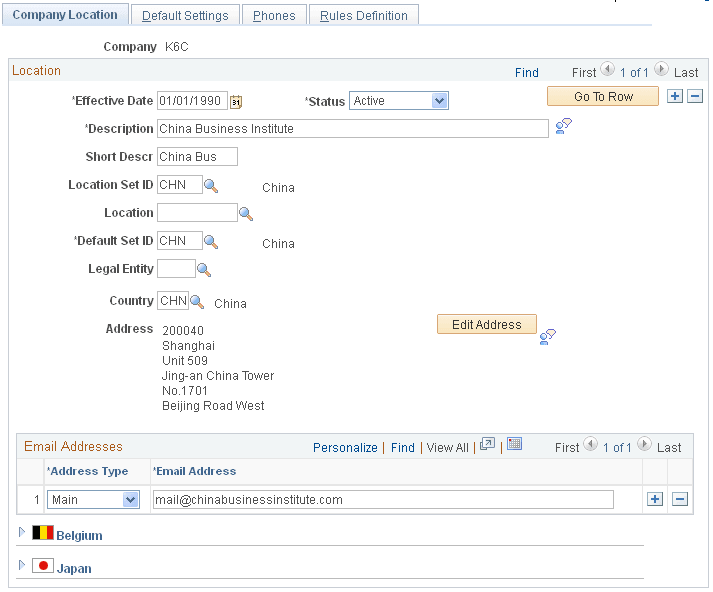
Use the Company Location page (COMPANY_TABLE1) to enter the description to use as the Enterprise Name on the CNAO Shared Information report for SOE and PSGM.
Navigation:
This example illustrates the fields and controls on the Company Location page.
| Field or Control | Description |
|---|---|
|
Description |
Enter or verify the company description. Data from this field appears as the Enterprise Name on the CNAO Shared Information reports for SOE and PSGM. |
|
Legal Entity |
Enter or verify the legal entity. Data from this field appears as the Enterprise Type on the CNAO Shared Information reports for SOE and PSGM. |
Default Settings Page
Use the Default Settings page (COMPANY_TABLE2_GBL) page to enter the currency code, translation type template, accounting period mapping, and other default settings to use for CNAO reporting.
Navigation:
This example illustrates the fields and controls on the Default Settings page. This is number 1 of 5 examples used to illustrate the whole page.
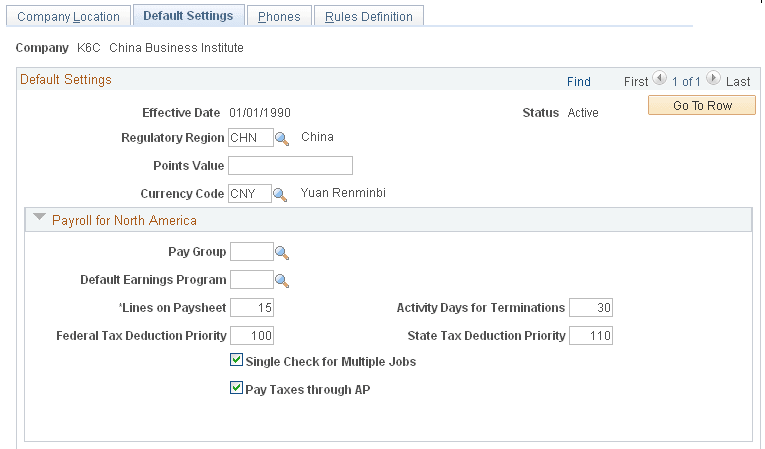
This example illustrates the fields and controls on the Default Settings page. This is number 2 of 5 examples used to illustrate the whole page.
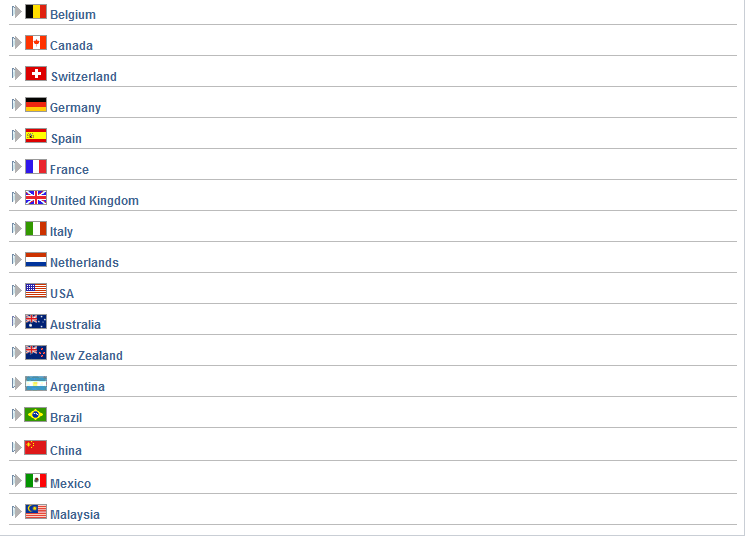
This example illustrates the fields and controls on the Default Settings page. This is number 3 of 5 examples used to illustrate the whole page.
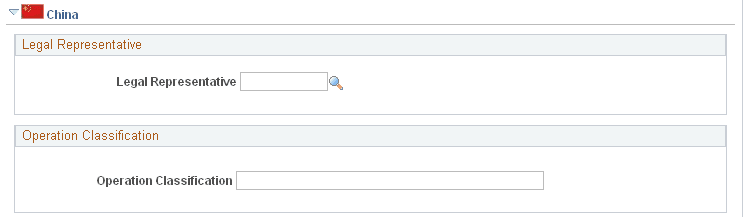
This example illustrates the fields and controls on the Default Settings page. This is number 4 of 5 examples used to illustrate the whole page.
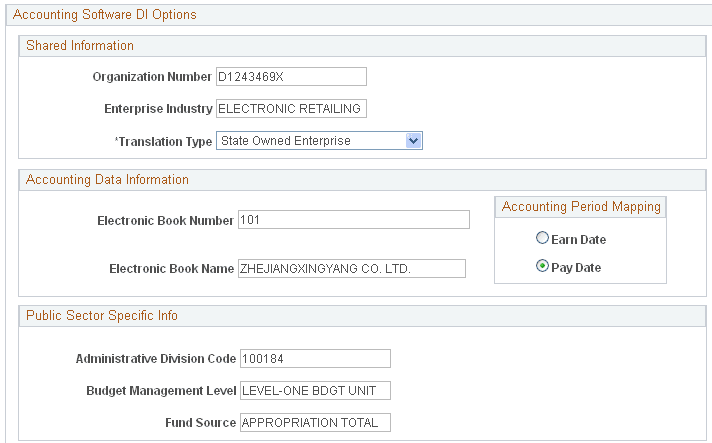
This example illustrates the fields and controls on the Default Settings page. This is number 5 of 5 examples used to illustrate the whole page.
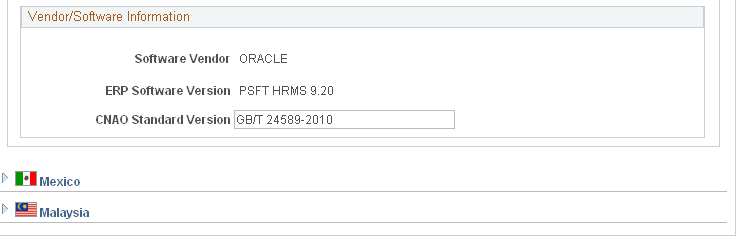
Default Settings
| Field or Control | Description |
|---|---|
|
Currency Code |
Enter or verify the currency code. Data from this field appears as Functional Currency in the CNAO Shared Information reports for SOE and PSGM. |
Shared Information
Expand the China section of the Default Settings page, and enter data in the Accounting Software DI Options group box, beginning with the Shared Information sub group box.
| Field or Control | Description |
|---|---|
|
Organization Number andEnterprise Industry |
Enter or verify data in these fields. Data from these fields appear as items of the same names in the CNAO Shared Information reports for SOE and PSGM. |
|
Translation Type |
Enter the translation type template to use for CNAO reporting. Enter State Owned Enterprise to use the SOE template. Enter Public Sector and Ministries to use the PSGM template. |
Accounting Data Information
| Field or Control | Description |
|---|---|
|
Electronic Book Number andElectronic Book Name |
Enter or verify data in these fields. Data from these fields appear as items of the same names in the CNAO Shared Information report for SOE and PSGM. |
|
Accounting Period Mapping |
Select the accounting period to use. The default option is Pay Date for PSGM. If the State Owned Enterprise (SOE) translation type is used, select the Pay Date accounting period option. The Pay Date accounting period is based on the payment date in the selected calendars. If the Public Sector and Ministries (PSGM) translation type is used, select the Earn Date accounting period option. The Earn Date accounting period is based on the period end date in the selected calendars. |
For example, if the Pay Date accounting period option is selected, then the following payroll periods and payment dates are used (for an assumed 2011 reporting year):
| Payroll Period Start Date | Payroll Period End Date | Payment Date |
|---|---|---|
|
2010–Dec–01 |
2010–Dec–31 |
2011–Jan–01 |
|
2011–Jan–01 |
2011–Jan–31 |
2011–Feb–01 |
|
2011–Feb–01 |
2011–Feb–31 |
2011–Mar–01 |
|
... |
... |
... |
|
2011–Nov–01 |
2011–Nov–20 |
2011–Dec–01 |
Or, if the Earn Date accounting period option is selected, then the following payroll periods and payment dates are used (for an assumed 2011 reporting year):
| Payroll Period Start Date | Payroll Period End Date | Payment Date |
|---|---|---|
|
2011–Jan–01 |
2011–Jan–31 |
2011–Feb–01 |
|
2011–Feb–01 |
2011–Feb–31 |
2011–Mar–01 |
|
2011–Mar–01 |
2011–Mar–31 |
2011–Apr–01 |
|
... |
... |
... |
|
2011–Nov–01 |
2011–Nov–30 |
2011–Dec-01 |
|
2011–Dec–01 |
2011–Dec–31 |
2012–Jan-01 |
Public Sector Specific Info
| Field or Control | Description |
|---|---|
|
Administrative Division Code, Budget Management Level andFund Source |
Enter or verify data in these fields. Data from these fields appear as items of the same names in the CNAO Shared Information report for PSGM only. |
|
Translation Type |
Enter the translation type template to use for CNAO reporting. Enter State Owned Enterprise to use the SOE template. Enter Public Sector and Ministries to use the PSGM template. |
Vendor/Software Information
| Field or Control | Description |
|---|---|
|
CNAO Standard Version |
Enter the CNAO standard version to apply to this reporting. Data from this field appear as CNAO Standard Version on the CNAO Shared Information reports for SOE and PSGM. |
Department Profile Page
Use the Department Profile page (DEPARTMENT_TBL_GBL) to identify the parent department responsible for CNAO reporting.
Navigation:
This example illustrates the fields and controls on the Department Profile page. This is number 1 of 3 examples used to illustrate the whole page.
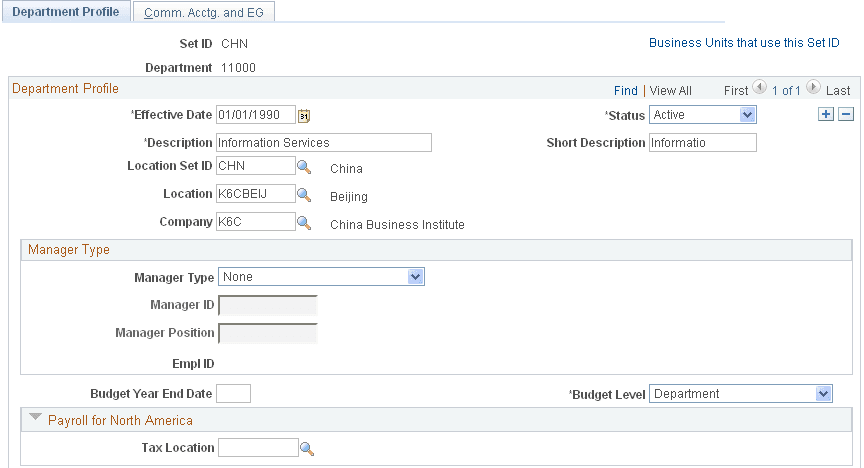
This example illustrates the fields and controls on the Department Profile page. This is number 2 of 3 examples used to illustrate the whole page.
This example illustrates the fields and controls on the Department Profile page. This is number 3 of 3 examples used to illustrate the whole page.
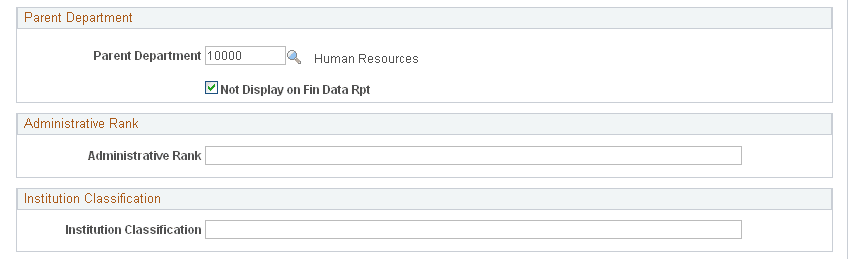
Expand the China section of the Department Profile page.
| Field or Control | Description |
|---|---|
|
Parent Department |
Enter the parent department responsible for CNAO reporting for SOE and PSGM. |
|
Not Display on Fin Data Rpt (not display on financial data report |
When this check box is selected, the parent company information does not appear on the CNAO XML file. If you want the parent company information to appear, you must deselect this check box. |