Setting Up CNAO Shared Information Data
Pages Used to Set Up CNAO Shared Information Data
| Page Name | Definition Name | Usage |
|---|---|---|
|
EMPL_CTG_L1 |
Define the employee category to use within the Labor Agreement for your reporting region. |
|
|
JPM_PROFILE_PERS |
Assign the PERSON-CHN profile type to an employee and identify the employee's job class and education information to use in the CNAO Shared Information report for PSGM. |
Employee Labor Agreement Page
Use the Employee Labor Agreement page (EMPL_CTG_L1) to define the employee category to use within the Labor Agreement for your reporting region.
Navigation:
This example illustrates the fields and controls on the Employee Labor Agreement page.
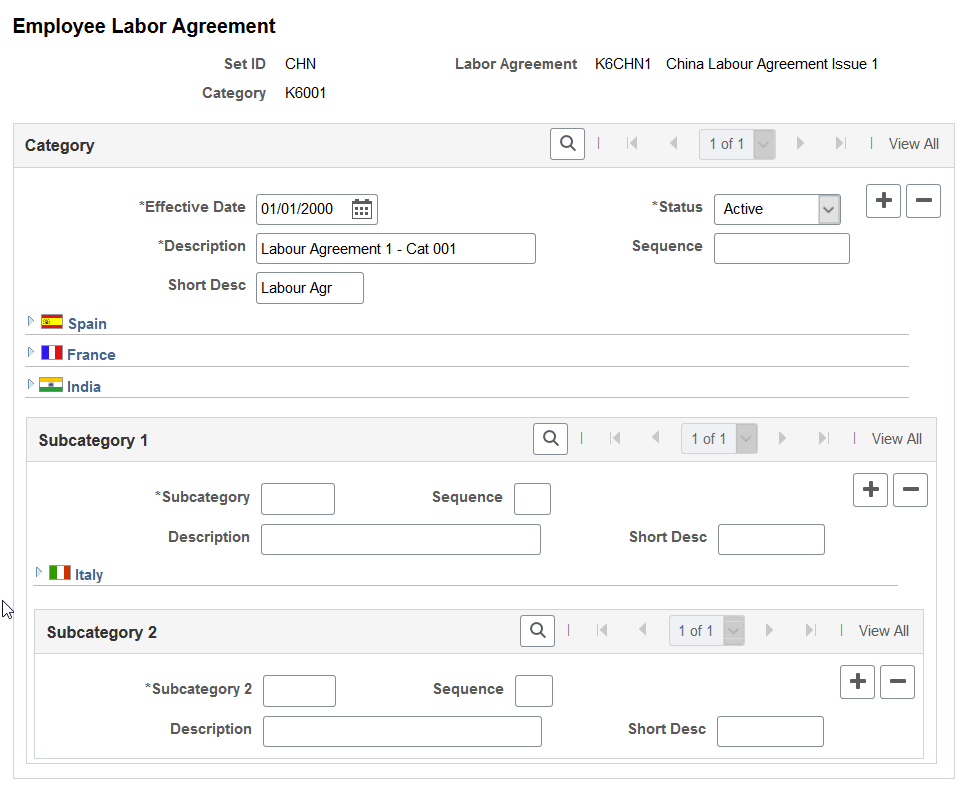
Employee category data appears on the CNAO Shared Information reports for SOE and PSGM.
Enter data on the Employee Labor Agreement page to define employee categories within the Labor Agreement for your reporting region. The Labor Agreement is set up on the Labor Agreement page
Person Profile Page
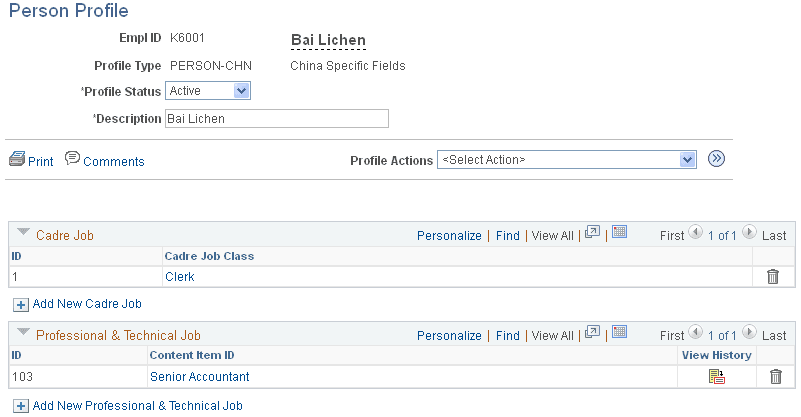
Use the Person Profile page (JPM_PROFILE_PERS) to assign the PERSON-CHN profile type to an employee and identify the employee's job class and education information to use in the CNAO Shared Information report for PSGM.
Navigation:
This example illustrates the fields and controls on the Person Profile page. This is number 1 of 2 pages used to illustrate the whole page.
This example illustrates the fields and controls on the Person Profile page. This is number 2 of 2 pages used to illustrate the whole page.
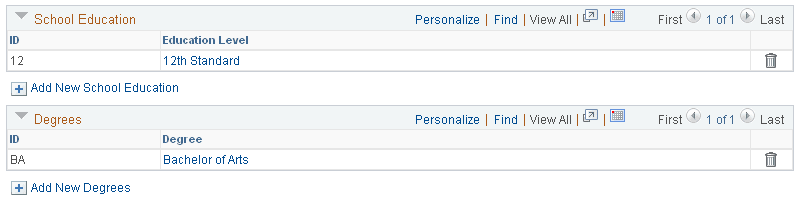
Enter or verify data to identify the employee's current job class and education and degree levels. The system uses the most recently added row for CNAO reporting. Data from the Person Profile page appears in employee records on the CNAO Shared Information report for PSGM only.
Note:
To include an employee in CNAO reporting, the employee must have a profile type of PERSON-CHN with an Active status.
Before you can add content catalog items to a person profile, content catalog items (cadre jobs, professional and technical Jobs, school education, and degrees) must be defined on the Content Catalog, Details page
To add content catalog items to a new profile (and cause Profile Actions to become available) on the Person Profile page, enter Empl ID, Profile Type, and Profile Status, and then select Comments. Enter any comments to note on the profile, and select OK.
When the Profile Actions field is available, you can enter an action and select the Go icon to perform that action. Profile actions include:
-
Copy from Job Profile
-
Search and Compare Profiles
-
Update Profile Groups
-
View Related Job Profiles