Running the Payment Preparation Process
This section discusses how to run the payment preparation process for France.
Page Used to Run the Payment Preparation Process for France
| Page Name | Definition Name | Usage |
|---|---|---|
|
GPFR_BANK_POPULATE |
Populate the GPFR_PAYMENT table containing data for EFT FILE and Net Payment and Exceptions reports. |
Run Payment Prep Process FRA Page
Use the Run Payment Prep Process FRA page (GPFR_BANK_POPULATE) to populate the GPFR_PAYMENT table containing data for EFT FILE and Net Payment and Exceptions reports.
Navigation:
This example illustrates the fields and controls on the Run Payment Prep Process FRA page. You can find definitions for the fields and controls later on this page.
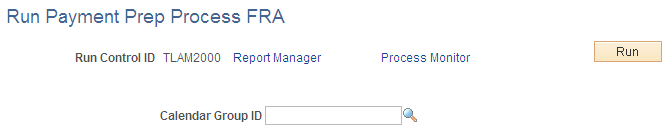
Select the calendar group ID of the payees whose payments you are preparing and click the Run button to run the payroll preparation (GPFR_PAYMENT) process.